Freedom251 › Active Directory Management Software
ADreporter
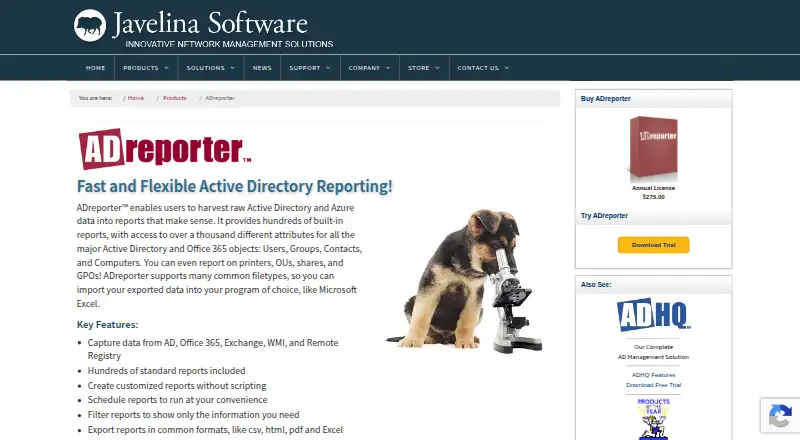
What ADreporter is
ADreporter is an on-premises Windows tool for reporting on Active Directory and related Microsoft data. It gathers information from Active Directory, Office 365, Exchange, WMI, and Remote Registry, then presents it through hundreds of built-in reports and access to more than a thousand attributes for Active Directory and Office 365 objects. For synchronized Office 365 objects, reports can show Active Directory attributes alongside Office 365 attributes. Administrators can create custom reports without scripting, filter results to selected information, schedule reports, and export them as CSV, HTML, PDF, or Excel files. Licensing is per administrator with concurrent use; the maker says there is no limit on administrator identities or managed objects. Annual prices vary by administrator tier: $15 a year for 500 or more administrators and $275 a year for 1–2 administrators, with other tiers in between. A fully functional 15-day evaluation is available after completing a form to receive the download link. Support is available Monday through Friday, 8am–5pm EST, by phone or help request form.
Who it suits
ADreporter suits Windows-based network administrators who need reports across Active Directory and related Microsoft services. Its custom report, scheduling, and export options may also help administrators who need tailored or repeatable reporting.
What it does well
- Hundreds of built-in reports
- Custom reports require no scripting
- Schedules reports and exports to four formats
- Shows AD attributes alongside synced Office 365 attributes
- 15-day fully functional evaluation
What to know first
- Windows platform only
- On-premises deployment
- Evaluation download link requires completing a form
- Support hours are weekdays, 8am–5pm EST
Limits
There is no free plan. The fully functional evaluation is available for 15 days; annual license prices vary by administrator tier, from $15 a year for 500+ administrators to $275 a year for 1–2 administrators.
Plans
| Plan | Billed and limits | Price |
|---|---|---|
| ADreporter Annual License (20–49 administrators) | 1-year subscription; $110 each · Licensed per administrator · concurrent use | $110 a year |
| ADreporter Annual License (10–19 administrators) | 1-year subscription; $140 each · Licensed per administrator · concurrent use | $140 a year |
| ADreporter Annual License (500+ administrators) | 1-year subscription; $15 each · Licensed per administrator · concurrent use | $15 a year |
| ADreporter Annual License (5–9 administrators) | 1-year subscription; $180 each · Licensed per administrator · concurrent use | $180 a year |
| ADreporter Annual License (3–4 administrators) | 1-year subscription; $206 each · Licensed per administrator · concurrent use | $206 a year |
| ADreporter Annual License (1–2 administrators) | 1-year subscription; $275 each · Licensed per administrator · concurrent use · no limit on administrator identities or managed objects | $275 a year |
| ADreporter Annual License (200–499 administrators) | 1-year subscription; $30 each · Licensed per administrator · concurrent use | $30 a year |
| ADreporter Annual License (100–199 administrators) | 1-year subscription; $40 each · Licensed per administrator · concurrent use | $40 a year |
The first 8 of 9 plans, as javelinasoftware.com lists them, read 8 Oct 2026. The maker's own page has the final word. Every plan
Getting started
- Visit the ADreporter website.
- Complete the evaluation form to receive the download link, or select an annual license tier.
- Install and run the product on Windows in an on-premises deployment.
- Choose built-in reports or create and filter custom reports.
- Schedule reports and export results in a supported format.
Verdict
ADreporter focuses on reporting across Active Directory and related Microsoft data, with built-in and custom report options. Licensing is per administrator, and annual prices vary substantially by administrator tier.
Questions
How much does ADreporter cost?
Annual licenses are billed for one year and priced by administrator tier. Prices range from $15 a year for 500+ administrators to $275 a year for 1–2 administrators.
Is there a free plan or trial?
There is no free plan. A fully functional 15-day evaluation is available; complete a form to receive its download link.
Which platforms does ADreporter support?
Windows is the listed platform. ADreporter is deployed on premises.
What data can it report on?
It captures data from Active Directory, Office 365, Exchange, WMI, and Remote Registry. For synchronized Office 365 objects, it can show Active Directory attributes alongside Office 365 attributes.
Can reports be customized and exported?
Administrators can create and filter custom reports without scripting, schedule reports, and export them as CSV, HTML, PDF, or Excel files.
Who makes ADreporter, and what support is available?
Javelina Software makes ADreporter and says it has served network administrators since 1998. Support is available Monday through Friday, 8am–5pm EST, by phone and help request form.
Facts from ADreporter's own pages
- Custom reports
- Users can create customized reports without scripting and filter reports to show selected information. · javelinasoftware.com, 8 Oct 2026
- Data sources
- ADreporter captures data from Active Directory, Office 365, Exchange, WMI, and Remote Registry. · javelinasoftware.com, 8 Oct 2026
- Export formats
- Reports can be exported in CSV, HTML, PDF, and Excel formats. · javelinasoftware.com, 8 Oct 2026
- Founded
- 1998 · javelinasoftware.com, 28 Sept 2026
- Headquarters
- Edgewater, Maryland, United States · javelinasoftware.com, 28 Sept 2026
- Hybrid reporting
- For synchronized Office 365 objects, the product can display Active Directory attributes alongside Office 365 attributes. · javelinasoftware.com, 8 Oct 2026
- Licensing limit
- Licensing is per administrator with concurrent use, and the maker says there is no limit on administrator identities or the number of objects managed. · javelinasoftware.com, 8 Oct 2026
- Maker background
- Javelina Software says it has served network administrators since 1998. · javelinasoftware.com, 8 Oct 2026
- Product update
- The maker's version history lists ADreporter 9.0 build 9.7.0.0, released April 21, 2026. · javelinasoftware.com, 8 Oct 2026
- Purpose
- ADreporter harvests raw Active Directory and Azure data into reports. · javelinasoftware.com, 8 Oct 2026
- Refund policy
- The maker lists a 30-day full refund and prorated refunds thereafter. · javelinasoftware.com, 8 Oct 2026
- Report library
- The product includes hundreds of built-in reports and access to more than a thousand attributes for Active Directory and Office 365 objects. · javelinasoftware.com, 8 Oct 2026
- Scheduling
- Reports can be scheduled to run at the user's convenience. · javelinasoftware.com, 8 Oct 2026
- Security and privacy
- Javelina's site privacy policy says sensitive exchanges between the site and users use an SSL-secured channel and that it does not sell, trade, or rent users' personally identifying information. · javelinasoftware.com, 8 Oct 2026
- Support
- ADreporter support is available Monday through Friday, 8am–5pm EST, with phone support and a help request form. · javelinasoftware.com, 8 Oct 2026
- Trial
- The maker offers a fully functional 15-day evaluation trial and sends the download link after a form is completed. · javelinasoftware.com, 8 Oct 2026