Freedom251 › Writing Style Checkers
Acrolinx
What Acrolinx is
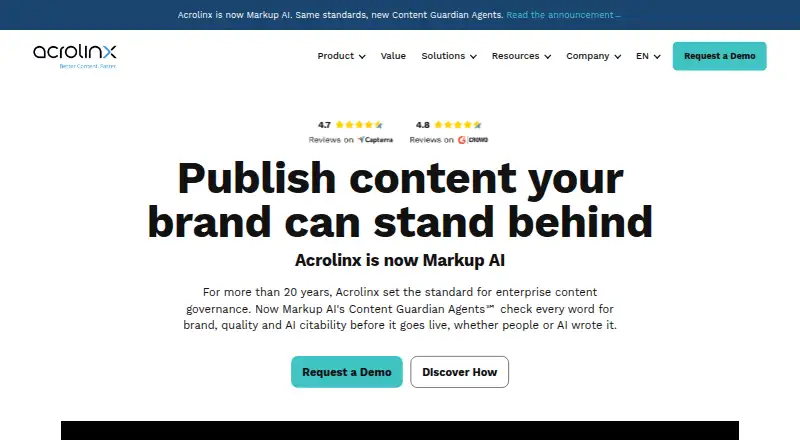
Acrolinx is paid software for controlling language and content standards across an organization’s writing tools. Teams can create custom style guides, manage approved terminology, and define brand voice rules so content follows shared requirements. Acrolinx supports editors and applications including Adobe FrameMaker, Arbortext Editor, Figma, Google Docs, Google Sheets, Google Slides, MadCap Flare, Microsoft Excel, Microsoft Outlook, Microsoft PowerPoint, Microsoft Word, Oxygen XML Author, Oxygen XML Editor, Oxygen XML Web Author, Visual Studio Code, and XMetaL. This coverage spans office documents, spreadsheets, presentations, design work, structured XML authoring, and code editing. Team workflow features provide a shared process for content work, while API access allows connections with other systems. The software is offered on a paid basis, with pricing available on request through the Acrolinx website. Organizations can apply the same terminology, style, and voice rules in many of the applications their teams already use. Its main role is to bring centralized language guidance into distributed content production rather than limit users to one editor.
Who it suits
Acrolinx suits organizations that need consistent terminology, style guidance, and brand voice across many content teams and applications. It is also relevant for teams needing workflow coordination or API connectivity alongside editor integrations.
What it does well
- Custom style guides support organization-specific rules
- Terminology management keeps approved terms consistent
- Brand voice rules guide content standards
- Integrates with a broad editor list
- Team workflow features are included
- API access supports system connections
What to know first
- Pricing is available only on request
- Paid software is priced on request
- Use depends on supported editors and applications
Getting started
- Open the Acrolinx website
- Request pricing from Acrolinx
- Choose a supported editor for content work
- Apply custom style, terminology, and brand voice rules
- Use team workflow features or connect through the API
Verdict
Pick Acrolinx when language governance must span multiple editors and teams. Its style, terminology, voice, workflow, and API capabilities provide a centralized approach. Look elsewhere if you need published pricing or tools outside the listed editor integrations.
Questions
What does Acrolinx manage?
It manages custom style guides, terminology, and brand voice rules for organizational content.
Which editors are supported?
Supported tools include Adobe FrameMaker, Arbortext Editor, Figma, Google Workspace editors, Microsoft Office applications, Oxygen XML tools, Visual Studio Code, MadCap Flare, and XMetaL.
Does Acrolinx support team workflows?
Yes. Team workflow is listed as a feature.
Is there API access?
Yes. Acrolinx lists API access.
How is Acrolinx priced?
It is paid software, with pricing available on request.
Can organizations define their own writing rules?
Yes. Custom style guides, terminology management, and brand voice rules are provided.
Where Acrolinx stands on Freedom251
- Writing Style Checkers#29 of 29