Freedom251 › Accessibility Testing Software
Accessibility Scanner
What Accessibility Scanner is
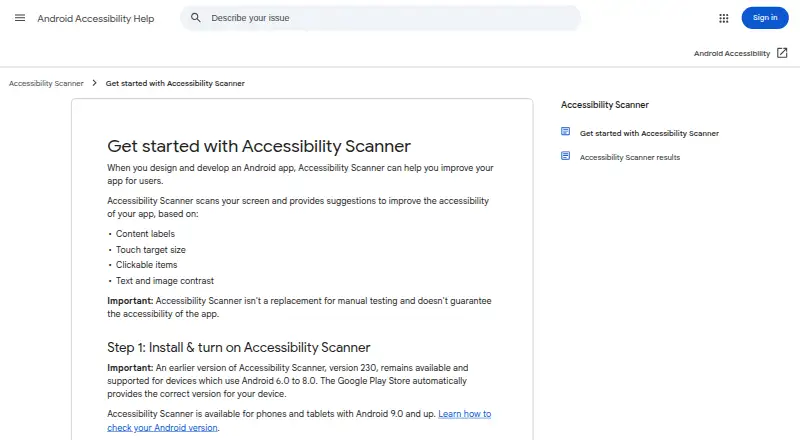
Accessibility Scanner is a free Android app that examines an app interface for common accessibility improvements. It checks content labels, touch-target size, clickable elements, and text and image contrast. You can inspect a snapshot of one screen or record a workflow across several screens while navigating. Findings appear on screenshots and can be reviewed by screen or category, then shared. Minimum thresholds for text contrast, image contrast, and touch-target size are adjustable. Google says anyone, not only developers, can use it to identify issues and share them with a development team. While active, it requires accessibility-service permissions to retrieve window content and observe actions. Recordings contain screenshots rather than video or audio, stay on the device, and are not shared with Google. For FLAG_SECURE windows, it cannot capture the screen or check color contrast, although other results may appear. Google says it does not replace manual testing or guarantee accessibility.
Who it suits
It suits anyone reviewing Android app interfaces, including people who want to share findings with a development team. It runs on Android 9.0 and later, with version 230 supporting Android 6.0–8.0.
What it does well
- Checks labels, targets, and contrast
- Snapshot and workflow scans
- Adjustable checking thresholds
- Shareable screenshot findings
- Free Android app
What to know first
- Does not replace manual testing
- Cannot guarantee accessibility
- FLAG_SECURE windows limit checks
- Requires accessibility-service permissions
Plans
| Plan | Billed and limits | Price |
|---|---|---|
| Accessibility Scanner | Android app; Android 9.0 and up, with version 230 supported for Android 6.0–8.0 | Free |
As support.google.com lists them, read 12 Oct 2026. The maker's own page has the final word.
Verdict
Accessibility Scanner provides free, adjustable checks for common Android accessibility issues and presents findings in shareable screenshots. Treat its results as guidance alongside manual review, especially for secure windows.
Facts from Accessibility Scanner's own pages
- Adjustable thresholds
- Users can change minimum text contrast, image contrast, and touch target size thresholds. · support.google.com, 12 Oct 2026
- Automated scans
- Yes · play.google.com, 21 Sept 2026
- Checks
- Checks for content labels, touch target size, clickable items, and text and image contrast. · support.google.com, 12 Oct 2026
- Data safety
- Google Play states that the app does not share data with third parties, may collect app activity, app info and performance, and device or other IDs, and encrypts data in transit. · play.google.com, 12 Oct 2026
- Free plan
- Yes · play.google.com, 21 Sept 2026
- Headquarters
- Mountain View, California, United States · support.google.com, 28 Sept 2026
- Maker
- Google Play identifies Google LLC as the developer and lists its address as 1600 Amphitheatre Pkwy, Mountain View, CA 94043, United States. · play.google.com, 12 Oct 2026
- Manual testing limit
- Google says the tool does not replace manual testing and does not guarantee an app’s accessibility. · support.google.com, 12 Oct 2026
- Mobile testing
- Yes · play.google.com, 21 Sept 2026
- Permissions
- While active, the app requires accessibility-service permissions to retrieve window content and observe actions. · play.google.com, 12 Oct 2026
- Purpose
- Scans an app’s user interface and recommends common accessibility improvements. · play.google.com, 12 Oct 2026
- Recording privacy
- A recording consists of screenshots rather than video or audio, stays on the device, and is not shared with Google. · support.google.com, 12 Oct 2026
- Remediation guidance
- Yes · play.google.com, 21 Sept 2026
- Results
- Displays scan findings on screenshots and lets users review results by screen or category and share them. · support.google.com, 12 Oct 2026
- Scan modes
- Can scan a snapshot of one screen or record a workflow across multiple screens while the user navigates the app. · support.google.com, 12 Oct 2026
- Secure windows
- For windows marked FLAG_SECURE, Scanner cannot capture the screen or check color contrast, though it can show other scan results. · support.google.com, 12 Oct 2026
- Support
- The app provides Help and feedback, and Google Play lists [email protected] as its support email. · support.google.com, 12 Oct 2026
- Who it is for
- Google says anyone, not just developers, can use it to identify common accessibility improvements and share them with a development team. · play.google.com, 12 Oct 2026
Where Accessibility Scanner stands on Freedom251
- Accessibility Testing Software#112 of 169