Freedom251 › Accessibility Testing Software
Accessibility Checker
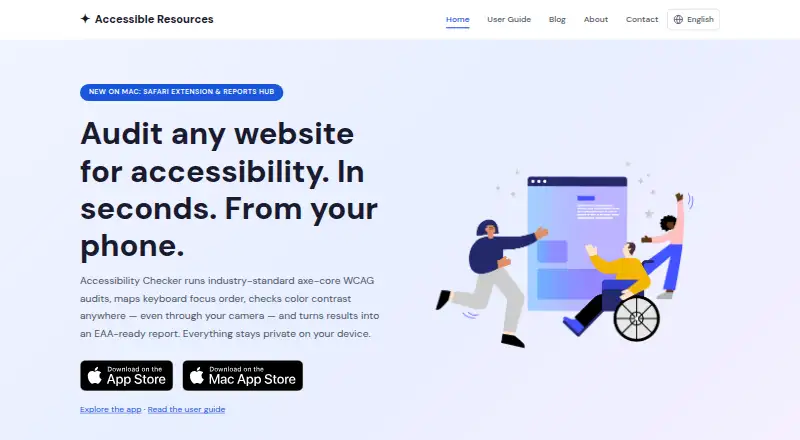
What Accessibility Checker is
Accessibility Checker is a toolkit for auditing website accessibility on extension, iOS, and macOS platforms. It performs automated axe-core scans against WCAG 2.1, maps keyboard focus order, and checks color contrast. Audit results prioritize WCAG issues and provide plain-language explanations with practical remediation guidance. Focus Order visualizes keyboard tab order and exports full-page maps as images or PDFs. Contrast checks evaluate colors from websites, screenshots, photos, or a live camera against WCAG 2.1 and APCA, then suggest accessible alternatives. Reports combine audit, contrast, and focus-order evidence in PDFs aligned with WCAG 2.1 AA and EN 301 549. The app creates self-assessed accessibility statements in 17 languages, which can be copied, downloaded as HTML, printed, or shared by hosted link. Audits, contrast checks, and focus scans run on-device, so checked content is not uploaded. Findings can be exported as text, CSV, or PDF; Mac Reports Hub also supports HTML and Markdown. The app is free to download, with paid Checker and Checker Pro tiers.
Who it suits
The toolkit is aimed at designers, developers, and QA engineers reviewing website accessibility. It suits users who need audit evidence, focus-order maps, contrast guidance, or accessibility statements.
What it does well
- Automated WCAG 2.1 audits
- Visual keyboard focus mapping
- Contrast checks include APCA
- On-device checks keep content local
- Accessibility statements in 17 languages
What to know first
- Automated testing is not certification
- Full conformance still requires manual testing
- Checker report previews are watermarked
- Paid tiers are available
Plans
| Plan | Billed and limits | Price |
|---|---|---|
| Monthly | — | On request |
| Yearly access | — | On request |
| Pro (Yearly) | — | On request |
| Monthly premium subscription | — | On request |
| Checker Pro Lifetime | — | On request |
As accessibleresources.com lists them, read 19 Sept 2026. The maker's own page has the final word.
Verdict
Accessibility Checker brings automated audits, focus-order review, contrast analysis, reporting, and statement creation into one toolkit. Its on-device processing supports privacy, while manual testing remains necessary for full conformance.
Facts from Accessibility Checker's own pages
- Audience
- The maker describes the toolkit as intended for designers, developers, and QA engineers. · accessibleresources.com, 12 Oct 2026
- Automated audits
- Audits report prioritized WCAG issues with plain-language explanations and practical fix guidance. · accessibleresources.com, 12 Oct 2026
- Automated scans
- Yes · accessibleresources.com, 19 Sept 2026
- Browser extension
- No · accessibleresources.com, 19 Sept 2026
- Contrast checks
- The contrast tool checks colors from websites, screenshots, photos, or a live camera against WCAG 2.1 and APCA, and suggests accessible alternatives. · accessibleresources.com, 12 Oct 2026
- Exports
- Audit findings can be exported as text, CSV, or PDF, while Mac Reports Hub supports HTML and Markdown exports. · accessibleresources.com, 12 Oct 2026
- Focus order
- The Focus Order tool visualizes keyboard tab order and exports full-page maps as images or PDFs. · accessibleresources.com, 12 Oct 2026
- Free and paid access
- The app is free to download, browsing pages and reviewing existing results are always free, and paid Checker and Checker Pro tiers are available; subscriptions start with a 7-day free trial. · accessibleresources.com, 12 Oct 2026
- Free plan
- Yes · accessibleresources.com, 19 Sept 2026
- Headquarters
- United Kingdom · accessibleresources.com, 19 Oct 2026
- Integrations
- On iPhone and iPad, users can load pages or images from Safari and Photos through the share sheet; Mac offers a Safari extension for audits and reports. · accessibleresources.com, 12 Oct 2026
- Limits
- Automated testing is not a conformance certification, and full conformance requires manual testing. · accessibleresources.com, 12 Oct 2026
- Maker
- The maker says it builds accessibility tools for developers, product designers, and researchers, with a team experienced at Google, Apple, and Spotify. · accessibleresources.com, 12 Oct 2026
- Mobile testing
- Yes · accessibleresources.com, 19 Sept 2026
- Paid plan limits
- Checker includes unlimited audits, contrast checks, and focus scans with watermarked report previews; Checker Pro adds full unwatermarked reports, accessibility statements, and clean exports. · accessibleresources.com, 12 Oct 2026
- Privacy
- Audits, contrast checks, and focus scans run on-device, and the sites, images, and colors checked are not uploaded. · accessibleresources.com, 12 Oct 2026
- Purpose
- Accessibility Checker audits websites for accessibility using axe-core WCAG scans, keyboard focus order mapping, and color contrast checks. · accessibleresources.com, 12 Oct 2026
- Remediation guidance
- Yes · accessibleresources.com, 19 Sept 2026
- Reports
- Reports combine audit, contrast, and focus-order evidence in a PDF aligned with WCAG 2.1 AA and EN 301 549. · accessibleresources.com, 12 Oct 2026
- Statements
- The app generates self-assessed accessibility statements in 17 languages that can be copied, downloaded as HTML, printed, or shared as a hosted link. · accessibleresources.com, 12 Oct 2026
- Support
- Users can send feedback in Settings or contact the maker by email. · accessibleresources.com, 12 Oct 2026
- WCAG coverage
- wcag 2.1 · accessibleresources.com, 19 Sept 2026
Where Accessibility Checker stands on Freedom251
- Accessibility Testing Software#45 of 169