Freedom251 › Authenticator apps

2FAuth
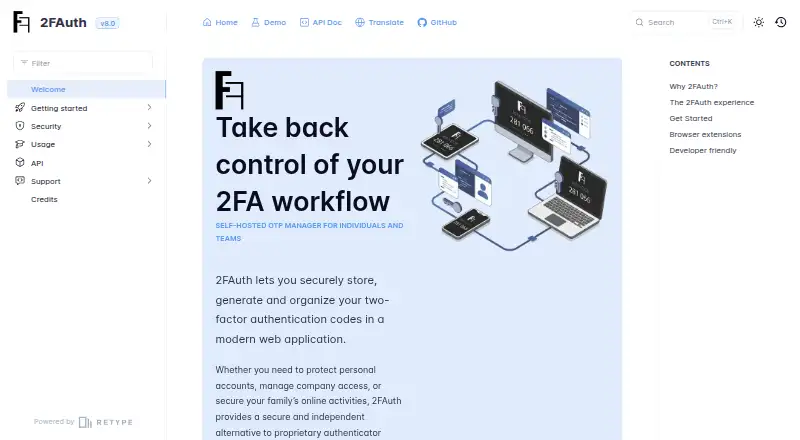
What 2FAuth is
2FAuth is a free, open-source, self-hosted web application for storing, organizing, and generating two-factor authentication codes. It creates TOTP, HOTP, and Steam Guard codes, with accounts added by scanning QR codes or entering details manually. Groups, icons, filtering, and search help organize accounts, while imports support 2FAuth JSON, Google Authenticator QR codes, Aegis JSON, 2FAS JSON, and plain text. Multiple users can maintain isolated personal vaults, and authorized recipients can generate codes from shared accounts without viewing or exporting the underlying secret. Login options include passwords, WebAuthn passkeys, OpenID, GitHub SSO, and reverse-proxy authentication. Browser extensions can capture secrets, register them, or retrieve OTPs, but require a running 2FAuth instance. The REST API follows OpenAPI 3.1 and uses personal access tokens with Bearer authentication. Database encryption is optional and disabled by default; the APP_KEY is needed for decryption. Installation guidance covers self-hosted servers, Docker, Heroku, YunoHost, NGINX, and Apache2.
Who it suits
It suits individuals, families, and companies wanting self-hosted 2FA storage, generation, sharing, and administration. It also fits teams that need browser extensions or API access.
What it does well
- Free and open source under AGPL-3.0
- Generates TOTP, HOTP, and Steam Guard codes
- Supports multiple users with isolated vaults
- Imports several authenticator export formats
- Offers WebAuthn, OpenID, and GitHub SSO
What to know first
- Browser extensions require a running 2FAuth instance
- Database encryption is disabled by default
- Self-hosted installation requires server setup
- Not every authenticator supports export
Verdict
2FAuth provides broad code support, imports, sharing controls, and self-hosted deployment options without a listed price. Its encryption setting and server requirement are important parts of operating it.
Facts from 2FAuth's own pages
- Account setup
- Users can add accounts by scanning QR codes or entering details manually, and organize them into groups. · github.com, 12 Oct 2026
- Adding accounts
- Accounts can be added by scanning a QR code or entering details manually. · docs.2fauth.app, 12 Oct 2026
- API
- The REST API follows OpenAPI 3.1 and uses personal access tokens with Bearer authentication. · docs.2fauth.app, 12 Oct 2026
- Authentication
- The app supports password and WebAuthn login, OpenID and GitHub SSO, and authentication through a reverse proxy. · docs.2fauth.app, 12 Oct 2026
- Authentication integrations
- Documented sign-in options include OpenID and GitHub SSO, WebAuthn passkeys, and authentication through a reverse proxy. · docs.2fauth.app, 12 Oct 2026
- Browser extension
- The browser extension can capture 2FA secrets and retrieve codes, but requires a running 2FAuth instance. · docs.2fauth.app, 12 Oct 2026
- Browser extensions
- Browser extensions can capture and register secrets or retrieve OTPs, and require a running 2FAuth instance. · docs.2fauth.app, 12 Oct 2026
- Code type
- totp and hotp · github.com, 21 Sept 2026
- Code types
- It generates TOTP, HOTP and Steam Guard codes. · github.com, 12 Oct 2026
- Demo
- A demo is available and resets every hour. · docs.2fauth.app, 12 Oct 2026
- Deployment
- The documentation provides self-hosted installation guidance for NGINX or Apache2 and a Docker installation option. · docs.2fauth.app, 12 Oct 2026
- Encryption
- Database encryption for stored 2FA secrets is optional and disabled by default; the APP_KEY is needed to decrypt data. · docs.2fauth.app, 12 Oct 2026
- Imports
- It supports importing 2FAuth JSON, Google Auth QR codes, Aegis JSON or plain text, and 2FAS JSON. · github.com, 12 Oct 2026
- Installation
- The project documents self-hosted server, Docker, Heroku and YunoHost installation options. · docs.2fauth.app, 12 Oct 2026
- Intended users
- The maker describes 2FAuth as intended for individuals and teams, including personal, company and family account management. · docs.2fauth.app, 12 Oct 2026
- License
- The project’s GitHub repository identifies its license as AGPL-3.0. · github.com, 12 Oct 2026
- Migration
- The docs describe imports from Google Authenticator QR codes, 2FAS files, and Aegis exports, while noting that not every authenticator app supports export. · docs.2fauth.app, 12 Oct 2026
- Organization
- Users can organize accounts with groups, icons, filtering, and search. · docs.2fauth.app, 12 Oct 2026
- OTP types
- It generates TOTP, HOTP, and Steam Guard codes. · github.com, 12 Oct 2026
- Product
- 2FAuth is a self-hosted web app for storing, organizing and generating two-factor authentication codes. · docs.2fauth.app, 12 Oct 2026
- Purpose
- 2FAuth is a self-hosted web app for storing, organizing, and generating two-factor authentication codes. · docs.2fauth.app, 12 Oct 2026
- Security
- Administrators can enable encryption for sensitive database data, and users can configure automatic logout and hide generated codes. · docs.2fauth.app, 12 Oct 2026
- Security standards
- The project says its OTP generation follows RFC 4226 for HOTP and RFC 6238 for TOTP. · github.com, 12 Oct 2026
- Sharing
- Users can share accounts so recipients can identify them and generate codes, but recipients cannot view or export the underlying secret. · docs.2fauth.app, 12 Oct 2026
Where 2FAuth stands on Freedom251
- Authenticator apps#44 of 111