Free tools Windows power users keep installed
One-click scans. No signup required.
For files that already contain JPEG image data, bulk “conversion” usually means replacing the .jpg suffix with .jpeg. That changes filenames only; it does not decode, recompress, or reduce quality. Re-encode the images only when you need a different image size, color profile, metadata, or another processing step. Test on copies first and keep the originals until you have checked the results.
JPG and JPEG are normally the same image format
JPG and JPEG are extension spellings associated with the JPEG format. The three-letter form became common because older systems limited extensions to three characters; the four-letter form uses the full “JPEG” abbreviation. A file named holiday.jpg and one named holiday.jpeg can contain identical JPEG bytes.
Changing the suffix is therefore a filename operation, not an image conversion. It is appropriate when an upload form, script, or application insists on .jpeg but your files are already JPEGs. It does not fix a file that is actually PNG, WebP, HEIC, or another format that has merely been given a misleading name.
Decide which operation you actually need
| Need | Correct operation | What happens to image data |
|---|---|---|
Only the extension must read .jpeg |
Bulk rename the final suffix | Bytes remain unchanged; no quality loss |
| Resize, rotate, change color profile, strip metadata, or process pixels | Open and export or convert with an image tool | New files are written and settings may change |
| Source is not JPEG data | Decode the source and encode as JPEG | Format changes; transparency cannot be retained in JPEG |
JPEG re-encoding is lossy. ImageMagick’s format notes describe JPEG as “a lossy compression,” and JPEG does not support transparency. A pure rename avoids both issues.
Crashes, No Sound, or Screen Glitches?
Random freezes, missing sound and display glitches usually trace back to one bad driver. Find and replace yours safely.Free scan · under a minutePC Slower Than It Used to Be?
A free scan shows the junk files, broken settings and background clutter dragging Windows down - then fixes them in one click.Free scan · Windows 10 & 11#1 Best Overall

- SONY IMAGE CONVERTER 2 SOFTWARE
Before a bulk rename
- Make a backup or copy the source folder.
- Confirm a sample really is JPEG data by opening it in an image viewer or checking its file type; do not trust an extension alone.
- Decide whether matching is case-insensitive. You may have both
.jpgand.JPG. - Choose a separate output folder if possible. This makes it easy to compare names and prevents accidental overwrites.
- Replace the old suffix rather than appending a new one. The intended result is
photo.jpeg, notphoto.jpg.jpeg. - Run the procedure on a small copied group and inspect several outputs before processing the full collection.
Windows: rename JPG files with PowerShell
Preview the changes first
Open PowerShell in the folder containing the copies. This command lists the proposed old and new paths without changing anything:
Get-ChildItem -File | Where-Object { $_.Extension -match '^.jpe?g$' } | ForEach-Object {
  $newName = [IO.Path]::ChangeExtension($_.Name, 'jpeg')
  "{0}  ->  {1}" -f $_.Name, $newName
}
Apply the rename without overwriting
Get-ChildItem -File | Where-Object { $_.Extension -match '^.jpe?g$' } | ForEach-Object {
  $newName = [IO.Path]::ChangeExtension($_.Name, 'jpeg')
  $target = Join-Path $_.DirectoryName $newName
  if (Test-Path -LiteralPath $target) {
    Write-Warning "Skipped because the target exists: $target"
  } else {
    Rename-Item -LiteralPath $_.FullName -NewName $newName
  }
}
-LiteralPath prevents characters such as brackets from being interpreted as wildcards. The regular expression matches both .jpg and .jpeg, in either case, so an existing .jpeg file maps to the same name and is skipped by the collision check. If you want to process only three-letter JPG files, change the expression to ^.jpg$.
Put renamed files in another folder
To preserve the originals, create an output directory and copy each file under its new name:
$source = (Get-Location).Path
$destination = Join-Path $source 'jpeg-output'
New-Item -ItemType Directory -Force -Path $destination | Out-Null
Get-ChildItem -File | Where-Object { $_.Extension -match '^.jpe?g$' } | ForEach-Object {
  $newName = [IO.Path]::ChangeExtension($_.Name, 'jpeg')
  Copy-Item -LiteralPath $_.FullName -Destination (Join-Path $destination $newName) -ErrorAction Stop
}
This copies the bytes; it does not re-encode them. Review the output folder, then remove or archive it according to your retention policy.
macOS and Linux: safe shell renaming
macOS or Linux with Bash
In Terminal, change to a test copy of the folder. The following loop handles lowercase and uppercase extensions and refuses to overwrite an existing target:
Rank #2

- DIGITAL DOCUMENT- DocScan allows you to scan to image file with JPG/tiff format, from paper documents to digital image files ,you could easy to organize PC documents in one place,
- Quick DOCUMENT SCANNING – Quickly and bulky to scan your paper documents, more than 60 paper documents could be digitized per one minute.
- BULK PROCESS DIGITAL IMAGES- you can process image one by one to image process(crops,filling etc )& rotation(turn left 90 degree,right 90 degree ,flip vertical and flip horizontal),file format conversion(image to pdf,pdf to jpg), Image compress as well as image optimaztion. you could also to bulky process file in one folders as well. meantime,it is able to bulkly rename file names according to file name template, so as to the sequence of the file names is in order.
- AUTOMATIC PAGE SUPPLEMENT- If one page is missed between previous file page and next file page , it could automatically fill the current scan page between them.
- COMPATIBLE INFORMATION, Compatible with all kinds of scanner device which has twain/wia driver interaface, it compatible with operation system,windows7 ,windows8 ,windows 10,windows 11 etc.
for f in ./*; do
  [ -f "$f" ] || continue
  case "$f" in
    *.jpg|*.JPG|*.jpeg|*.JPEG)
      new="${f%.*}.jpeg"
      if [ -e "$new" ] && [ "$f" != "$new" ]; then
        printf 'Skipping existing target: %sn' "$new"
      elif [ "$f" != "$new" ]; then
        mv -- "$f" "$new"
      fi
      ;;
  esac
done
"${f%.*}" removes only the final extension, so names such as scan.v2.jpg become scan.v2.jpeg. Quoting paths protects spaces and most shell metacharacters. For a non-destructive result, replace mv with cp and write to a separate directory.
Preview on macOS or Linux
for f in ./*; do
  [ -f "$f" ] || continue
  case "$f" in
    *.jpg|*.JPG) printf '%s -> %sn' "$f" "${f%.*}.jpeg" ;;
  esac
done
When you need actual image conversion
Use an image processor when the underlying data must change. ImageMagick’s magick command is designed for format conversion and image processing. The output extension identifies the requested format, so an output name ending in .jpeg asks ImageMagick to write JPEG data.
Convert a folder with ImageMagick
After installing ImageMagick, make an output directory and convert a small sample first:
mkdir -p jpeg-output
magick mogrify -path jpeg-output -format jpeg -quality 90 -- *.jpg
Shell glob behavior differs by platform and does not always include uppercase extensions. For a more explicit per-file loop on Bash:
mkdir -p jpeg-output
for f in ./*.jpg ./*.JPG; do
  [ -f "$f" ] || continue
  magick "$f" "jpeg-output/$(basename "${f%.*}").jpeg"
done
Choose quality deliberately. A quality value is an encoder setting, not a promise of lossless output; repeatedly opening and saving JPEGs can accumulate artifacts. Keep the originals and compare dimensions, file sizes, color, and fine detail before deleting anything.
Rank #3
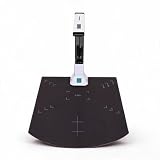
- Automatic Correction: This document scanner automatically calibrates with one click and is easy to use. Even if the picture is skewed, it can intelligently correct the picture, automatically form the picture within one second, and improve work efficiency.
- Excellent CMOS Sensor: An excellent CMOS sensor captures real time images more clearly. Batch automatic scanning, only need to manually turn pages, continuously scan into pictures.
- Powerful OCR Text Recognition: Using powerful OCR technology, the captured document picture is directly converted into text, and the recognition rate is over 98%. It supports multilingual, sign and number recognition, and can be exported to editable files.
- Video Recording: Real time projection and video recording, display it in real time, and open convenient ways to share and communicate, suitable for distance learning and online teaching.
- Foldable Portable: The document scanner has a ABS body. It is foldable and portable, just connect the scanner to the computer with a USB cable and install the relevant software to make the scanner work.
Convert other source formats
If your files are PNG, WebP, TIFF, or another format, changing the suffix would be misleading. Convert them explicitly, for example:
magick input.webp -background white -alpha remove -alpha off output.jpegThe white background in this example is intentional because JPEG cannot store transparency. Choose a background color that suits your images, or retain a format that supports an alpha channel.
Mac graphical batch export with Preview
Adobe’s Mac support guide describes a Preview workflow for exporting several images:
- In Finder, select the images.
- Open the selection in Preview.
- In Preview’s sidebar, select all of the images.
- Choose File > Export Selected Images.
- Choose a destination and an image format, then export.
This is a graphical batch export and can create newly encoded files. Menu wording can vary by macOS release. If your files are already JPEG and the only requirement is the extension spelling, Finder’s multi-file rename is the safer approach: select the files, Control-click, choose Rename, and use the replace-text option to replace .jpg with .jpeg. Check the preview of the proposed names before confirming.
Photoshop Image Processor for broader batch jobs
Photoshop includes Image Processor at File > Scripts > Image Processor. Adobe documents options to convert sets of files to JPEG, PSD, or TIFF, resize them, preserve or manage color profiles, and include copyright metadata. Its JPEG quality control is shown on a 0–12 scale; that scale belongs to Photoshop’s interface and is not a universal quality measurement.
Rank #4

- High-speed large-format A3 flatbed scanner, designed for high-quality scanning of artworks, photos, albums, books, magazines, newspapers, CAD drawings and other large documents up to 12'' x 17''.
- The auto-scan function allows the scanner to scan automatically when the scanner cover is closed. Improve the efficiency of the continuous scanning process and LED light source, save energy, no warm-up time, no waiting.
- The photo scanner has a maximum scanning speed of 4 seconds (200 dpi, A3 format color). It also provides a maximum optical resolution of 2400 x 2400 dpi, which provides vivid and lifelike 48-bit image color depth and achieves smoother and more detailed color gradients and changes.
- The large-format scanner adopts a frameless design with narrow borders. It helps you use the four panel buttons efficiently, allowing you to scan, email, print and even create single or multi-page PDFs instantly.
- Supports only Window 7/8.1/10/11 and IOS 10.15 or later Image Capture (ICA) drivers. It for school projects, commercial work, graphic design and digital publishing work.
Use Image Processor when those additional operations justify re-encoding. It is unnecessary for an extension-only change and can create larger or visibly different files if settings are not matched to the originals.
Do these 3 things before closing this tab:
1Clear out junk files and repair common Windows errors2Fix the driver behind crashes, sound loss and screen glitches3Repair Windows errors before they cause bigger problemsChoosing the right method
| Situation | Best fit | Main caution |
|---|---|---|
| Thousands of known JPEG files; only naming compatibility is needed | PowerShell or shell rename | Test collisions and mixed-case suffixes |
| Nontechnical, occasional Mac job | Finder rename or Preview export | Preview export re-encodes; Finder rename does not |
| Resize, profile, metadata, or scripted processing | ImageMagick or Photoshop Image Processor | Re-encoding is lossy; retain originals |
| Need transparency in the result | Keep PNG/WebP or another alpha-capable format | JPEG cannot store transparency |
Troubleshooting
The result is named photo.jpg.jpeg
The operation appended text instead of replacing the final suffix. Use ChangeExtension in PowerShell or ${f%.*} in the shell loop.
Some files were skipped
Check extension case, hidden files, and whether the files are in subfolders. The examples process the current directory only. Process subdirectories separately or add recursion deliberately after testing.
A rename says the target already exists
You have a collision, often because both photo.jpg and photo.jpeg are present. Compare the files and choose a naming rule; do not overwrite blindly.
The image will not open after renaming
The original may not contain JPEG data, may be damaged, or may have been renamed incorrectly. Restore the backup, inspect the file type, and convert from the actual source format rather than changing its suffix.
What’s actually slowing this PC down?
Pick the symptom - the matching free tool is one click away.
Best Value

- Slips conveniently into a purse or briefcase so you can scan important documents and photos on-the-go when no copier is available
- Scan in color or black and white, saving scans as JPEG or PDF format, and storing them to a microSD card up to 32GB (required, not included)
- When docked, the high-speed sensor scans paper automatically using its auto-feed feature while the scanner charges, providing more quality and ease of use, and an increased resolution of 1200 dpi
- Comes with Optical Character Recognition editing software, allowing you to convert scanned documents into text editable and searchable files
- Scan documents 8.5" wide and up to 125" long, choose scan quality of 300, 600, or 1050 dpi (1200 when docked) for flexibility, features rechargeable battery, with up to 400 scans per charge
Converted files look softer or colors changed
You re-encoded the image, possibly with a different quality, color profile, or resizing setting. Start again from the originals, use an explicit profile and quality policy, and compare a representative sample.
ImageMagick reports a security or policy error
ImageMagick installations can restrict formats through policy configuration. Check the installed version’s policy and documentation, or use a permitted format and a separate output directory. Do not weaken system policy casually on a shared machine.
Performance, reliability, and cost considerations
- Renaming is limited mainly by filesystem speed and directory size; it does not consume CPU to decode image pixels.
- Re-encoding is CPU- and storage-intensive. Writing to a separate directory allows a complete run to finish without destroying the source set.
- For very large collections, process in batches and log skipped collisions or failures.
- Verify counts, filenames, and a visual sample before archiving originals.
- Do not assume a larger JPEG quality number from one program equals the same visual result in another program.
Or skip the browser setup
If your actual task is capturing web pages rather than renaming local image files, ScreenshotNeo provides a one-request screenshot API. It accepts cookie and consent banners like a visitor, then removes more than 60 known consent platforms, newsletter popups, and chat widgets before capture; each step can be disabled. Bot checks, blank pages, timeouts, failed loads, and cache hits are not billed, and response headers identify the page verdict and billing status. Its MCP server provides take_screenshot, get_page_info, and capture_pdf tools for Claude, Cursor, and other MCP clients.
For the documented parameters and options, see ScreenshotNeo’s API documentation. A direct call looks like this:
curl -G "https://api.screenshotneo.com/v1/shot" -d access_key=YOUR_API_KEY --data-urlencode url=https://stripe.com -o shot.webpPython:
import requests
r = requests.get("https://api.screenshotneo.com/v1/shot", params={"access_key": "YOUR_API_KEY", "url": "https://stripe.com"}, timeout=90)
open("shot.webp", "wb").write(r.content)
Node.js:
const q = new URLSearchParams({ access_key: 'YOUR_API_KEY', url: 'https://stripe.com' });
const res = await fetch(`https://api.screenshotneo.com/v1/shot?${q}`);
The free plan includes 1,000 screenshots per month with no card. Paid plans start at $5 for 3,000 screenshots; every feature is available on every plan. Create a free ScreenshotNeo account to get started.
Frequently Asked Questions
Will renaming JPG to JPEG improve image quality?
No. Renaming leaves the image bytes unchanged, so quality, dimensions, and compression remain the same.
Can I rename files in nested folders with these examples?
The shown commands target one directory. Run them per folder or add recursion only after adapting and testing the destination and collision rules.
Should I delete the JPG originals after conversion?
Keep them until you have verified filenames, counts, and visual output; re-encoded JPEGs cannot restore information lost during export.
The Tool Desk
Outbyte PC Repair FREERepair Windows errors before they cause bigger problemsFix Now →Outbyte Driver Updater FREEScan for outdated or missing drivers - takes under a minuteDriver Scan →The Bottom Line
If the files are already JPEGs, replace .jpg with .jpeg and avoid re-encoding. Use ImageMagick, Preview, or Photoshop only when the image data itself must be changed.
Quick Recap
Product prices and availability are accurate as of the date/time indicated and are subject to change. Any price and availability information displayed on Amazon at the time of purchase will apply.




