For a quick answer, hover over live text with WhatFont or right-click it and choose Fontanello. To verify which typeface the browser actually rendered—including fallbacks—use Chrome DevTools: inspect the text, check its computed styles, and open Rendered Fonts. A CSS font-family value is a list of candidates, not proof that the first font in the list appeared on screen.
Choose the right way to identify the font
Use an extension when you want to survey a page quickly. Use DevTools when you need to verify the browser’s rendered typeface, investigate a fallback, or understand why an element looks different from the CSS declaration. Both approaches inspect live webpage text; neither can reliably identify lettering that is only present as pixels in an image.

| Method | Setup | How you use it | What it shows | Best for |
|---|---|---|---|---|
| WhatFont | Install the browser extension | Activate it, then hover over text; click to reveal applied styles | Font identification and applied styles | Fast reconnaissance across a page |
| Fontanello | Install the browser extension | Select or right-click text and choose Fontanello | Typeface, weight, size, color, contrast and other CSS properties | Checking typography from the context menu |
| Chrome DevTools | No installation | Inspect an element, then check Computed and Rendered Fonts | Computed values and the typeface Chrome rendered | Verification and fallback diagnosis |
WhatFont’s Chrome Web Store listing reported 3,000,000 users in 2026. Fontanello’s Chrome listing reported 60,000 users in 2026 and version 1.3.0, updated April 21, 2024. These listing figures indicate adoption, not comparative accuracy. No reliable dated head-to-head accuracy study establishes that one extension identifies fonts more accurately than the others.
Use WhatFont for a quick hover check
- Install WhatFont from the official Chrome Web Store listing.
- Open the page and activate the extension using its browser-toolbar control.
- Hover over a live text sample, such as a heading, paragraph, navigation label or button.
- Click when you want to reveal the applied styles, then note the reported family and any style information relevant to your work.
- Repeat on other text types. A page can use different families or weights for its heading, body, buttons and navigation.
This is a fast way to explore typography without opening developer tools. Treat the result as a useful lead if you need certainty about the rendered face: a declared font can be unavailable, or a particular character can come from another font. Verify those cases in DevTools.
#1 Best Overall
Use Fontanello from the right-click menu
- Install Fontanello from its official browser listing. The extension is listed for both Chrome and Firefox.
- Select or right-click a piece of live text on the page.
- Choose Fontanello from the context menu.
- Read the reported typeface and relevant properties, including weight, size, color and contrast.
- Repeat on samples with different roles or apparent styles; do not assume a heading and body paragraph share a family or weight.
Fontanello is convenient when you want several typography properties together from a context-menu action. If the result matters for debugging or implementation, compare it with DevTools rather than assuming that a CSS family declaration and the rendered face are always identical.
Verify the rendered font in Chrome DevTools
- Open the page at the viewport size where the typography matters.
- Right-click the text and choose Inspect. Alternatively, turn on Inspect mode with Ctrl+Shift+C on Windows, Linux or ChromeOS, or Cmd+Shift+C on macOS, then select the text.
- In the Elements panel, select the text element. Open the Computed styles view and review the resolved font properties, including the font family, size and weight.
- Find the Rendered Fonts section for the selected element. This reports the typeface Chrome’s text-rendering layer actually used, which can differ from the first item in the CSS font-family list.
- Check more than one sample if the page uses varied typography. For a suspect fallback, use the local-font check described below and reload.
The difference between Computed and Rendered Fonts is useful: Computed styles tell you what CSS resolved to, while Rendered Fonts reveals the typeface used to paint the selected text. Chrome DevTools can also expose fall-through fonts—for example, when some characters in a string are rendered by a different face because the primary face lacks those glyphs.
Rank #2
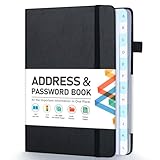
- [Make Life and Work more Organized] The original way of writing down important information on paper is more useful and safe, whether it is in work or in life. The password keeper book measures 5.3 x 7.7 inches, perfect size fits easily in a medium sized purse.
- [A-Z Color Alphabetical Tabs] There are 6 pages for each letter (1 letters per tab). Homlive's password books for seniors are updated with single-letter tabs, while others have two-letter tags. Colored tabs are easier to find.
- [Enough Password and Address Writing Space] This address books offers total 396 entries, with 3 standard entries each pages to store websites, address, username and notes. Additional 12 pages for important passwords, 4 pages for important dates, 2 note pages to write down what you want. Colored pages are easier to read.
- [100GSM No Bleeding Paper] 100GSM no bleeding through, much thicker than others. The contact book comes with an elastic band, pen holder, 1 bookmark, and 1 accordion pocket at the end.
- [A great gift for all ages] This is a very meaningful gift for all ages, putting important information in one place. Keep your work life organized. Give it to your family, friends, colleagues.
Understand font stacks and fallback behavior
A CSS font-family declaration commonly lists a preferred face followed by alternatives. The browser tries available candidates; if a face is missing or cannot supply a particular glyph, it may render text using a later fallback. Consequently, copying the first family name from a CSS rule does not always tell you what appeared on screen.
- Installed local font: A page may resolve to a face already installed on your device rather than a downloaded webfont.
- Missing glyph: A font can render most of a sentence while a different face supplies a character it does not contain.
- Different weight or style: A heading and paragraph may use the same family with different weights, or use different families entirely.
- Variable font: A variable face can support a range of weights or other axes. The family name alone does not describe every setting applied to a particular element.
If the rendered face is unexpected, disable local fonts in Chrome DevTools and reload the page. Chrome documents this technique as a way to distinguish a downloaded webfont from a local fallback. Compare the element again after reloading; the result helps narrow down whether a locally installed face was masking what the site serves.
The Tool Desk
Outbyte PC Repair FREEClear out junk files and repair common Windows errorsFree Scan →Outbyte Driver Updater FREEFix the driver behind crashes, sound loss and screen glitchesFind Drivers →Rank #3

- 【Keep Your Contacts Organized】 This 7.7" x 5.7" address book keeps all your information in one place, helping you keep track of important dates, numbers, addresses and passwords.
- 【Colorful Alphabetical Tabs】 Address book features individual tabs with colorful design that help you easily organize and quickly locate the phone numbers and addresses of your contacts.
- 【Plenty of Writing Space】 Our phone number book has 384 entries to record contacts necessary information, 64 entries to store Internet passwords. And includes birthday pages, anniversary pages, notes pages, emergency contact pages, etc.
- 【Premium Quality and Convenient Design】 The leather hardcover book makes telephone address book elegant and practical. Sturdy double-wire binding allows the address book to lay flat 360 °. And comes with thick no-bleed 100gsm paper, elastic band, inner pocket.
- 【 Perfect Gift for Everyone】 Address and password book is a thoughtful and stylishl gift, keep work and life organized. The contact book with large fonts is geared for seniors.
Follow a reliable inspection workflow
- Choose a representative viewport. Open the page at the size where you care about the typography; responsive layouts may change styles at different widths.
- Survey the page with an extension. Check a heading and a paragraph with WhatFont or Fontanello, and record family and weight separately.
- Verify a key sample. Inspect the same element in DevTools and compare its Computed font properties with Rendered Fonts.
- Investigate a mismatch. Consider a local font, missing glyph, variable-font setting or fallback. Disable local fonts and reload if you need to test whether a local face is involved.
- Switch methods for image lettering. If the text belongs to a logo, banner or screenshot rather than live page text, crop the lettering and use an image-oriented font identifier.
For a record you can reuse in a design or code review, note the URL, viewport, element or text sample, reported family, weight and whether the value came from an extension or DevTools’ Rendered Fonts. Recording the method matters: a CSS declaration and an actually rendered face answer different questions.
When browser extensions cannot identify the lettering
Extensions and DevTools inspect webpage text, not the shapes of letters embedded in a raster image or outlined in a graphic. If a logo, banner or screenshot contains the lettering, an inspector cannot recover the original font with certainty from those pixels. Save or crop the image and use an image-oriented identification workflow instead. Results from image matching should be treated as candidates, especially if the artwork has been customized or the lettering is not a standard typeface.
Or skip the browser setup
ScreenshotNeo can capture a page, but it does not identify the font in the resulting image: use WhatFont, Fontanello or DevTools for that. If you need a repeatable screenshot as a visual record alongside your typography inspection, this single GET request returns an image. See the ScreenshotNeo API documentation for the request details.
Rank #4

- Used Book in Good Condition
curl -G "https://api.screenshotneo.com/v1/shot" -d access_key=YOUR_API_KEY --data-urlencode url=https://stripe.com -o shot.webpScreenshotNeo removes cookie banners, newsletter popups and chat widgets before capture; each step can be turned off. Bot checks, blank pages, timeouts, failed loads and cache hits are not billed, and the response indicates the page verdict and billing status. Its MCP server lets AI agents use screenshot tools. The Free plan includes 1,000 screenshots per month with no card; paid plans start at $5 for 3,000. See ScreenshotNeo for the service details, or sign up free for 1,000 screenshots a month with no card.
What’s actually slowing this PC down?
Pick the symptom - the matching free tool is one click away.
Troubleshoot confusing results
The extension shows a family, but the page looks different
Check the same element in DevTools’ Rendered Fonts. The browser may have used a later fallback, or the string may contain characters unsupported by the declared face. Inspect a short sample and a sample containing the unusual character to see whether the rendered-font information changes.
Computed styles show a stack instead of one font
That is expected when CSS lists fallback candidates. Use Rendered Fonts to confirm the face Chrome selected for the text instead of treating the first listed family as definitive.
Best Value
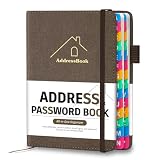
- [Easy Organization with A–Z Colorful Alphabetical Tabs – Find Contacts Instantly] This address book with alphabetical tabs helps you stay perfectly organized. Each colorful A–Z divider makes the address book easy to locate names and addresses in seconds. Whether you use this telephone address book for family, friends, or business, flipping through the pages has never been clearer or faster.
- [Large Capacity – 486 Contacts & 80 Passwords in One Place] This 4.7" x 6.2" address and password book combo offers generous space to record 486 addresses and 80 passwords. It keeps your contacts, websites, and login details secure in one convenient address and password book. Perfect for anyone who prefers pen and paper over digital lists.
- [Always losing track of important details?] This contact book keeps it all together. The address and password book includes custom address pages for personal contacts, emergency contact sheets for quick access to doctors or family, and dedicated sections for passwords, special days, and even a Christmas card list. Plus, extra note pages give you room for reminders or to–do lists. With the address phone book , staying organized has never been easier – one place, all your essentials.
- [Premium Paper & Smart Details – Made to Last] Our 4.7" x 6.2" address book with colorful alphabetical tabs features 100gsm paper to prevent ink bleed-through and ensure smooth writing. With dual bookmarks, a pen loop, and a pocket for cards, this portable telephone address book combines quality with thoughtful design for everyday use.
- [A Thoughtful Gift – Elegant & Practical] This beautifully designed address book makes a timeless and useful gift for anyone who values staying connected. The address contact book is perfect for parents, friends, or coworkers – a classic phone number book for every occasion.
The extension is missing from the context menu or does not respond
Confirm the extension is installed and enabled in the browser, reload the page, and try selecting actual live text rather than an image. For WhatFont, activate it before hovering; for Fontanello, use the context-menu action on selected or right-clicked text. If the extension remains unavailable on a particular page, inspect the element in DevTools.
The font changes after resizing or reloading
Inspect the page at the viewport where you saw the change and select the same element again. Responsive CSS can alter typography across widths, while reloads can reveal whether a local face or webfont was used. Compare computed properties and Rendered Fonts under the same conditions.
Recommended Free Tools
The lettering is part of a logo or screenshot
There is no live text node for a webpage inspector to examine. Crop the image and use an image-oriented identifier; treat any proposed typeface as a possibility, not proof of the original design font.
Check licensing before reusing a typeface
Identifying a family does not grant permission to download, distribute or use it. Before using a commercial typeface in a website, app, document or other project, confirm the license terms that apply to your intended use and the way the font will be delivered.
Quick Recap
Product prices and availability are accurate as of the date/time indicated and are subject to change. Any price and availability information displayed on Amazon at the time of purchase will apply.




