To find a website’s subdomains, combine several passive sources—Certificate Transparency (CT) logs, search results, passive DNS data and public DNS records—then resolve each candidate with DNS. No public source guarantees a complete, current list: certificates can be old, records can disappear, and private names may never be published. Treat discovery as candidate generation, validate the names, and only test hosts that your authorization and engagement scope explicitly cover.
What counts as a subdomain?
A subdomain is a hostname beneath a registered domain. In api.example.com, api is the label and example.com is the parent domain. Organizations commonly use names such as www, mail, app, staging, dev, admin and region-specific labels, but naming conventions vary.
Finding a name does not prove that it is live, owned by the organization, or in scope for a security test. Keep those questions separate:
- Discovery: collect possible hostnames from multiple sources.
- Validation: check whether a candidate currently resolves and record its DNS answers.
- Authorization: confirm that the domain and any associated service are permitted targets before probing further.
Use a multi-source, mostly passive workflow
Different sources see different parts of an organization’s history. Start with passive collection so you can build an inventory without sending enumeration traffic to the target’s DNS infrastructure.
The Tool Desk
Outbyte PC Repair FREEClear out junk files and repair common Windows errorsFree Scan →Outbyte Driver Updater FREEScan for outdated or missing drivers - takes under a minuteDriver Scan →#1 Best Overall
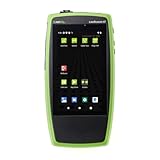
- Comprehensive AutoTest: Validates and troubleshoots all aspects of network link connectivity and services including DHCP and DNS
- Link Speed Verification: Verifies link speed/duplex for 10/100 Mbps and 1 Gbps, with detection of NBASE-T and Multigigabit 2.5G, 5G, and 10 gig links
- Switch Discovery and PoE Validation: Discovers nearest connected switch name and port information via CDP/LLDP/EDP, including VLANs; monitors VLAN trunk traffic; Validates Power over Ethernet PoE switching and cabling up to 90W 802.3bt with TruePower loading
- Advanced Network Cable Testing: Advanced twisted-pair cable tests for length, wiremap, and faults such as shorts, opens, mis-wires (split pairs, crossovers), fiber optic link signal strength power measurement and SFP diagnostics. Locate cable endpoints with optional WireView adapters and analog or digital tone generator
- Remote Control and Reporting: Use optional USB WiFi /Bluetooth adapter for connectivity and remote control; Automate reporting and enable collaboration with test result uploads, management, and tester remote control via Link-Live analysis platform
1. Check Certificate Transparency records
Open a CT search portal such as crt.sh and search for the parent domain. Certificates often include hostnames for production, staging, development, administration or legacy systems. Export every name that belongs to the domain, including names shown through wildcard certificates.
CT data is historical evidence, not a live asset list. A certificate may have expired, a hostname may no longer resolve, or a name may have been included only as a certificate subject or alternative name. Record the certificate observation date and issuer if you need an audit trail, then validate each hostname through DNS.
2. Consult search and passive DNS sources
Search engines can reveal hostnames in indexed pages, documentation, error messages and links. Passive DNS databases contain names observed in DNS over time. Public DNS information and security-data portals may add records that CT logs do not contain. Coverage depends on the provider, its collection period and whether the hostname was ever publicly observed, so preserve the source for every result.
3. Combine, normalize and deduplicate
Put all candidates into one file or spreadsheet. Convert names to a consistent case, remove a final dot from fully qualified names, discard entries outside the parent domain, and deduplicate. Keep provenance rather than throwing it away: one hostname found in CT, passive DNS and a search index is more corroborated than a name seen once.
A useful inventory row contains:
- Candidate hostname
- Source and source-observation date
- DNS status (resolving, non-resolving or ambiguous)
- Record types and returned values
- Owner or team confirmation
- Assessment scope and notes
Validate candidates with DNS
Resolve every candidate before treating it as an active asset. Resolution proves that a DNS server returned an answer; it does not prove that a web service is healthy or that you have permission to interact with it.
Rank #2
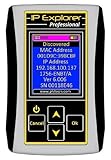
- Network Tool: DHCP and BOOTP server for industrial control devices
- IP Assignment: Quickly assigns IP addresses to Ethernet-enabled equipment
- Device Compatibility: Works with PLCs; communication modules; switches and I/O adapters
Command-line checks
On systems with the standard DNS utilities installed:
dig +noall +answer app.example.com A
 dig +noall +answer app.example.com AAAA
 dig +noall +answer app.example.com CNAME
 dig +noall +answer app.example.com NS
Use nslookup app.example.com when dig is unavailable. Querying several record types helps distinguish a direct address from a CNAME dependency or a name that only has mail-related records.
Classify the result
| Status | Meaning | Next action |
|---|---|---|
| Resolves | At least one DNS answer was returned. | Record the answers, owner and scope; use only approved application checks. |
| Non-resolving | No usable answer was returned at the time of checking. | Keep the historical evidence, but do not call it a live host. |
| Ambiguous | Intermittent, delegated or resolver-dependent answers. | Repeat from an authorized resolver and document the time and resolver. |
DNS answers can vary by geography, split-horizon configuration, resolver and time-to-live. A public resolver may not see an internal record, while an internal resolver may reveal names that are not publicly reachable. Do not infer reachability from an address alone.
Free tools Windows power users keep installed
One-click scans. No signup required.
Use enumeration software when the engagement allows it
For an authorized inventory or assessment, OWASP identifies Amass and subfinder among commonly used enumeration tools. Check the installed version’s help because options and data-source integrations change.
Amass passive enumeration
amass enum --passive -d example.comPassive mode aggregates configured data sources with little or no direct interaction with the target’s DNS infrastructure. Configure the data sources available to your organization, save the output, and merge it with CT and passive-DNS results.
Rank #3

- 【 Multifunction Network Cable Tester LT-600】Ethernet cable tester with 4-inch IPS touchscreen with 800×480 resolution. The screen is clear and responds quickly. Multifunction network tester support UTP cable test, RJ45 TDR cable test, cable search, Network tools, POE++ detect, length meter, FTP server and more.
- 【POE++ Detection & Network Tools】The PoE tester supports IEEE 802.3at/af/bt and non-standard PoE protocols. It displays supply voltage, power pins, and pin polarity. Of coursed, The network tester is features a built-in 1000M network port and a range of tools, support IP discovery, IP address scan, PING test, LLDP/CDP detection, Port flashing, PPPOE dial-up.
- 【UTP Cable Tester & Cable Tracer】Advanced UTP cable test can easily test UTP cable's sequence, type and remote kit. Ethernet cable tracer can quickly find out the target cable from the mess cables. Accurately locate the cables to avoid misjudgment. Inductive NCV scan function, supporting the distinction between live and neutral wires.
- 【 Length Meter & RJ45 TDR Cable Test 】Cable length meter Measure opens of network cables, max measurement length up to 3000 meters. Accuracy: Cable length x 3% ± 1m(only for Cable’s open test). RJ45 TDR test can easily test pair status,length,attenuation,reflectivity,impedance, skew, and other parameters,max 180 meters (590 feet).
- 【Battery & FTP Server】 The transmitter has a built-in 3.7V 4000mAh battery and the receiver has a built-in 3.7V 2000mAh battery, providing excellent battery life. The FTP function enables users to copy test reports and data via network FTP. Rsrteng will do our best to resolve any technical support issues as soon as possible.
Active enumeration and brute force
Amass also supports active methods and wordlist-based guessing. These methods send queries to DNS infrastructure and can generate logs. A guessed name is not evidence that the service exists, and a wordlist can never guarantee completeness. Obtain written authorization, confirm the resolver and rate limits, and define which labels and record types may be queried before enabling active options.
Subfinder and similar tools
Subfinder can aggregate passive sources when those integrations are configured. Treat its output as source-dependent, just as you would Amass output. Save the tool version, configuration and run date so another analyst can reproduce the inventory.
Understand what each method can and cannot reveal
| Method | Can reveal | Main limitation | Interaction |
|---|---|---|---|
| Certificate Transparency search | Hostnames named in publicly logged certificates | Historical, wildcard and certificate-only names may not be current DNS assets; portal indexing varies | Passive lookup; validate with DNS |
| Passive DNS and search sources | Previously observed names and indexed references | Coverage varies by source, time and domain | Generally passive; retain provenance |
| Passive-mode enumeration tools | Aggregated results from configured data sources | Requires source access and correct configuration; never exhaustive | Lower direct interaction; follow scope rules |
| Active DNS enumeration or brute force | Names found by queries or tested guesses | May generate logs; depends on resolver, wordlist and method | Use only with explicit authorization |
Maintain an owner-confirmed inventory
For site owners, the useful result is not a long hostname list but a maintained asset register. Ask the DNS, infrastructure and application owners to confirm each resolving name, its purpose, responsible team and retirement date. Recheck names periodically because certificates, DNS records and hosted services change independently.
Watch for dangling third-party records
A CNAME or other DNS record that points to a deprovisioned cloud or third-party resource can create a subdomain-takeover risk. Do not attempt to claim or exploit the resource. Instead, have the responsible domain administrator verify the service account and either restore the intended resource or remove the stale DNS record.
Record evidence consistently
For each candidate, store the exact hostname, source, observation date, DNS response, resolver used, owner confirmation and scope decision. This makes stale findings explainable and prevents a historical CT entry from being mistaken for a current production system.
Rank #4

- Rapid Network Testing: One-button, 10-second pass/fail test verifies PoE, Link, DHCP, Gateway, and Internet connectivity
- Network Discovery: Shows nearest switch name/port and VLAN via CDP/LLDP/EDP protocols for comprehensive network mapping
- Wireless Connectivity and Cloud Integration: Built-in Wi-Fi hotspot for mobile UI; automatically uploads results to Link-Live cloud portal
- Portable Design: Pocket-sized, PoE or AA battery powered, designed for frontline and helpdesk teams as a pre-check tool before escalating to advanced testers
- Visual Feedback System: Lighted Indicator Icons provide instant status updates (Does not have a display or touch screen)
Troubleshooting common results
“The CT portal shows a name, but DNS returns nothing.”
The certificate may be expired, the host may have been retired, or the name may be internal or mistyped. Keep it as historical evidence, normalize the spelling, and mark it non-resolving at the check date.
Recommended Free Tools
“Different resolvers return different answers.”
Split-horizon DNS, geographic routing, caching or a short TTL may be involved. Repeat from an approved network, record resolver and timestamp, and avoid declaring the host down based on one location.
“A tool returns very few names.”
Check that passive data sources are configured and authenticated, inspect the tool’s warnings, and compare with CT and search results. A tool’s output is limited by its enabled sources and their coverage.
“Brute force finds nothing.”
The wordlist may not match the organization’s naming scheme, wildcard DNS may obscure negative responses, or the resolver may be rate-limiting requests. Stop if the activity is not explicitly authorized; guessing is neither complete nor automatically safe.
“A hostname resolves, but the website is blank or unauthorized.”
DNS resolution alone does not establish an HTTP service, ownership or testing permission. Record the DNS result, consult the owner, and stay within the engagement’s defined checks.
Outdated Drivers Are Slowing You Down
One free scan finds every outdated or missing driver and matches the right update for your exact hardware.Free scan · exact hardware matchPC Slower Than It Used to Be?
A free scan shows the junk files, broken settings and background clutter dragging Windows down - then fixes them in one click.Free scan · Windows 10 & 11Best Value

- 【POE++ MAX 90W Power Output & Gigabit SFP Module】Rsrteng Model E88 Model CCTV Tester support standard IEEE 802.3af & IEEE 802.3at and IEEE 802.3bt POE++,max 90W power output. Supports standard POE cameras and high-power PTZ speed dome camera with POE function. Provide power supply for high-power PTZ speed dome camera. 1CH SFP optical fiber module interface,support insert Gigabit SFP optical fiber module for optical fiber network testing.
- 【4K IP Camera Tester 】Network camera tester support max 4K 12MP 4000*3000P IP Camera tester. Rapid Video,auto view the video,IP discovery, CCTV Tester built-in special tools for Hik and for DH and other 3rd brand camera test tools, for Hik and DH cameras, support batch activate for cameras and modify IP address, username and password. Self-defined modify channel name.IPC Tester also compatible with most existing cameras. Create testing report.
- 【Network Tool & WIFI & POE Detection & Power Management】Network test tool trace route, Link monitor, DHCP server, port flashing, Ping test. Built in WIFI, speeds 150Mbps, 2.4GHz. WIFl analyzer can view wifi information, test wifi strength,analyze channel occupancy and channel rating, etc. Support POE detect. Power management can view real-time data such as voltage and power of POE, DC12V, DC24V output and DC12V input. PSE voltage and power supply protocol detection for POE Switch.
- 【Cable Tester & Appliction port】POE camera tester built-in UTP cable test, RJ45 TDR cable, cable length app. Support PD power test and AC voltage detector. Dual 10/100/1000M Gigabit Ethernet ports.Audio Input/Output,HD Input,VGA input, DC output:24V/2A,12V/3A,5V/2A.
- 【Power & App Update & Friendly Service】:8 inch IPS touch screen IPC Tester,1920x1200 resolution,Android 10.0 system. Application Update support upgrade the app online or download the file to the SD card for local updatesWe are the manufacturer of cctv camera tester and have a professional after-sales technical team,so you don’t have to worry about technical problems.
Or skip the browser setup
If you need screenshots of discovered web properties for an inventory or report, ScreenshotNeo provides a website screenshot API. It accepts a URL in one GET request and can return PNG, JPEG, WebP or PDF. Before capture it accepts cookie or consent banners and removes more than 60 known consent platforms, newsletter popups and chat widgets; each cleanup step can be disabled. Only clean shots are billed, while bot checks or CAPTCHAs, blank pages, timeouts, failed loads and cache hits cost nothing, with the result identified by X-Page-Verdict and X-Billed headers. An MCP server supplies take_screenshot, get_page_info and capture_pdf tools to Claude, Cursor and other MCP clients.
Using the API requires an access key. See the ScreenshotNeo API documentation for the current parameters and response details.
curl -G "https://api.screenshotneo.com/v1/shot" -d access_key=YOUR_API_KEY --data-urlencode url=https://example.com -o shot.webpThere are also official Python and Node.js request patterns:
import requests
r = requests.get("https://api.screenshotneo.com/v1/shot", params={"access_key": "YOUR_API_KEY", "url": "https://example.com"}, timeout=90)
open("shot.webp", "wb").write(r.content)
const q = new URLSearchParams({ access_key: 'YOUR_API_KEY', url: 'https://example.com' });
const res = await fetch(`https://api.screenshotneo.com/v1/shot?${q}`);ScreenshotNeo includes full-page capture, CSS-selector element capture, device presets, custom viewport and retina scale, PDF page settings, custom CSS and JavaScript, waits, blocking rules, headers, cookies, user agents, authorization, timezone and geolocation controls, transparent backgrounds, resizing, chosen TTL caching, signed links, async jobs with signed webhooks, bulk capture of up to 100 URLs per call, a usage API and an OpenAPI specification. Its parameter names are compatible with those used by other screenshot APIs, which can simplify migration.
Quick wins for a faster PC:
Clear out junk files and repair common Windows errorsFree Scan →Fix the driver behind crashes, sound loss and screen glitchesFind Drivers →Repair Windows errors before they cause bigger problemsFix Now →The Free plan includes 1,000 screenshots per month with no card. Paid plans start at $5 for 3,000 shots; yearly billing gives two months free, and every feature is available on every plan. Create a free ScreenshotNeo account to try it without a card.
Stay within authorization and scope
Publicly visible data is not permission to probe a system. Discovery can expose administration, development or third-party hosts that are outside your agreement. Before active DNS queries, HTTP requests, screenshots requiring authentication or any vulnerability testing, confirm the owner, approved hostnames, methods, rate limits and reporting contact. For defensive inventory work, route suspected stale records to the domain administrator rather than attempting to take control of a service.
Frequently Asked Questions
Can I guarantee that a subdomain list is complete?
No. Public datasets are partial and time-dependent, and private or never-observed names will be absent. Combining sources improves coverage but cannot prove completeness.
Does a DNS response prove that a host is owned by the target organization?
No. A response only shows what the queried resolver returned. Ownership, service status and testing permission require confirmation from the responsible administrator.
Do these 3 things before closing this tab:
1Clear out junk files and repair common Windows errors2Fix the driver behind crashes, sound loss and screen glitches3Repair Windows errors before they cause bigger problemsShould I use active brute-force enumeration on a public domain?
Only when the domain owner has explicitly authorized it and the method is within the engagement scope. Active queries can generate logs and still miss names.
Quick Recap
Product prices and availability are accurate as of the date/time indicated and are subject to change. Any price and availability information displayed on Amazon at the time of purchase will apply.




