Do these 3 things before closing this tab:
1Clear out junk files and repair common Windows errors2Scan for outdated or missing drivers - takes under a minute3Repair Windows errors before they cause bigger problemsShort answer: A screenshot API can usually dismiss or hide a cookie-consent banner before rendering, but that is not the same as bypassing a login, paywall, CAPTCHA, or a site’s legal consent requirement. Choose an API with an explicit cookie-banner control, session injection for pages you are authorized to access, and separate anti-bot options. Validate the rendered image rather than assuming the banner was removed.
What “cookie bypass” means in a screenshot API
Hosted screenshot services open a URL in a browser, apply your capture settings, and return image bytes, a redirect, or a hosted image URL. Their cookie features normally operate at the presentation layer: the service detects a consent dialog, clicks an available reject or accept control, hides the overlay, or blocks common consent scripts before taking the shot.
That does not create an authenticated user session. It does not unlock a subscription wall, defeat a CAPTCHA, or establish legal consent on your behalf. A page can still return a login form, a bot challenge, or an error after the banner is removed.
- Consent handling: look for a documented option such as
blockCookieBanners,removeCookieBanners, orno_cookie_banners. - Session access: use custom cookies, request headers, basic authentication, or an authorization mechanism documented by the provider, and only with credentials you are allowed to use.
- Bot protection: treat
stealth,stealthMode, andbypassBotDetectionas separate controls. Cookie removal does not imply that a challenge will be passed.
Capabilities to compare before choosing an API
| Capability | Questions to ask | Why it matters |
|---|---|---|
| Consent handling | Does it click, hide, or block common banners? Can I add CSS or JavaScript for an unfamiliar CMP? | Different consent-management platforms and regional variants render different controls. |
| Session support | Can I send cookies, headers, basic auth, or an authorization token? Are credentials isolated per request? | Private pages require a session; a public banner-removal feature cannot supply one. |
| Anti-bot controls | Is stealth or bot-detection bypass explicitly documented? | Bot checks are independent of consent overlays and vary by target site. |
| Rendering fidelity | Are viewport, device scale, full-page mode, output format, and wait conditions configurable? | Lazy content and responsive layouts can change the final image. |
| Operations | How are keys, quotas, caching, timeouts, and response types handled? | These determine reliability and the cost of repeated captures. |
Recommended first choice: ScreenshotNeo
ScreenshotNeo is the first service to try for this use case because it removes cookie and consent banners, newsletter popups, and chat widgets before capture; only clean shots are billed; and its paid entry plan is $5 for 3,000 shots.
Its capture controls cover the cases that commonly complicate consent-banner work:
- Full-page shots with lazy images loaded, a CSS-selector element capture, dark mode, 12 device presets, arbitrary viewports, and retina scale.
- PNG, JPEG, WebP, and PDF output, including paper size, margins, landscape mode, and page ranges.
- Custom CSS and JavaScript, click-before-capture, hidden selectors, waits for a selector, delay, or network idle.
- Blocking for ads, trackers, requests, or resource types; custom headers, cookies, user agent, and
Authorization; timezone and geolocation. - Transparent backgrounds, resizing, a caller-selected cache TTL, signed public-image links, asynchronous jobs with signed webhooks, bulk capture of up to 100 URLs per call, a usage API, and an OpenAPI specification.
ScreenshotNeo reports the result in response headers: X-Page-Verdict identifies what happened and X-Billed indicates whether the shot was billable. Bot checks or CAPTCHAs, blank pages, timeouts, failed loads, and cache hits cost nothing. The service also provides an MCP server with take_screenshot, get_page_info, and capture_pdf tools for Claude, Cursor, and other MCP clients.
| Plan | Included shots | Price |
|---|---|---|
| Free | 1,000 per month | $0, no card |
| Starter | 3,000 | $5 |
| Growth | 15,000 | $15 |
| Pro | 60,000 | $39 |
| Scale | 250,000 | $99 |
| Business | 1,000,000 | $249 |
Yearly billing provides two months free, and every feature is available on every plan.
A provider-neutral capture workflow
- Confirm authorization. Capture only public pages or accounts, cookies, and targets you are permitted to automate. A banner-removal option is not permission to access restricted content.
- Start with consent handling enabled. Use the provider’s documented cookie-banner flag. ScreenshotAPI.to calls its setting
removeCookieBanners=true; Capture.page documentsblockCookieBanners=true; ScreenshotAPI.net documentsno_cookie_banners=true. - Supply a session only when needed. For an authorized private page, pass the provider’s custom-cookie or header parameters. Keep each customer’s credentials isolated and avoid logging them.
- Wait for the page state you actually need. Prefer a selector wait for a known content element; use a delay when a consent script or animation needs time; use network-idle only when the site reliably becomes idle.
- Choose the output deliberately. Set viewport and device scale for responsive layouts. Use full-page mode for an entire document, but expect very long pages and lazy-loaded content to take longer.
- Inspect the response. Save the returned bytes or follow the documented hosted URL. Check the HTTP status, image dimensions, and any verdict or billing headers. Open the image to verify that the overlay is gone and the intended content is present.
Provider-specific controls documented in the field
ScreenshotAPI.to
Its authenticated GET and POST requests document removeCookieBanners=true, stealthMode=true, a full-page flag, a selector wait, an output type, JavaScript and CSS injection, and custom cookies. It returns binary image data directly. Keep removeCookieBanners and stealthMode conceptually separate: one changes the page UI, while the other attempts to reduce headless-browser fingerprints.
Recommended Free Tools
Capture.page
Capture.page documents blockCookieBanners=true, plus independent bypassBotDetection=true and stealth=true controls. It also lists full-page capture, device emulation, selectors, and delayed capture. Enabling the banner option alone should not be expected to pass a challenge.
ScreenshotAPI.net
Its documented no_cookie_banners=true and block_ads=true settings remove most consent banners and ad scripts. Its help documentation also describes custom cookies for cookie-based authentication. “Most” is an important qualification: an unfamiliar consent-management platform may need provider-supported CSS or JavaScript customization, or a manual review.
Or skip the browser setup
With ScreenshotNeo, one GET request performs the hosted browser capture. See the ScreenshotNeo documentation for the complete parameter reference.
#1 Best Overall

- 【Privacy Filter Dimensions】- Width: 20 15/16" (532 mm), Height: 11 13/16" (299 mm), Diagonal: 24" (609.6 mm) - SightPro Blackout Privacy Screen Filter is engineered to be compatible with HP, Dell, Samsung, Lenovo, LG, Acer, ASUS, ViewSonic, and other monitor brands. Please verify your computer screen's width and height measurements before ordering. It's not recommended to make your selection based solely on your computer screen's diagonal size.
- 【Two Attachment Options】- Installs in minutes. Option 1 uses clear adhesive strips that securely attach to any computer screen. Option 2 (for computer screens with a raised bezel only) uses slide mount tabs that easily stick to the display frame, allowing you to slide the privacy screen filter on and off as needed.
- 【Superior Privacy and Anti Glare】- Our advanced multi-layered film filter blacks out your computer screen when viewing from the side, while maintaining a crystal clear screen straight-on. It also protects your eyes from harmful glare, UV, and blue light. [Note: It does not block visibility directly behind you, regardless of the distance.]
- 【Perfect for Travel and Open Workspaces】- Our computer screen privacy filter is the ideal solution for healthcare providers, mobile workers, commuters, students, and business travelers. Now you can stay compliant and safeguard sensitive corporate information while working in airplanes, subways, airports and public areas.
- 【Package Contents】- Each package includes one privacy screen shield filter, two sets of clear adhesive strips, two sets of slide mount tabs, and a microfiber cleaning cloth. Buy with confidence – located in the US, Sight Pro specializes in providing best-in-class privacy solutions to individuals, small businesses, corporations, government, and educational institutions. Our privacy screens are Section 889 and TAA compliant.
cURL
curl -G "https://api.screenshotneo.com/v1/shot" -d access_key=YOUR_API_KEY --data-urlencode url=https://stripe.com -o shot.webpPython
import requests
r = requests.get("https://api.screenshotneo.com/v1/shot", params={"access_key": "YOUR_API_KEY", "url": "https://stripe.com"}, timeout=90)
open("shot.webp", "wb").write(r.content)
Node.js
const q = new URLSearchParams({ access_key: 'YOUR_API_KEY', url: 'https://stripe.com' });
const res = await fetch(`https://api.screenshotneo.com/v1/shot?${q}`);
Cookie banners, popups, and chat widgets are removed before the shot. Bot checks, blank pages, and failed loads are never billed. An MCP server lets AI agents take screenshots. The Free plan includes 1,000 screenshots a month with no card, and paid plans start at $5 for 3,000. Create a free ScreenshotNeo account.
Handling authenticated pages safely
Consent dismissal and authentication are separate stages. If the page requires a session, use the API’s documented cookie or header facility rather than trying to infer a session from a banner. Treat every resulting image as session-specific: it may contain personal, confidential, or customer data.
- Use a dedicated, least-privileged account where the target permits automation.
- Send only the cookies and headers required for the page, and rotate or revoke them according to your security policy.
- Do not place session values in URLs, source-control files, screenshots, or verbose logs.
- Check the final image for a login form, “verify you are human” screen, or authorization error before storing it.
Why a banner may still appear
The consent platform is not recognized
Automatic lists cover common CMPs, not every custom implementation. Try the provider’s supported CSS or JavaScript injection, hide the specific overlay only when you understand the page behavior, and retest in the target geography.
The banner is inside an iframe or shadow DOM
Selectors that work in the top document may not reach an embedded frame or shadow root. Use the service’s documented banner handling first; if custom scripting is supported, target the correct browsing context.
Geography or language changes the dialog
Consent behavior can differ by country, language, and prior cookies. Set the documented timezone or geolocation options where available and test the exact region your application serves.
Rank #2
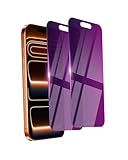
- Briliant Purple Color: Make your iPhone 17 ProMax stand out with a brilliant violet purple color that changes under different lighting and angles. The stronger light indoor or outdoor, the brighter private screen protector color will present. Fully embellishing your phone to showcase your personality!
- 28° Privacy Screen: Use the most appropriate color depth for the 28° anti-peep coating, it is only visible to persons directly in front of screen, while satisfying privacy and visual comfort. Protecting your privacy and sensitive information well in malls, buses, metro, restaurant or other public area.
- Anti Blue Light Protection: The protective privacy glass is combined with EVA multi-coating technology and filter technology, but still allows non-harmful light through the screen, prevent sleep disorders and eye strain.
- 9H Hardness: The screen saver is made from 9H multiple tempered glass layer which provide shatterproof protection from high impact drop and preventing your iphone from any scratch. The screen protector will self-expel air bubble when automatically bonding with the screen.
- Package Include: Inside the package, it comes with 2 x iPhone 17ProMax privacy screen protector glass, 1 x easy apply components pack.
The page is still loading
A screenshot taken before the CMP script runs can contain a flash of the overlay. Wait for a stable content selector or a measured delay, then verify the output.
A bot check replaces the page
Enable a provider’s explicitly documented stealth or bot option if you are authorized to do so, but expect target-site differences. A CAPTCHA may remain and should be reported as a failed or challenged capture, not treated as a successful screenshot.
Rank #3
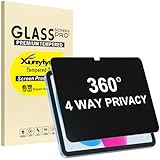
- Only designed for iPad A16 11th Generation 2025 11 Inch (Model Number: A3354 A3355 A3356) / iPad 10th Generation 10.9 Inch 2022 (Model Number: A2696 A2757 A2777).
- 360° Privacy Protection: Unlike standard privacy screen protectors that only block views from the left and right, this upgraded version shields your screen from all four sides—top, bottom, left, and right. Enjoy complete anti-spy coverage in public, keeping your data safe from any angle.
- Ultra-Thin & Responsive: With a mere 0.33mm thickness, this screen protector maintains the original touchscreen's multi-touch sensitivity and responsiveness. It's fully compatible with the 1st generation Apple Pencil, ensuring a smooth, uninterrupted experience for writing and drawing.
- Scratch-Resistant & Full Coverage Protection: Crafted from 9H hardness tempered glass, this screen guard is built to withstand scratches, accidental drops, and everyday wear and tear. Thanks to its edge-to-edge design and precise cutouts for the speaker and camera. It's also case-friendly, ensuring smooth compatibility with most phone cases.
- Effortless installation with advanced silicone adhesive ensures bubble-free application and zero residue removal.
The image is blank or incomplete
Check the response status and verdict, increase the wait condition, confirm that the URL is reachable from the provider’s environment, and test without aggressive request or resource blocking. For long pages, use full-page mode with lazy-image loading and allow additional time.
Performance, reliability, and cost considerations
- Cache intentionally. A short caller-selected TTL can reduce repeat work for unchanged pages; disable or shorten it when freshness matters.
- Batch predictable workloads. ScreenshotNeo supports up to 100 URLs per bulk call and asynchronous jobs with signed webhooks, which can keep large runs out of a request timeout.
- Use the smallest useful capture. An element selector, limited viewport, or image output is generally less work than a full-page PDF.
- Monitor outcomes, not just HTTP 200. Record the page verdict, billed indicator, response status, and a lightweight validation result such as expected dimensions or a required text/selector check.
- Plan for failures. Timeouts, target-side bot checks, blank pages, and network errors are normal branches in an automation pipeline. Retry only transient failures, with backoff, and avoid repeatedly hammering a protected site.
Legal and ethical boundaries
Removing a consent overlay is a visual operation. It is not consent, does not override a site’s terms, and does not authorize collection of personal data. Use only targets and sessions for which you have permission, respect robots, contractual restrictions, and applicable privacy rules, and retain screenshots only as long as your purpose requires.
The Tool Desk
Outbyte Driver Updater FREEFix the driver behind crashes, sound loss and screen glitchesFind Drivers →Outbyte PC Repair FREERepair Windows errors before they cause bigger problemsFix Now →Rank #4
![[2-Pack] 24 Inch Privacy Screen for Computer Monitor Hanging Removable 16:9](https://m.media-amazon.com/images/I/41myUlG2izL._SL160_.jpg)
- 【Privacy Screen Dimensions】 Width: 21 9/16"(547 mm), Height:12 5/8"(320 mm), Diagonal=24 13/16"(630mm) - 16:9 aspect ratio. Zspeed computer privacy for computer monitor are designed to be perfectly compatible with Dell, HP, Samsung, Lenovo, LG, Acer, ASUS, Toshiba, ViewSonic, Aoc, Sceptre, PHILIPS, ViewSonic and other brands of monitors. ✔ Fits Most 24" Widescreen Monitors Designed for broader screen coverage. Please measure the visible width and height of your monitor before ordering, as monitor dimensions may vary by brand and bezel design
- 【Designed for Wider Compatibility】Unlike adhesive privacy filters that require an exact edge-to-edge fit, our hanging privacy screen is designed slightly wider to fit a broader range of 24-inch widescreen monitors across different brands. Not All 24" Monitors Have the Same Dimensions. For best results, please measure your monitor’s visible screen area before ordering
- 【Hanging Removable Easy to Install and Reusable】: The Hanging design monitor privacy screen installs in just seconds. Easily install remove, the screen without leaving any residue or damaging your monitor. It is washable and reusable. Even after prolonged use, you will get a brand new privacy screen protector for your desktop computer monitor after cleaning
- 【Clear View from the Front, Privacy from the Side】: Our 24 inch privacy screen for monitor utilizes advanced micro-louver technology to restrict The viewing angle is limited to ±30°. Anyone viewing from the side sees only a darkened screen, effectively preventing visual peeping. It is ideal for offices, healthcare environments, banks, and other workplaces where protecting sensitive information and maintaining reliable screen coverage is essential
- 【Eyes Protection】: This computer privacy screen engineered to block up to 96% of harmful blue light and 99% of ultraviolet radiation, reducing eye strain, fatigue, and headaches from long work sessions. Ideal for students,Office staff and healthcare workers who spend hours in front of their screens. Our computer screen privacy shield supports your long term vision health
FAQ
Does removing a cookie banner accept cookies?
Not necessarily. Providers may click a control, hide an element, or block scripts. Check the provider’s documented behavior and inspect the resulting page and cookies.
Can cookie-banner removal bypass a paywall?
No. A consent control affects page presentation; a paywall, account requirement, or authorization check is a separate control.
Best Value

- Move and Store Freely:This 3 panels office room divider is lightweight and foldable, so it's easy to store without taking up much space. Also it is flexible, and you can change or move it freely. Single room partition size:71"(H)×34"(W),wall divider maximum size:102" W x 20" D x 71" H.
- High Quality & Durable Fabric: UV protected and Waterproof Fabric for easy to clean the screen divider.This privacy screen divider with steel frame which is durable and stable.
- Freestanding-Double hinged conveniently to turn this privacy office dividers in any direction.
- Easy to install:Include instruction explains every step with words and picture and all data is measured in inch. It is very easy for you to take a reference during the installation of this partition room dividers.
- Support: If there is any part missed or defective during shipping, please let us know, we will send replacement at first time.
Will stealth always defeat bot protection?
No. Stealth and bot-bypass settings are provider and target dependent, and a CAPTCHA or challenge may still be returned.
What should I do when the output is a login page?
Supply an authorized session through the provider’s documented cookie or header mechanism, then verify that the returned image contains the expected account content.
Quick wins for a faster PC:
Clear out junk files and repair common Windows errorsFree Scan →Fix the driver behind crashes, sound loss and screen glitchesFind Drivers →Frequently Asked Questions
Does removing a cookie banner accept cookies?
Not necessarily. Providers may click a control, hide an element, or block scripts. Check the provider’s documented behavior and inspect the resulting page and cookies.
Can cookie-banner removal bypass a paywall?
No. A consent control affects page presentation; a paywall, account requirement, or authorization check is a separate control.
Will stealth always defeat bot protection?
No. Stealth and bot-bypass settings are provider and target dependent, and a CAPTCHA or challenge may still be returned.
Quick Recap
The Bottom Line
Use a documented cookie-banner option for consent UI, a separate authorized session mechanism for private pages, and explicit anti-bot controls only where permitted. Verify every rendered result. ScreenshotNeo combines those controls with clean-shot billing, MCP access, and a free 1,000-shot monthly plan.
Product prices and availability are accurate as of the date/time indicated and are subject to change. Any price and availability information displayed on Amazon at the time of purchase will apply.




