The Tool Desk
Outbyte Driver Updater FREEFix the driver behind crashes, sound loss and screen glitchesFind Drivers →Outbyte PC Repair FREEClear out junk files and repair common Windows errorsFree Scan →A 2-wire 12V computer fan is one of the simplest DC loads to power: give it the correct voltage, enough current, and the right polarity, and it should spin. These fans are commonly reused for cooling electronics, cabinets, 3D printer enclosures, power supplies, and small DIY projects, but they still need a safe, stable DC source rather than being connected directly to mains power.
The main things to check are the fan’s rated voltage and current, the positive and negative wires, and whether your power adapter can supply enough current without overheating or sagging. Most 12V PC fans will tolerate only a limited voltage range, so using a suitable 12V DC adapter, bench supply, battery pack, or regulated module is the safest approach.
Once the fan is wired correctly, you can add a basic switch, reduce speed with a lower regulated voltage, or use simple PWM-style control designed for DC motors. If the fan does not start, starts only when pushed, runs loudly, or gets hot, the cause is usually reversed polarity, insufficient current, undervoltage, a bad connection, or a worn bearing.
How a 2-Wire 12V Computer Fan Works
A 2-wire 12V computer fan is the simplest type of PC cooling fan to power. It has only a positive supply wire and a negative return wire, so it runs when the correct DC voltage is applied across those two leads. Inside the fan hub is a small brushless DC motor with built-in electronics that switch the motor coils on and off as the rotor turns. Because those electronics are already inside the fan, you do not need an external motor driver for basic operation; a suitable 12V DC power source is enough.
Quick wins for a faster PC:
Scan for outdated or missing drivers - takes under a minuteDriver Scan →Clear out junk files and repair common Windows errorsFree Scan →#1 Best Overall

- Output: DC 12V, 2A (2000mA) 24W Max.; Input: 100V-240V 50/60Hz; Works with device that draws less than 2A, such as 12V 1A, 12V 1.5A, 12V 2A
- 【5.5mm x 2.5mm】DC 12V Power Cord with DC Plug size is 5.5mm x 2.5mm. E.g. DC output port OD is 5.5mm, ID is 2.5mm. And the polarity is CENTER POSITIVE. Please kindly confirm it before ordering.
- This item is a power supply, NOT CHARGER. Can’t be used as charger to charge a Battery, CX, Karaoke machines, Vacuum and Computer etc.
- Item is a 12V power supply-center positive, INCOMPATIBLE with Laptop, Stereo, Battery, Massager, Vacuum Cleaner, Blood Pressure Cuff, KVM, DVD player, Tablet, CX, Computer, LS-1000-EMEA, Karaoke machines, dehumidifier, UV Lamp, Scope and mini fridge.
- FIVE Protections: automatically overload cut-off, over voltage cut-off, over temperature cut-off, short-circuit cut-off.
The “12V” marking means the fan is designed to run at its rated speed and airflow from a 12-volt direct-current supply. Many 12V fans will start and run at lower voltages, such as 5V, 7V, or 9V, but starting is not guaranteed, especially for larger or high-speed models. At lower voltage the fan usually spins more slowly and quietly, but airflow also drops. Supplying more than 12V can make the fan run faster for a short time, but it can overheat the internal electronics, damage the bearings, or permanently destroy the fan.
What the two wires do
- Positive wire: connects to the positive output of the DC power supply, usually +12V for normal operation.
- Negative wire: connects to the power supply’s negative output or ground.
On many computer fans, the positive wire is red and the negative wire is black. Some fans use different colors, especially if they came from appliances, servers, game consoles, or LED assemblies. If the fan has a molded connector, the wire order may also help, but color should not be treated as a guarantee unless it matches the label, datasheet, or markings on the fan body. Reversing the polarity usually prevents the fan from spinning, and some fans tolerate this without damage, but others may be harmed by reverse voltage.
The current rating tells you how much electrical current the fan needs when running. It is usually printed on the fan label, for example 12V 0.18A or DC 12V 0.30A. A power supply must provide at least that much current, and it is better to allow extra capacity because fans draw a brief startup surge when they first begin spinning. For a single small 80 mm or 120 mm fan, a 12V adapter rated for 0.5A or 1A is often enough, but mulle fans or high-performance fans need a supply rated for the total current of all fans combined.
How it differs from 3-wire and 4-wire fans
A 2-wire fan has no separate speed feedback or control wire. It cannot report its RPM to a motherboard, and it cannot accept a dedicated PWM control signal like a 4-wire PC fan. Speed control is still possible, but it is done by changing the power delivered through the same two wires, either by reducing the DC voltage or by switching the supply on and off rapidly with a compatible controller. This makes 2-wire fans easy to wire, but less precise to monitor and control than 3-wire or 4-wire versions.
Choosing a Suitable 12V DC Power Supply
A 2-wire computer fan should be powered from a regulated 12V DC supply. Most PC cooling fans are designed for 12 volts, not 12 volts AC and not an unregulated adapter that may output much more than 12V with a light load. Suitable sources include a PC power supply, a regulated 12V wall adapter, a bench power supply, or a DC battery system that is kept near 12V. Avoid connecting the fan directly to mains voltage, transformer outputs marked AC, or unknown adapters without checking the label and measuring the output if possible.
The supply must provide enough current for the fan. Look at the fan label for a rating such as 12V 0.18A, 12V 0.30A, or a wattage rating. If only watts are listed, divide watts by volts: a 3.6W fan at 12V needs about 0.3A. Choose a supply rated above the fan’s running current, preferably with at least 25–50% extra capacity because a fan often draws more current for a moment when starting. For example, a 12V 1A adapter is suitable for one or several small fans as long as their combined current stays below the adapter’s rating.
| Power source | How to use it | What to check |
|---|---|---|
| 12V wall adapter | Connect adapter positive to fan positive and adapter negative to fan negative | Label says DC output, 12V, and enough amps |
| PC power supply | Use the yellow wire for +12V and black wire for ground on a Molex or SATA power lead | Supply is turned on properly and has adequate load/capacity |
| Bench power supply | Set output to 12.0V DC and current limit above the fan rating | Correct voltage, current limit, and polarity before connecting |
| 12V battery | Use a fuse and switch in series with the positive lead | Battery voltage may range above or below 12V depending on charge state |
Polarity matters with most 2-wire DC fans. A typical computer fan uses red for +12V and black for 0V/ground, but color codes are not guaranteed on every fan. If the fan has a plug, the safest approach is to identify the connector pinout or trace the wires back to their colors. When using a barrel-jack wall adapter, check whether the center pin is positive; most are center-positive, but not all. A multimeter is the best tool for confirming which wire or terminal is positive before the fan is attached.
Rank #2
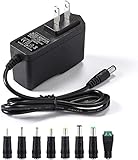
- [Power Specs]: Input 100V-240V 50/60Hz; Output: 12V 2A. Output adaptor Self-Adapting Barrel jack size: 5.5mm x 2.1mm (applicable 2.5mm) positive (+) center.
- [Intelligent Identification Output]: The adapter can automatically identify the current amperage required by the electronic device. For example; 50ma 100ma 150ma 200ma ~ 800ma 900ma 1000mA 1500mA 2000mA, etc. The highest output is 2A.
- [Combination Selection]: 8 Interchangeable DC Plug connectors. You can choose from a variety of combinations to better use the adapter. You can DIY adapter projects and use for more 12V home electronics.NOTE: This only works with 12V devices that are in good working order. For older equipment that is more than five years old, we recommend that it be inspected before use.
- [Extensive Compatibility]: Suitable for CCTV Cameras, LED Strip light, led tape light, keyboard, BT speakers, GPS, webcam, router, and more 12V electronics.
- [Lifetime Friendly Customer Support]: If you are unsatisfied with the product, please don't hesitate to contact us! We are committed to providing you with excellent customer service.
Connector choice is mostly about convenience and reliability. For temporary testing, small screw terminals, Wago-style lever connectors, or insulated alligator clips can work. For a permanent installation, use solder with heat-shrink tubing, crimp connectors, a DC barrel jack socket, or a matching PC fan/power connector. Exposed twisted wires are unreliable and can short out, especially if the fan is mounted in a vibrating enclosure. If the power source can deliver high current, such as a PC power supply or battery, add a small inline fuse close to the positive supply connection to protect the wiring if a short occurs.
- Voltage: use regulated 12V DC for normal operation.
- Current: supply rating must exceed the fan’s current draw; add extra margin for startup.
- Polarity: connect positive to positive and ground to ground.
- Protection: insulate joints and consider a fuse for batteries or high-current supplies.
- Multiple fans: add their current ratings together and size the supply for the total.
Identifying Fan Wires and Polarity
A 2-wire 12V computer fan has one positive supply lead and one negative return lead. In most PC-style fans, the color coding is straightforward: red is +12V and black is 0V/ground. Some fans use different colors, especially models salvaged from appliances, servers, or external power supplies. You may see black and yellow, red and blue, or two wires in the same color. In those cases, do not guess based only on appearance; check the fan label, connector markings, or test carefully with a current-limited supply.
Many fans have a small label on the hub showing their rated voltage and current, such as DC 12V 0.20A. Sometimes the label also marks polarity near the cable entry or shows a diagram for the connector. If the fan still has its original plug, inspect the plastic housing for tiny symbols, molded numbers, or a stripe on one side. On common 2-pin fan connectors, the wire positions are not universal, so the connector shape alone is not a reliable polarity guide unless you know the matching device or standard it came from.
Common wire color clues
| Wire color | Usual function | What to check |
|---|---|---|
| Red | +12V | Confirm with the fan label or original connector if available |
| Black | 0V / ground | Usually the negative lead on computer fans |
| Yellow | Sometimes +12V on non-PC wiring | Do not assume it is a tachometer wire on a 2-wire fan |
| Blue, white, or other | Manufacturer-specific | Use markings or a cautious test |
If the wires are unmarked, a multimeter can help when the fan is still attached to known equipment: measure the voltage across the two pins while the equipment is powering the fan. The meter lead on the positive side will show a positive voltage reading relative to the negative side. If the fan is loose and disconnected, continuity testing will not usually identify polarity because the internal brushless motor driver contains semiconductors rather than a simple coil connection.
For an unknown 2-wire fan, test it with a 12V DC supply that has current limiting, or place a small fuse in series with the positive lead. Start at a lower voltage if your bench supply allows it, such as 5V to 7V, then increase toward 12V. Connect the suspected positive fan wire to the supply positive and the suspected negative wire to the supply negative. A healthy fan may twitch at low voltage and should begin spinning as the voltage rises. If it does nothing, disconnect power and recheck the wiring rather than leaving it connected.
PC Slower Than It Used to Be?
A free scan shows the junk files, broken settings and background clutter dragging Windows down - then fixes them in one click.Free scan · Windows 10 & 11Crashes, No Sound, or Screen Glitches?
Random freezes, missing sound and display glitches usually trace back to one bad driver. Find and replace yours safely.Free scan · under a minuteMost modern 2-wire brushless fans include some reverse-polarity protection, but not all do. Reversing the wires may simply prevent the fan from spinning, or it may damage the internal driver circuit. Avoid repeated reverse-polarity tests. Once you have identified the leads, mark them clearly with heat-shrink tubing, tape, or a small label. This is especially useful if you cut off the original connector or install the fan in a project box where the wire colors are no longer visible.
Before making permanent connections, perform a short final test: positive supply to the fan’s positive wire, negative supply to the fan’s negative wire, with the supply set to 12V DC. The fan should start reliably, blow air in the direction indicated by the arrow on its frame, and run smoothly without clicking or stalling. If it spins backward, it is not a polarity issue; computer fans are brushless DC motors designed to rotate in only one direction, so reversed airflow usually means the fan is physically mounted the wrong way around.
Rank #3

- Important Note: 1. Before purchasing, please check whether the working voltage of your device is 12V and the current is not greater than 5A; Please do not use for 5V 9V 19V 20V 24V 36V devices and other devices require lower or higher working voltage than 12 volts 2. Check whether the DC connector is the same size as the product
- Input: 100V-240V 50/60Hz; Output: DC 12V 5A 60W max; Output adaptor jack size: 5.5mm x 2.5mm,compatible with 5.5mm x 2.1mm
- Safety features: Automatic overload cut-off, over Voltage cut-off, automatic thermal cut-off, short circuit protection.
- Voltage consistency: There is no voltage fluctuations at power on, during transmit, receive, or at power off. It will protect your electronic products from destruction.
- It comes with a free female DC connector. So you can easily connect wires on it without soldering.
Wiring the Fan Safely
Once you have confirmed the power supply is 12V DC and can provide enough current for the fan, make the connections with the supply unplugged or switched off. A 2-wire computer fan normally needs only positive and negative DC: connect the fan’s positive lead, often red, to the positive output of the supply, and connect the fan’s negative lead, often black, to the negative output. If the fan uses different colors, rely on markings, connector pinout, or a multimeter check rather than guessing.
For a clean and reliable connection, avoid simply twisting bare wires together and leaving them exposed. Strip only enough insulation to make the joint, usually about 5 to 7 mm, then use a suitable connector or joint method. Screw terminals, lever connectors, crimp butt connectors, DC barrel jack adapters, or soldered joints with heat-shrink tubing all work well. Electrical tape can loosen over time, especially near a warm fan or vibrating enclosure, so heat-shrink tubing or insulated crimp connectors are usually better for a permanent setup.
Free tools Windows power users keep installed
One-click scans. No signup required.
Basic direct-wiring layout
- Power supply positive: connect to the fan positive wire.
- Power supply negative: connect to the fan negative wire.
- Insulation: cover every exposed conductor so the positive and negative wires cannot touch.
- Strain relief: secure the cable so pulling on it does not stress the fan wires or connector.
If you are using a plug-in wall adapter with a barrel connector, check whether the center pin is positive or negative. Most modern 12V adapters are center-positive, but not all are. You can use a matching barrel jack-to-screw-terminal adapter to avoid cutting the adapter cable. With the adapter unplugged, connect the fan wires to the screw terminals, then plug the adapter in only after checking that no stray wire strands are bridging the terminals.
When wiring inside a project box or enclosure, keep the fan leads away from sharp metal edges, hot components, and moving blades. If the fan is mounted to a panel, route the wires so they cannot be sucked into the blades or pinched by the fan frame. Small cable ties, adhesive cable mounts, and rubber grommets through metal holes help prevent wear. For mulle fans on one supply, wire them in parallel, not in series: all fan positive wires go to the 12V positive output, and all negative wires go to the supply negative output. Add the current ratings of all fans and use a supply with extra capacity.
A small inline fuse is a sensible addition when the power source can deliver much more current than the fan needs, such as a large bench supply, battery, or PC power supply rail. Place the fuse in the positive lead close to the power source. For a single small fan rated around 0.10A to 0.30A, a fuse in the 0.5A to 1A range is often appropriate, but choose a value above the fan’s normal running current and below the safe current rating of the wire. Use wire that is not excessively thin; for typical computer fans, 22 AWG to 18 AWG hookup wire is usually adequate for short runs.
Before final assembly, test the fan briefly. Hold it securely, keep fingers clear of the blades, and apply power. It should start promptly and blow air in the direction indicated by arrows on the fan frame. If it does not spin, switch off power and recheck polarity, supply voltage, connector tightness, and whether the blades are blocked. If the fan twitches, clicks, or runs noisily, inspect for low voltage, a weak supply, loose mounting screws, blade obstruction, or worn bearings.
Adding an On/Off Switch or Speed Control
Once the fan is wired to a suitable 12V DC supply, you can add a simple control so it is not running at full speed all the time. A 2-wire computer fan only has power and ground, so control is done by switching or varying the power fed to the fan. The easiest setup is an on/off switch in series with the positive lead. For speed control, use a DC fan speed controller, a PWM motor controller, or a lower DC voltage within the fan’s usable range.
Rank #4

- 【CRITICAL: For 12V/ ≤3A Devices ONLY】-- To ensure proper operation and safety: 1) Your device MUST be 12V DC. 2) Its current draw MUST be 3A or less (Power ≤36W). This is a low-power adapter. Exceeding 3A may lead to failure or damage. The power supply requires adequate palce for heat dissipation, Place on hard, flat surface with clearance. Keep away from soft surfaces (beds, carpets), fabrics, and rubber to prevent overheating.
- 【Detailed Power Specs & Use】-- Provides stable DC 12V, Max 3A (3000mA) output from any AC 100-240V outlet. Total cable length 6.7 ft (205cm). Indoor use only. Ideal for routers, LEDs, monitors, and other low-power 12V equipment within the rated capacity.
- 【Plug Design】-- Fit for both 5.5x2.5mm & 5.5x2.1mm plug. This cable terminates with a "standard" 5.5mm OD, 2.5mm ID DC plug, but it's also compatible with DC 5.5x2.1mm socket with the inner center spring contact. (NOTE: Power Supply Polarity: Center or Tip is positive (+), Sleeve is negative(-).
- 【Built-in Power Supply Protection】-- It ensures safe use with over voltage, over current, and over temperature protection to keep all of your mobile devices safe from unexpected surges and spikes. Wide voltage range from 100V to 240V makes it suitable for travel.
- 【Wide Applications】-- 12V 3A Power adapters are in high demand for audio amp boards, portable powered speakers, cable boxes, LED light strips, LCD monitor, wireless routers, CCTV cameras, DC motors, 3D printers, computer projects, HUB, Switches, audio/ video power supply, and Arduino controllers to provide a safe and stable power supply for your creation.
Adding a basic on/off switch
Use a switch rated for DC voltage and at least the fan’s running current. For example, if the fan label says 12V 0.25A, a switch rated for 12V DC, 1A or higher is a comfortable choice. Wire the switch into the positive side of the circuit: power supply positive goes to one switch terminal, the other switch terminal goes to the fan’s positive wire, and the fan’s negative wire goes directly back to the power supply negative. This keeps the wiring simple and makes the fan fully disconnect from the positive supply when switched off.
- SPST toggle switch: good for a basic on/off control.
- Rocker switch: useful for mounting in a panel or project box.
- Inline barrel-jack switch cable: convenient if your power supply uses a DC barrel plug.
- Fuse or resettable polyfuse: a sensible addition when powering multiple fans or using a higher-current adapter.
Simple speed-control options
Many 12V fans will run more slowly if supplied with less voltage, such as 9V, 7.5V, or sometimes 5V. This can be done with an adjustable DC buck converter or a regulated lower-voltage adapter. Start near 12V and reduce the voltage gradually until the airflow and noise are acceptable. Do not assume every fan will start reliably at low voltage; some fans need close to 12V to begin spinning, then can continue running at a lower voltage once already moving.
A better speed-control method is a small DC PWM motor speed controller rated for the fan’s voltage and current. With a 2-wire fan, the PWM controller is placed between the 12V supply and the fan, and it rapidly switches the fan’s power on and off to reduce average power. Choose a controller with a current rating above the total current of all connected fans. If using several fans, add their current ratings together. For instance, three 0.20A fans need at least 0.60A, so a 2A or 3A controller gives useful margin.
What’s actually slowing this PC down?
Pick the symptom - the matching free tool is one click away.
| Control method | Best use | Limitations |
|---|---|---|
| On/off switch | Full-speed cooling when needed | No speed adjustment |
| Lower DC voltage | Quiet fixed-speed operation | May fail to start if voltage is too low |
| PWM speed controller | Adjustable speed with good efficiency | Cheap controllers may cause ticking or whining |
If the fan does not spin after adding a switch or controller, first bypass the added part and connect the fan directly to a known-good 12V supply for a brief test. If it works directly, check the switch terminals, controller input and output markings, connector polarity, and any screw-terminal clamping. If the fan twitches but will not start, raise the voltage or PWM setting. If it runs noisily, try a different PWM frequency if the controller supports it, reduce vibration with rubber mounts, and make sure the fan blades are not touching a grille, cable, or enclosure wall.
Independent reader supportYour contribution helps us test, update, and keep practical guides available for everyone.Common Problems and Troubleshooting
If a 2-wire 12V computer fan does not behave as expected, start with the basics: confirm the power supply is DC, set to about 12 volts, and capable of providing enough current for the fan. The current rating printed on the fan label, such as 0.12A or 0.30A, is the running current; startup can briefly require more. A weak wall adapter may show 12V with no load but sag when the fan is connected, causing twitching, clicking, or no movement at all.
Fan does not spin
Check polarity first. On most PC fans, red is positive and black is negative, but wire colors are not guaranteed on every fan. If the wires were cut from a connector, verify them with a multimeter or by tracing the original connector pinout. Brief reverse polarity usually will not damage many brushless DC fans because they often include protection, but some cheaper fans can be harmed. If the fan has a standard barrel jack adapter or screw terminal connection, make sure the center-positive or terminal marking matches your wiring.
- No voltage at the fan: inspect the adapter, switch, fuse, connector, and any loose screw-terminal strands.
- Voltage present but no spin: try gently flicking the blades while powered; worn bearings or low startup voltage may be the issue.
- Fan twitches repeatedly: the supply may not deliver enough startup current, or a speed controller may be set too low.
- Fan only runs when connected directly: the switch, controller, or connector in between is wired incorrectly or has too much resistance.
Fan runs slowly, stalls, or starts inconsistently
Many 12V fans will run below 12V, but not all will start reliably at low voltage. A fan that runs at 7V or 9V after being pushed may still fail to start on its own. If you are using an adjustable DC supply, set the voltage to 12V for startup, then reduce it after the fan is spinning. With PWM-style speed controllers made for 2-wire DC motors, avoid setting the duty cycle extremely low unless you have tested that the fan restarts every time after power is removed and restored.
Best Value

- UL Listed 12V 2A AC to DC Charger: Regulated 12V Power Cord Tested & Approved and Certified by UL, UL FCC Safety Certificates(E329462). Build in short circuit/Over current/Over voltage/Over temperature protection/ 18Awg Power Wire / Low Fever / No Noise / Long Lifespan / High Quality Shockproof Packing Box
- 12V 24W Power Supply Adapter: Power supply works for the devices which ask for a less than 12V 2A 24W power adaptor, Such as 12V 2000mA, 1800mA, 1600mA, 1500mA, 1300mA, 1200mA, 1100mA, 12V 2A, 1.8A, 1.6A, 1.5A, 1.3A, 1.2A, 1.1A transformer charger
- Power Supply Specifications: Inner Positive(+), Outter Negative(-), Input: AC 100-240V 50/60Hz, Output: DC 12V, Max 2A, 24W. IP30 Indoor. 5ft /1.5m power cord, Charger can be work for most of your 12V DC input devices
- Wide Application: Compatible with Wefomey LED Strip Lights, Keyboard, BT Speaker, Router, Webcam, DVR, NVR, CCTV Camera and other 12V devices less than 24W
- Package Contents: 5 Pieces 12V 2A universal AC to DC power adapter and 5 Pieces 5.5/2.1 DC female barrel connector included for convenient installation and multiple device support
Fan is noisy or vibrates
Noise can come from airflow, bearings, mounting, or electrical control. A fan mounted directly to a thin metal or plastic panel can amplify vibration; rubber grommets, silicone fan mounts, or foam tape can reduce this. Make sure no wire, grill, screw, or cable tie touches the blades. If the noise is a dry rattling or grinding sound, the bearing may be worn. Some sleeve-bearing fans become noisy when mounted horizontally or after long storage, and replacement is often more reliable than repair.
| Symptom | Likely cause | What to try |
|---|---|---|
| Dead fan | Wrong polarity, no power, failed fan | Measure voltage at the fan leads and test with a known-good 12V supply |
| Clicking or pulsing | Insufficient current or voltage too low | Use a higher-current 12V adapter and bypass the speed controller for testing |
| Runs very loud | Full-speed operation or poor mounting | Lower voltage slightly, add a controller, or isolate the fan from the enclosure |
| Stops after warming up | Bad bearing, overloaded supply, loose joint | Check adapter temperature, inspect connections, and test another fan |
When troubleshooting, change only one thing at a time and test the fan directly from a known-good 12V DC source before blaming switches or controllers. Keep exposed wire ends separated, insulate splices with heat-shrink tubing or electrical tape, and disconnect power before rewiring. If the fan smells burnt, gets unusually hot, or has damaged insulation, stop using it and replace it.
Frequently Asked Questions
Can I power a 12V computer fan with a phone charger?
Only if the phone charger outputs 12V DC, which most USB phone chargers do not. Standard USB chargers usually provide 5V, so the fan may spin slowly, fail to start, or stall. Use a 12V DC adapter with enough current capacity for the fan.
How much current does a 12V fan power supply need?
Check the fan label for its rated current, such as 0.12A, 0.25A, or 0.5A. The power supply should provide at least that much current, and using a supply with a higher current rating is safe because the fan only draws what it needs. For example, a 12V 1A adapter can safely run a 12V 0.3A fan.
Do these 3 things before closing this tab:
1Repair Windows errors before they cause bigger problems2Scan for outdated or missing drivers - takes under a minute3Clear out junk files and repair common Windows errorsWhat happens if I connect the fan wires backward?
Many 2-wire computer fans have reverse-polarity protection and simply will not spin if connected backward. Some cheaper fans may be damaged by reverse polarity, so it is best to verify the wires first. Usually red is positive and black is negative, but confirm with the fan label or connector markings when possible.
Can I slow down a 2-wire 12V fan?
Yes, the simplest method is to reduce the voltage using an adjustable DC power supply, a DC-DC buck converter, or a fan speed controller rated for DC motors. Many 12V fans will run well around 7V to 12V, but some will not reliably start at very low voltage. A PWM DC motor controller is usually better than adding a resistor because it wastes less power and gives smoother control.
Why does my fan hum, click, or fail to start even with 12V connected?
Check polarity, loose connections, and whether the power supply can provide enough current during startup. Dust, worn bearings, or a blade rubbing against a grille can also cause noise or prevent spinning. If the fan starts only when pushed by hand, it is often worn out or being powered below its reliable startup voltage.
Bottom Line
A 2-wire 12V computer fan is simple to power: use a regulated 12V DC supply with enough current, connect positive to red and negative to black, and insulate the joints or use a proper connector. If the fan does not start, recheck polarity, measure the supply voltage under load, and confirm the adapter can provide at least the fan’s rated current.
Recommended Free Tools
For quieter operation, use a lower DC voltage within the fan’s reliable starting range or a suitable PWM/DC fan controller rather than improvised wiring. Start with safe, reversible connections, test briefly, and only make the setup permanent once the fan starts reliably and runs smoothly without excess noise or heat.
Quick Recap
Product prices and availability are accurate as of the date/time indicated and are subject to change. Any price and availability information displayed on Amazon at the time of purchase will apply.




