Freedom251 › PC Migration Software
Zinstall Migration Kit Pro
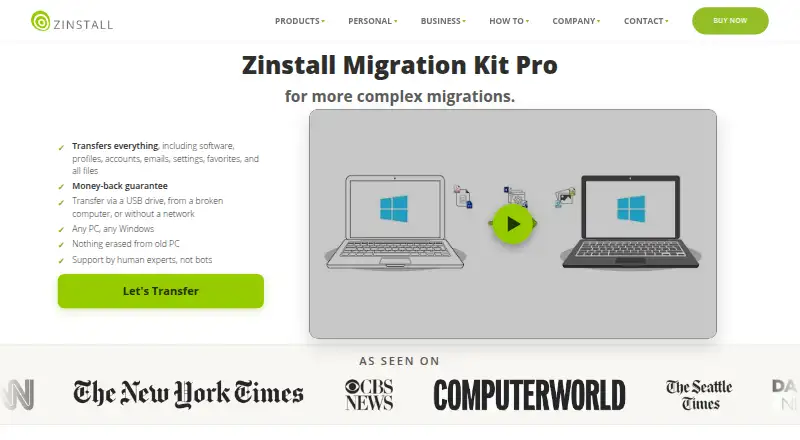
What Zinstall Migration Kit Pro is
Zinstall Migration Kit Pro transfers programs, settings and files from an old PC to a new one, including in more complex migration situations. It can move software, profiles, accounts, emails, favorites and other files using a USB drive, a network connection or an offline transfer. The product also supports transfers from a broken computer. Listed scenarios include in-place Windows 10 or 11 upgrades, virtual machines, cloud-hosted machines, new domains, Azure AD, and Windows environments on Apple Mac using Boot Camp or Parallels. Its listed Windows support runs from Vista and XP through Windows 11, in 32-bit and 64-bit versions. The maker says the old computer remains unchanged and one copy covers both computers. Transfers usually take several hours, depending on data volume and connection speed. The listed Migration Kit Pro license is $189.00 USD one-time. The maker also describes a refund option if buyers dislike the transfer results. Human technical support is available 24×7 by appointment outside regular business hours.
Who it suits
It is intended for people moving PCs in situations where the standard WinWin product is not enough, including offline transfers or moves to small SSD drives.
What it does well
- Transfers programs, profiles, accounts and files.
- Supports USB and offline transfer methods.
- Can transfer data from a broken computer.
- One license covers both computers.
What to know first
- Transfers usually take several hours.
- Only listed for Windows PCs.
- No free plan is listed.
Limits
The product is Windows-only, and a transfer usually takes several hours. The listed plan is a one-time $189.00 USD purchase.
Plans
| Plan | Billed and limits | Price |
|---|---|---|
| Zinstall Migration Kit Pro | One license for both computers · transfer via USB drive, from a broken computer, without a network, or to small SSD drives | $189, paid once |
As zinstall.com lists them, read 30 Sept 2026. The maker's own page has the final word.
Getting started
- Open the Migration Kit Pro product page
- Prepare the old and new Windows computers
- Choose USB, network, or no-network transfer
- Select the programs, profiles, settings, and files to move
- Run the migration and allow several hours depending on data and connection speed
- Use the refund option to reset the new computer if you dislike the result
Verdict
Migration Kit Pro covers standard PC moves as well as offline, broken-computer and other listed scenarios. The one-time license costs $189.00 USD, and the transfer duration depends on data volume and connection speed.
Questions
How much does Migration Kit Pro cost?
The listed plan is $189, paid once. The pricing note also says From $59.
Is there a free plan?
No. The product is listed as paid with no free plan.
What does it transfer?
It transfers software, profiles, accounts, emails, settings, favorites, and files.
Can it work without a network?
Yes. Transfers can use a USB drive or proceed without a network connection.
Which Windows versions are supported?
The page lists Windows 11, 10, 8/8.1, 7, XP, and Vista, including 32-bit and 64-bit editions.
How many computers does one license cover?
One copy is valid for both the old and the new computer.
Facts from Zinstall Migration Kit Pro's own pages
- Broken computer recovery
- The product supports transfers from a broken computer. · zinstall.com, 30 Sept 2026
- Company history and location
- Zinstall says it was founded in 2009 and lists its corporate address in Torrance, California, USA. · zinstall.com, 30 Sept 2026
- Founded
- 2009 · zinstall.com, 28 Sept 2026
- Headquarters
- Torrance, California, USA · zinstall.com, 28 Sept 2026
- License scope
- One copy is valid for both the old and the new computer. · zinstall.com, 30 Sept 2026
- Migration scenarios
- The maker lists in-place Windows 10 or 11 upgrades, virtual machines, cloud-hosted machines, new domains, Azure AD and Windows environments on Apple Mac using Boot Camp or Parallels. · zinstall.com, 30 Sept 2026
- Old PC preservation
- The maker says the old computer is not changed or erased during the transfer. · zinstall.com, 30 Sept 2026
- Purpose
- The product transfers programs, settings and files from an old PC to a new PC, including in complex migration scenarios. · zinstall.com, 30 Sept 2026
- Refund guarantee
- The maker says buyers can reset the new computer to its original out-of-the-box state and get a refund if they do not like the transfer results. · zinstall.com, 30 Sept 2026
- Support
- The maker says human technical support is available 24×7 by appointment outside regular business hours. · zinstall.com, 30 Sept 2026
- Transfer duration
- The maker says a transfer usually takes several hours, depending on the amount of data and connection speed. · zinstall.com, 30 Sept 2026
- Transfer methods
- Transfers can use a USB drive, a network connection, or proceed without a network connection. · zinstall.com, 30 Sept 2026
- Transferred content
- It transfers software, profiles, accounts, emails, settings, favorites and files. · zinstall.com, 30 Sept 2026
- Who it is for
- The maker positions Migration Kit Pro for migrations where its standard WinWin product is not enough, including offline transfers and transfers to small SSD drives. · zinstall.com, 30 Sept 2026
- Windows support
- The product page lists Windows 11, 10, 8/8.1, 7, XP and Vista, including 32-bit and 64-bit versions. · zinstall.com, 30 Sept 2026
Where Zinstall Migration Kit Pro stands on Freedom251
- PC Migration Software#20 of 26