Freedom251 › AR Creation Software
Zapworks Designer
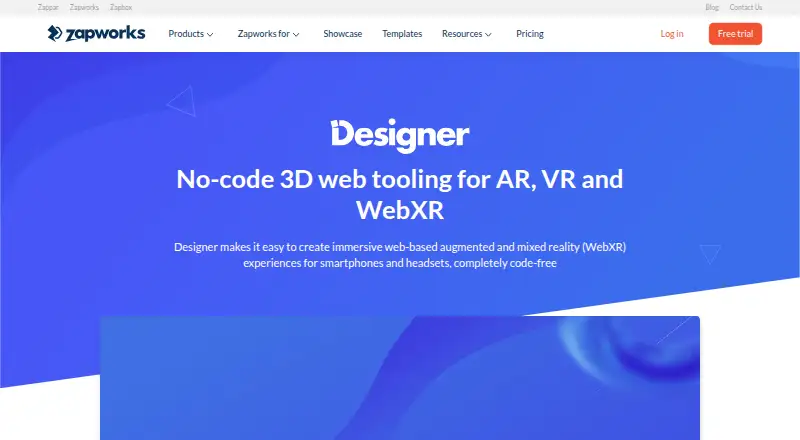
What Zapworks Designer is
Zapworks Designer is a browser-based, no-code editor for making web-based augmented, virtual, and mixed reality experiences. Its drag-and-drop workspace supports face, image, and world tracking, including several image targets within one project. Creators can import GLB or glTF models, including animations set as idle states, actions, or loops. AR Web Embed places interactive 3D content on existing websites and can open it in AR mode. Designer also supports passthrough mixed reality with controller interaction on Meta Quest, Pico, and Zapbox headsets. Campaign measurement can use the Zapworks dashboard, Google Analytics, and Microsoft Clarity. Documentation includes embedding guidance for Framer, Squarespace, Webflow, Weebly, and Wix, plus tutorials and launch notes. Plans start at $12.99/mo with a 14-day trial; there is no free plan. Self-hosting requires Enterprise, and hosted camera content needs HTTPS.
Who it suits
Designer suits teams creating prototypes, virtual try-ons, product visualizations, or employee onboarding experiences. It is aimed at users who want browser-based editing and web delivery across Android, iOS, and web.
What it does well
- No-code drag-and-drop browser editor
- Face, image, and world tracking
- Imports GLB and glTF models
- Passthrough support for listed headsets
- 14-day trial available
What to know first
- No free plan
- Self-hosting limited to Enterprise
- Developer plan is non-commercial
- Hosted camera content requires HTTPS
Limits
The Developer plan costs $12.99 a month, is non-commercial, allows unlimited projects and views, limits projects to 25MB, permits five target images per project and includes 250 AI credits each month. Pro allows 12,000 views per year, 50MB projects, three team members, 10 target images per project and 1,000 monthly AI credits; Enterprise provides custom view packages and 75MB-plus project sizes.
Plans
| Plan | Billed and limits | Price |
|---|---|---|
| Developer | $12.99 / month; or $64.99 when you sign up for a year · Non-commercial use · unlimited projects and views · 25MB max project size · 250 AI credits/month · 5 target images/project · US hosting only · community support via Discord only | $12.99 a month |
| Pro | $315 / month; or $2640 when you sign up for a year · Commercial use · unlimited projects · 12k views/year · 50MB max project size · up to 3 team members · 1000 AI credits/month · 10 target images/project · US hosting only · email support | $315 a month |
| Enterprise | Custom pricing · Commercial use · unlimited projects · fully white label · custom hosting solutions · 75MB+ project size · custom view packages · priority technical support · SSO and additional security features | On request |
As zap.works lists them, read 7 Oct 2026. The maker's own page has the final word.
Getting started
- Open the Zapworks Designer website
- Use a supported browser such as Chrome 105+, Edge 105+, Safari 15+ or Firefox 121+
- Start the 14-day trial or choose the Developer, Pro or Enterprise plan
- Create a project in the browser-based editor
- Import GLB or glTF models and configure tracking scenes
- Embed the experience using the available website integration guides
Verdict
Zapworks Designer combines visual editing, tracked scenes, 3D model support, and website embedding in one browser product. Check plan restrictions, browser requirements, and self-hosting needs before choosing it.
Questions
How much does Zapworks Designer cost?
The Developer plan is $12.99 a month, or 64.99 USD when billed annually. Pro is $315 a month, or 2640 USD annually; Enterprise uses custom pricing.
Is there a free plan or trial?
There is no free plan. A 14-day trial is available.
Which platforms does Designer support?
Designer is available on Android, iOS and the web. The editor runs in a browser.
Can Designer be used commercially?
Developer is for non-commercial use. Pro and Enterprise plans specify commercial use.
Does Designer support self-hosting?
Self-hosting Designer projects is available only on Enterprise. Hosted content using camera access must use HTTPS.
What analytics can be connected?
Campaign performance can be measured with the Zapworks dashboard, Google Analytics and Microsoft Clarity.
Facts from Zapworks Designer's own pages
- 3D content
- The editor imports GLB or glTF models, including animated models that can be configured as idle states, actions, or loops. · zap.works, 7 Oct 2026
- Analytics integrations
- The product page names Google Analytics and Microsoft Clarity alongside the Zapworks dashboard for measuring campaign performance. · zap.works, 7 Oct 2026
- Browser requirements
- Designer is browser-based; Zapworks recommends Chrome 105+, Edge 105+, Safari 15+, or Firefox 121+ for the best experience. · docs.zap.works, 7 Oct 2026
- Founded
- 2011 · zap.works, 28 Sept 2026
- Headquarters
- London, United Kingdom · zap.works, 28 Sept 2026
- Headsets
- Designer supports passthrough mixed reality experiences for Meta Quest, Pico, and Zapbox, with controller interaction. · zap.works, 7 Oct 2026
- Intended users
- The maker describes Designer use cases including prototyping, virtual try-ons, product visualization, and employee onboarding. · zap.works, 7 Oct 2026
- Maker founding
- Zappar says it was founded in 2011 and that its technology originated at the University of Cambridge. · zappar.com, 7 Oct 2026
- Security
- Zappar says its cloud content uses Amazon S3 and CloudFront, passwords are stored as salted PBKDF2-SHA256 hashes, and users can enable two-factor authentication. · docs.zap.works, 7 Oct 2026
- Self-hosting limit
- Self-hosting Designer projects is available only on an Enterprise plan, and hosted content must use HTTPS for camera access. · docs.zap.works, 7 Oct 2026
- Support
- The product page links to Designer documentation, step-by-step tutorials, and product launch notes; the Developer plan lists Discord-only community support. · zap.works, 7 Oct 2026
- Tracking
- Projects can combine face, image, and world-tracked scenes, and support multiple image targets in one project. · zap.works, 7 Oct 2026
- Web embed
- AR Web Embed lets creators place interactive 3D experiences in existing websites and launch them into AR mode. · zap.works, 7 Oct 2026
- Website integrations
- Designer documentation includes embedding guides for Framer, Squarespace, Webflow, Weebly, and Wix. · docs.zap.works, 7 Oct 2026
- What it does
- Designer is a browser-based, no-code drag-and-drop editor for creating web-based augmented, virtual, and mixed reality experiences. · zap.works, 7 Oct 2026
Where Zapworks Designer stands on Freedom251
- AR Creation Software#23 of 25