Freedom251 › Digital Textbook Platforms
Yuzu
What Yuzu is
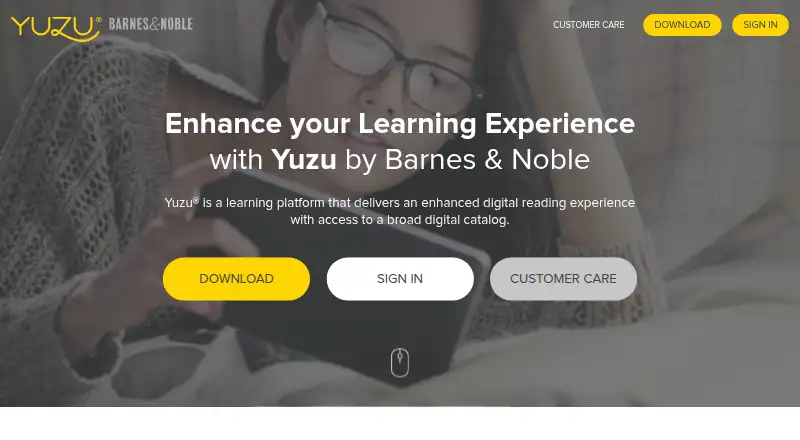
Yuzu is a Barnes & Noble learning platform for digital reading, with a broad digital catalog of eTextbooks. It is designed for students who need an eReader for reading and note-taking, and for educators who want to support engagement with course materials. Readers can search eTextbooks, highlight passages, add notes and bookmarks, and adjust layout, font size, and zoom. Notes, highlights, and bookmarks sync across devices, while Yuzu’s free apps support offline reading. eTextbooks can include links, videos, multimedia, and interactive features such as quizzes. Users can print pages within publisher-set limits and copy and paste text passages. Yuzu says it supports assistive technologies for people with vision and hearing impairments. eTextbooks are bought or rented through a BNC college online bookstore, and campus bookstores may also sell them. Yuzu supports web, Android, iOS, macOS, and Windows. Its catalog is limited to Yuzu eTextbooks: users cannot import PDFs or Word documents. Books purchased through BN College websites or Yuzu.com must be read in a Yuzu eReader app and cannot be downloaded independently of those apps.
Who it suits
Yuzu suits students who want to read and annotate digital textbooks across supported devices, including offline in the free apps. It also serves educators looking for a course-material reading platform with interactive eTextbooks.
What it does well
- Notes, highlights, and bookmarks sync across devices
- Free apps support offline reading
- Textbooks can include video, multimedia, and quizzes
- Offers adjustable layout, font size, and zoom
- Supports assistive technologies for vision and hearing impairments
What to know first
- Only eTextbooks from the Yuzu Catalog are supported
- Books cannot be downloaded independently of Yuzu apps
- Web access is limited to one year for perpetual-access books and rentals longer than a year
Limits
Yuzu supports eTextbooks from its catalog, not imported PDFs or Word documents. For books with perpetual access or rentals longer than a year, web reader access lasts one year from purchase; downloaded app content may be accessed perpetually.
Getting started
- Visit the Yuzu website
- Find and buy or rent an eTextbook through a BNC college online bookstore or campus bookstore
- Choose the web reader or an app for iOS, Android, macOS, or Windows
- Sign in to read, annotate, and sync notes, highlights, and bookmarks
Verdict
Choose Yuzu if your course materials are in its catalog and you want synced annotations, adjustable reading tools, and offline app access. Look elsewhere if you need to import PDFs or Word documents, or read purchased books outside the Yuzu apps.
Questions
How much does Yuzu cost?
Yuzu is listed as a paid product. eTextbooks can be bought or rented through a BNC college online bookstore, and campus bookstores may also sell them.
Can I read Yuzu books offline?
Yuzu’s free apps support offline reading.
Which devices does Yuzu support?
Yuzu supports web, Android, iOS, macOS, and Windows.
Can I import my own PDF or Word document?
No. Yuzu currently supports eTextbooks from the Yuzu Catalog, not imported PDFs or Word documents.
Can I read purchased books outside the Yuzu apps?
Books purchased through BN College websites or Yuzu.com must be read in a Yuzu eReader app and cannot be downloaded independently of the apps.
How can I contact Yuzu customer care?
Yuzu lists phone support at 1-844-YUZU-NOW and email support at [email protected].
Facts from Yuzu's own pages
- Accessibility
- Yuzu says it supports assistive technologies for users with vision and hearing impairments. · yuzu.com, 9 Oct 2026
- Audience
- Yuzu is presented as a reading and note-taking eReader for students and a course-material engagement tool for educators. · yuzu.com, 9 Oct 2026
- Content restriction
- Yuzu says it currently supports only eTextbooks from the Yuzu Catalog, not imported PDFs or Word documents. · customercare.yuzu.com, 9 Oct 2026
- Digital rights
- Yuzu eBooks purchased through BN College websites or Yuzu.com must be read in a Yuzu eReader app and cannot be downloaded independently of the apps. · customercare.yuzu.com, 9 Oct 2026
- DRM
- Yuzu says DRM limits the devices on which digital content can be downloaded and manages expiration of rented content. · customercare.yuzu.com, 9 Oct 2026
- Integration
- The Yuzu Web Reader can export notes and highlights to Microsoft OneNote. · customercare.yuzu.com, 9 Oct 2026
- Interactive content
- Yuzu eTextbooks can include links, videos, multimedia, and interactive elements such as quizzes. · yuzu.com, 9 Oct 2026
- Interactive materials
- eTextbooks can include links to websites, videos, and other multimedia, including quizzes. · yuzu.com, 9 Oct 2026
- Offline reading
- The mobile apps let users download eBooks for offline reading, while the Web Reader requires an internet connection. · customercare.yuzu.com, 9 Oct 2026
- Printing and copying
- Users can print pages within publisher-set limits and copy and paste text passages. · yuzu.com, 9 Oct 2026
- Privacy and security
- The privacy policy says BNED uses administrative, technical, and physical safeguards, but says it cannot guarantee prevention of unauthorized access or disclosure; the policy was last updated August 24, 2017. · yuzu.com, 9 Oct 2026
- Product
- Yuzu is a Barnes & Noble learning platform for digital reading with access to a broad digital catalog. · yuzu.com, 9 Oct 2026
- Purchase and rental
- eTextbooks can be bought or rented through a BNC college online bookstore, and campus bookstores may also sell them. · customercare.yuzu.com, 9 Oct 2026
- Purchases
- Digital titles may be bought or rented through a Barnes & Noble College online bookstore, with availability depending on whether a title is offered digitally. · customercare.yuzu.com, 9 Oct 2026
- Read aloud
- The Android app includes text-to-speech controls for playback, speed, and voice. · customercare.yuzu.com, 9 Oct 2026
- Reading and study tools
- Readers can search eTextbooks, highlight passages, add notes and bookmarks, and adjust layout, font size, and zoom. · yuzu.com, 9 Oct 2026
- Reading tools
- Readers can search eTextbooks, add highlights and notes, and adjust layout, font size, and zoom. · yuzu.com, 9 Oct 2026
- Rental limit
- When a rental expires, access to the book and its highlights and notes ends unless the user renews, purchases the book, or exports the notes and highlights. · customercare.yuzu.com, 9 Oct 2026
- Support
- Yuzu Customer Care says it provides 24/7 help by web form, phone, and email. · customercare.yuzu.com, 9 Oct 2026
- Supported access
- The support center lists web reader, iOS, Android, macOS, and Windows 10 help resources. · customercare.yuzu.com, 9 Oct 2026
- Sync and offline
- The site says notes, highlights, and bookmarks sync across devices and that free apps support offline reading. · yuzu.com, 9 Oct 2026
- Sync and sharing
- Notes and highlights sync across devices, and users can share them with other Yuzu users who have the same eTextbook. · customercare.yuzu.com, 9 Oct 2026
- Web access limit
- For books with perpetual access or rentals longer than a year, web reader access is available for one year from purchase; downloaded app content may be accessed perpetually. · customercare.yuzu.com, 9 Oct 2026
Where Yuzu stands on Freedom251
- Digital Textbook Platforms#28 of 28