Freedom251 › Video Downloaders
ytDownloader
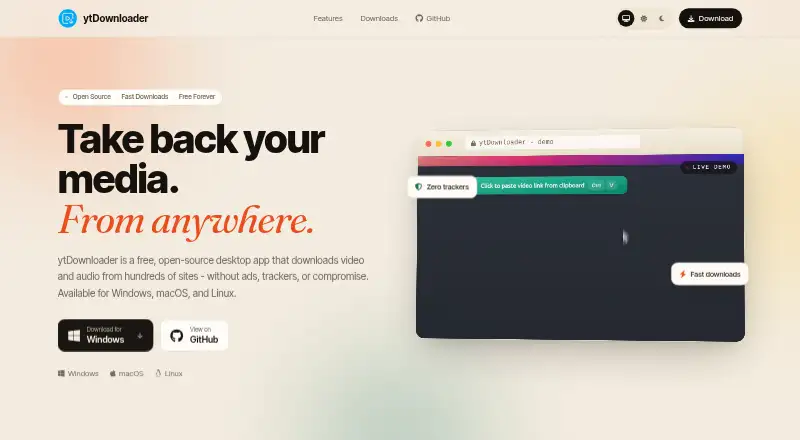
What ytDownloader is
ytDownloader is a free, open-source desktop application for downloading video and audio from YouTube, Facebook, Instagram, TikTok, Twitter/X, Vimeo, Twitch, Reddit, Dailymotion, SoundCloud, Bilibili, Patreon, Bandcamp, Streamable, and hundreds of other sources. It runs on Windows, macOS, and Linux. Users can download complete playlists, subtitles in multiple languages, or a selected time range from a video. Audio extraction supports MP3, M4A, WAV, and other formats, while GPU hardware-accelerated video compression is also available. Built-in themes provide interface choices, and the site says the app has no trackers, advertisements, analytics, or telemetry. Installation options include direct installers, Microsoft Store, Chocolatey, Winget, Snap, Flathub, and AppImage. The project uses a GPL-3.0 license. On macOS, the maker says the app is unsigned and requires removing the quarantine flag and installing yt-dlp with Homebrew.
Who it suits
It suits desktop users who need free downloads from many supported media sites, including playlists, subtitles, audio formats, or selected video ranges.
What it does well
- Supports hundreds of sources
- Downloads playlists in one click
- Extracts several audio formats
- Subtitle downloads available
- No trackers or ads claimed
What to know first
- macOS app is unsigned
- macOS setup requires Homebrew yt-dlp
- Desktop-only application
Plans
| Plan | Billed and limits | Price |
|---|---|---|
| Free | Free, forever · Desktop app · Windows, macOS, and Linux | Free |
As ytdn.netlify.app lists them, read 12 Oct 2026. The maker's own page has the final word.
Verdict
ytDownloader offers broad source coverage and flexible download options without a listed paid tier. Its unsigned macOS setup may require extra steps, but Windows, macOS, and Linux installers are provided.
Facts from ytDownloader's own pages
- Audio formats
- The app can extract audio as MP3, M4A, WAV, and other formats. · ytdn.netlify.app, 12 Oct 2026
- Compression and themes
- The app offers GPU hardware-accelerated video compression and built-in themes. · ytdn.netlify.app, 12 Oct 2026
- Dependencies
- The project README lists yt-dlp, Electron, ffmpeg, and Node.js among its used technologies. · github.com, 12 Oct 2026
- Device platforms
- Windows,macOS,Linux · github.com, 20 Sept 2026
- Free plan
- Yes · github.com, 20 Sept 2026
- Installation options
- The site lists Microsoft Store, direct installers, Chocolatey, Winget, Snap, Flathub, and AppImage installation options. · ytdn.netlify.app, 12 Oct 2026
- License
- The project repository identifies its license as GPL-3.0. · github.com, 12 Oct 2026
- macOS setup
- The maker says the macOS app is not signed and instructs users to remove its quarantine flag and install yt-dlp with Homebrew. · ytdn.netlify.app, 12 Oct 2026
- Output formats
- MP3,M4A,WAV,and other formats · github.com, 20 Sept 2026
- Playlists
- Users can download an entire playlist in one click. · ytdn.netlify.app, 12 Oct 2026
- Playlist downloads
- Yes · github.com, 20 Sept 2026
- Privacy claims
- The site says the app has no trackers, ads, analytics, or telemetry. · ytdn.netlify.app, 12 Oct 2026
- Product
- ytDownloader is a free, open-source desktop app for downloading video and audio from hundreds of sites. · ytdn.netlify.app, 12 Oct 2026
- Subtitle downloads
- Yes · github.com, 20 Sept 2026
- Subtitles and ranges
- It supports downloading subtitles in multiple languages and selecting a specific video time range. · ytdn.netlify.app, 12 Oct 2026
- Support
- The site links to the GitHub repository's issue tracker for reporting issues. · ytdn.netlify.app, 12 Oct 2026
- Supported sites
- The site names YouTube, Facebook, Instagram, TikTok, Twitter / X, Vimeo, Twitch, Reddit, Dailymotion, SoundCloud, Bilibili, Patreon, Bandcamp, and Streamable among supported sites. · ytdn.netlify.app, 12 Oct 2026
- Supported sources
- YouTube,Facebook,Instagram,TikTok,Twitter/X,Vimeo,Twitch,Reddit,Dailymotion,SoundCloud,Bilibili,Patreon,Bandcamp,Streamable,and hundreds more · github.com, 20 Sept 2026
Where ytDownloader stands on Freedom251
- Video Downloaders#38 of 135