Freedom251 › Bookmark Managers
ymarks
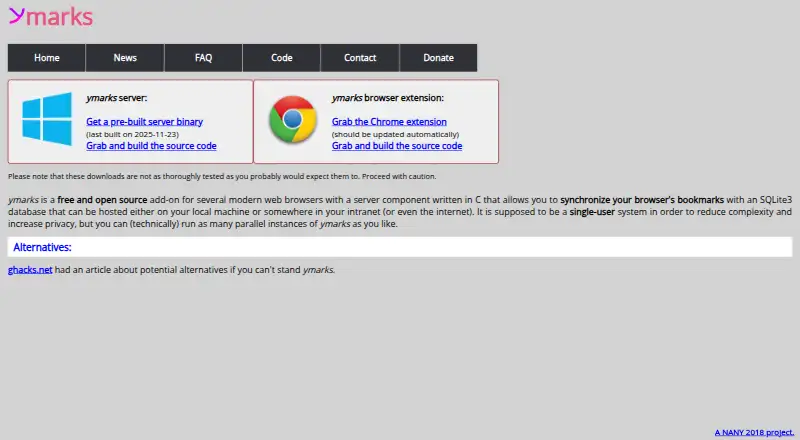
What ymarks is
ymarks synchronizes browser bookmarks through a server you run and a browser extension you install. The server keeps bookmarks in an SQLite3 database, which can be hosted locally, on an intranet, or on the internet. To connect the extension, enter the server hostname, port, and PIN; the local defaults are port 8888 and PIN 12345. The project describes Firefox and Vivaldi as semi-officially supported. Chrome, Opera, and Edge may work, but their support is uncertain. When you download bookmarks, ymarks replaces the browser’s existing bookmarks with those on the server rather than merging them incrementally.
ymarks is a free, single-user system; its FAQ says you cannot add another user. The maker says this design aims to reduce complexity and increase privacy. A precompiled server binary is offered for Windows, while users of other operating systems are directed to build from source. There is no mobile Firefox version. The project’s license is CDDL-1.0, and its homepage cautions that downloads may not be as thoroughly tested as users expect.
Who it suits
ymarks suits someone who wants to synchronize browser bookmarks through a server they control, with storage on a local machine, intranet, or internet host. It is designed for one user and has browser-extension support, with Firefox and Vivaldi identified as semi-officially supported.
What it does well
- Free plan for a single user.
- Stores bookmarks in an SQLite3 database.
- Database can be hosted locally, on an intranet, or online.
- Firefox and Vivaldi are semi-officially supported.
- A precompiled server binary is available for Windows.
What to know first
- Designed for one user; additional users cannot be added.
- Bookmark downloads replace existing bookmarks rather than adding incrementally.
- No version is available for mobile Firefox.
- Downloads may not be as thoroughly tested as users expect.
Limits
The free plan is for one user, and additional users cannot be added. Bookmark downloads replace the browser’s existing bookmarks rather than updating them incrementally.
Plans
| Plan | Billed and limits | Price |
|---|---|---|
| Free and open source | single-user system · downloads are not thoroughly tested | Free |
As ymarks.org lists them, read 11 Oct 2026. The maker's own page has the final word.
Getting started
- Visit https://ymarks.org/.
- Install the browser extension.
- Run the server component; a precompiled binary is offered for Windows, while other operating systems require building from source.
- Enter the server hostname, port, and PIN in the extension; the listed local defaults are port 8888 and PIN 12345.
- Use a browser identified as supported or potentially compatible; Firefox and Vivaldi are semi-officially supported.
Verdict
Choose ymarks if you want free bookmark synchronization through a server you run and need a single-user setup. Look elsewhere if you need multi-user access, mobile Firefox support, or incremental bookmark updates.
Questions
Is ymarks free?
Yes. Its listed plan is free.
Which browsers does ymarks support?
Firefox and Vivaldi are semi-officially supported. Chrome, Opera, and Edge may or may not work.
Can more than one person use a ymarks server?
No. ymarks is intended as a single-user system, and its FAQ says another user cannot be added.
Does ymarks work on mobile Firefox?
There is not yet a version for mobile Firefox.
What operating systems can run the server?
The site offers a precompiled server binary for Windows. Users on other operating systems are directed to build from source.
What happens when bookmarks are downloaded?
The browser’s existing bookmarks are replaced by the bookmarks on the server; the process does not add them incrementally.
Facts from ymarks's own pages
- Bookmark replacement
- The download process replaces browser bookmarks with the bookmarks stored on the server; there are no incremental bookmarks. · ymarks.org, 11 Oct 2026
- Browser support
- The site says Firefox and Vivaldi are semi-officially supported; Chrome, Opera, and Edge may or may not work. · ymarks.org, 11 Oct 2026
- Build system
- A 2025 news post says the server build now uses Conan 2. · ymarks.org, 11 Oct 2026
- License
- A 2020 news post says the project replaced the WTFPL license with CDDL-1.0. · ymarks.org, 11 Oct 2026
- Mobile support
- The FAQ says there is not yet a version for mobile Firefox. · ymarks.org, 11 Oct 2026
- Privacy model
- The maker says the single-user design is intended to reduce complexity and increase privacy. · ymarks.org, 11 Oct 2026
- Purpose
- ymarks synchronizes browser bookmarks with a server component you run and a client component installed in your browser. · ymarks.org, 11 Oct 2026
- Security maintenance
- A 2018 post advised rebuilding ymarks with SQLite 3.26.0 or higher to address a remote execution vulnerability in SQLite. · ymarks.org, 11 Oct 2026
- Security note
- A 2019 news post says ymarks works without exposing its SQLite database to the internet. · ymarks.org, 11 Oct 2026
- Server platforms
- The site offers a precompiled server binary for Windows and directs users on other operating systems to build from source. · ymarks.org, 11 Oct 2026
- Setup
- The browser extension requires the server hostname, port, and PIN; the listed local defaults are port 8888 and PIN 12345. · ymarks.org, 11 Oct 2026
- Single user
- ymarks is intended as a single-user system, and its FAQ says you cannot add more than one user. · ymarks.org, 11 Oct 2026
- Storage
- The server stores bookmarks in an SQLite3 database that can be hosted locally, on an intranet, or on the internet. · ymarks.org, 11 Oct 2026
- Support
- The contact page directs users to the maker’s Keyoxide page for current support contact options. · ymarks.org, 11 Oct 2026
- Testing status
- The homepage cautions that downloads are not as thoroughly tested as users might expect. · ymarks.org, 11 Oct 2026
Where ymarks stands on Freedom251
- Bookmark Managers#28 of 43