Freedom251 › Audience Response Systems
XTriv
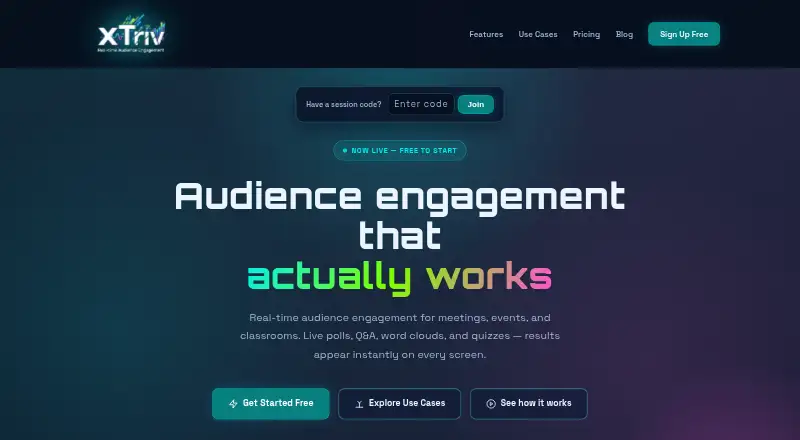
What XTriv is
XTriv is a browser-based audience engagement platform for meetings, events, classrooms, training, and conferences. Hosts can run polls, Q&A, word clouds, and quizzes, with seven activity types including open text, rating, and ranking. Adaptive branching can send participants to different follow-up paths based on responses or quiz performance. Hosts can review text responses before showing them, filter profanity, and manage Q&A by pinning, dismissing, or marking questions answered. Participants join from a phone or another device’s browser using a QR code or short session code, without an account or app install. The dashboard displays live response data and breakdowns by device, operating system, browser, and country; CSV export is listed on every plan. Teams and Zoom use shared links or QR codes and screen sharing, while native integrations are roadmap items. XTriv says sessions can support thousands of concurrent participants and have no artificial participant caps. The Free plan includes 250 credits per month; paid plans start at $9 a month.
Who it suits
XTriv suits hosts who want audience participation in meetings, events, classrooms, training, or conferences. Its browser access and QR-code joining can work for participants using different devices.
What it does well
- Participants join without an account or app install.
- Seven activity types are listed.
- Hosts can moderate text responses and Q&A.
- Every plan includes CSV export.
- Free plan includes unlimited sessions.
What to know first
- Free-plan credits reset monthly and do not roll over.
- Native integrations are roadmap items.
- No native app, plugin, or extension.
- One credit is used per participant per session.
Limits
The Free plan includes 250 credits per month; those credits reset monthly and do not roll over. Each participant joining one session uses one credit. Paid-plan credits roll over during the subscription.
Plans
| Plan | Billed and limits | Price |
|---|---|---|
| Free | $0 forever · 250 credits/month · unlimited sessions · all question types | Free |
| Starter | $9/month or $79/year · 2,000 credits/month · credit rollover · custom accent color · auto-buy credits | $9 a month |
| Pro | $29/month or $249/year · 10,000 credits/month · custom logo and theme · remove branding · PDF report export · email support | $29 a month |
| Business | $79/month or $699/year · 50,000 credits/month · API access · up to 5 team seats · email and chat support | $79 a month |
| Enterprise | $199/month or $1,799/year · 200,000 credits/month · unlimited team seats · custom domain · SSO/SAML · dedicated support | $199 a month |
| One-Time Session Pack | $9 · 1,000 credits · valid for 90 days · no subscription required | $9, paid once |
As xtriv.com lists them, read 7 Oct 2026. The maker's own page has the final word.
Getting started
- Visit https://xtriv.com/ in a modern browser.
- Choose the Free plan or a paid plan; the Free plan includes 250 credits per month.
- Create an activity using one of the listed question types.
- Share a QR code or short session code so participants can join from a device browser.
- For Teams or Zoom, use a shared session link or QR code and screen sharing.
Verdict
XTriv offers varied live activities and moderation tools, with a free tier and paid credit allowances. Consider monthly credit limits and the distinction between current link-based integrations and roadmap items when selecting a plan.
Questions
Is there a free plan?
Yes. Free costs nothing, billed at $0 forever, and includes 250 credits per month and unlimited sessions.
What do paid plans cost?
Starter is $9 a month, Pro is $29 a month, Business is $79 a month, and Enterprise is $199 a month. Annual billing is also listed for those plans.
Which platforms does XTriv support?
XTriv is listed for web and API. It is browser-based and has no native app, plugin, or extension.
Do participants need an account or app?
No. They can join from a smartphone or another device browser using a QR code or short session code.
Does XTriv have native Teams or Zoom integrations?
Teams and Zoom use shared session links or QR codes and screen sharing. Native integrations are roadmap items.
How are credits used?
One credit is used each time a participant joins a session. Free credits reset monthly; paid-plan credits roll over during the subscription.
Facts from XTriv's own pages
- Activity types
- The platform lists seven activity types: single choice, multi choice, word cloud, open text, quiz, rating, and ranking. · xtriv.com, 7 Oct 2026
- Adaptive branching
- Hosts can route participants to different follow-up paths based on answers or quiz performance. · xtriv.com, 7 Oct 2026
- Analytics and export
- The dashboard provides live response data and device, operating system, browser, and country breakdowns; CSV export is listed on every plan. · xtriv.com, 7 Oct 2026
- Anonymous responses
- Yes · xtriv.com, 22 Sept 2026
- Browser access
- XTriv says it is browser-based, supports modern browsers, and has no native app, plugin, or extension. · xtriv.com, 7 Oct 2026
- Capacity
- The features page says XTriv supports thousands of concurrent participants per session and has no artificial participant caps on any plan. · xtriv.com, 7 Oct 2026
- Credit limits
- One credit is used for each participant joining one session; free-plan credits reset monthly and do not roll over, while paid-plan credits roll over during subscription. · xtriv.com, 7 Oct 2026
- Free plan
- Yes · xtriv.com, 22 Sept 2026
- Infrastructure
- XTriv says it runs on Cloudflare's edge network and uses Durable Objects for real-time WebSocket synchronization. · xtriv.com, 7 Oct 2026
- Integrations
- Teams and Zoom use shared session links or QR codes and screen sharing, while presentations can include a session QR code; native integrations are described as roadmap items. · xtriv.com, 7 Oct 2026
- Intended users
- XTriv describes uses spanning internal meetings, conference sessions, and classroom discussions, and lists meetings, events, classrooms, training, and conferences as use cases. · xtriv.com, 7 Oct 2026
- Live polling
- Yes · xtriv.com, 22 Sept 2026
- Live Q&A
- Yes · xtriv.com, 22 Sept 2026
- Moderation
- Text responses can use an approval queue and built-in profanity filtering; Q&A can be pinned, dismissed, or marked answered. · xtriv.com, 7 Oct 2026
- Participant access
- Participants join from a smartphone or other device browser using a QR code or short session code, without an account or app install. · xtriv.com, 7 Oct 2026
- Privacy
- Its privacy policy says it collects only data needed to deliver the product, applies internal role-based access controls, and retains data according to contractual and legal obligations. · xtriv.com, 7 Oct 2026
- Purpose
- XTriv provides live audience engagement for meetings, events, and classrooms, including polls, Q&A, word clouds, and quizzes. · xtriv.com, 7 Oct 2026
- Quiz mode
- Yes · xtriv.com, 22 Sept 2026
- Slide integrations
- Yes · xtriv.com, 22 Sept 2026
- Paid from
- 9 · xtriv.com, 22 Sept 2026
- Support
- The pricing page lists community support for Free and Starter, email support for Pro, email and chat for Business, and dedicated support for Enterprise. · xtriv.com, 7 Oct 2026
Where XTriv stands on Freedom251
- Audience Response Systems#24 of 118