Freedom251 › Controller Mapping Software
Xpadder
What Xpadder is
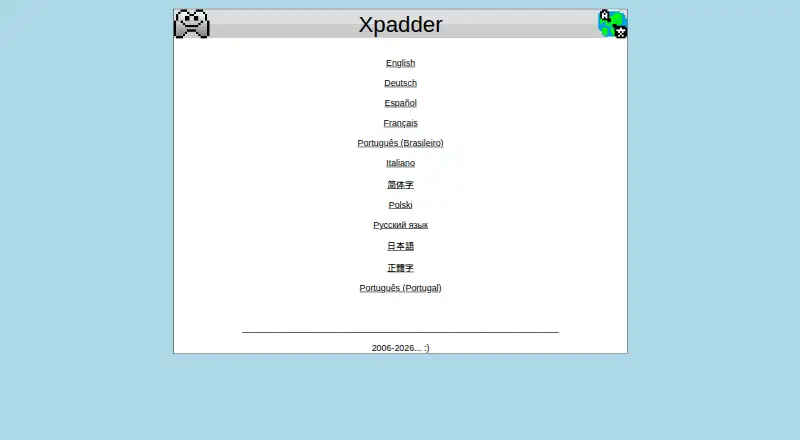
Xpadder is Windows software that assigns keyboard keys and mouse-button actions to game-controller buttons. It can also connect mouse-pointer movement to a controller’s sticks, helping controllers work with games built for keyboard and mouse input. More involved setups can use combinations, sequences, toggles, triggers, shift sets, and multiple controllers. Listed features include per-app profiles, profile switching, and macro support. The maker lists Windows 11, 10, 8.1, 8, 7, Vista, and XP as supported design targets. Xpadder is paid at US$ 9.99 per once, with no free plan. The developer is identified as Jonathan, who says he began the project over 20 years ago and works full-time on programming and customer support. Maker-site reviews describe accessibility uses involving limited hand mobility and sip-and-puff input, plus control of audio and video editing software. The site offers ten language options.
Who it suits
It suits Windows users who want to operate keyboard-and-mouse games with a controller. Reviews also describe uses for accessibility input and audio or video editing controls.
What it does well
- Maps keyboard and mouse actions to controller buttons
- Supports combinations, sequences, toggles, and triggers
- Includes per-app profiles and profile switching
- Supports multiple controllers and macros
- Works with Windows 11 through XP
What to know first
- Paid software with no free plan
- Windows-only platform listing
- Costs US$ 9.99 per once
Plans
| Plan | Billed and limits | Price |
|---|---|---|
| Xpadder | Windows 11, 10, 8.1, 8, 7, Vista and XP | $9.99, paid once |
As xpadder.com lists them, read 7 Oct 2026. The maker's own page has the final word.
Verdict
Xpadder focuses on remapping keyboard and mouse controls for Windows controllers, with profiles and advanced mapping options. Its one-time US$ 9.99 price and Windows-only support are the main points to weigh.
Facts from Xpadder's own pages
- Accessibility use
- The maker’s customer reviews describe using Xpadder with physical limitations, including limited hand mobility and sip-and-puff input. · xpadder.com, 7 Oct 2026
- Advanced mappings
- Xpadder handles combinations, sequences, toggles, triggers, shift sets, and multiple controllers. · xpadder.com, 7 Oct 2026
- Developer
- The maker identifies the developer as Jonathan and says he started Xpadder over 20 years ago. · xpadder.com, 7 Oct 2026
- Intended users
- The maker presents Xpadder as a way to use a game controller with games that rely on keyboard and mouse controls. · xpadder.com, 7 Oct 2026
- Maker site languages
- The official site offers English, German, Spanish, French, Brazilian Portuguese, Italian, Chinese, Polish, Russian, and Japanese language options. · xpadder.com, 7 Oct 2026
- Mouse control
- Xpadder can map the mouse pointer to a game controller’s sticks. · xpadder.com, 7 Oct 2026
- Non-gaming use
- A customer review on the maker’s page describes using Xpadder as a control input for audio and video editing software. · xpadder.com, 7 Oct 2026
- Price
- The US page lists Xpadder for US$ 9.99 USD. · xpadder.com, 7 Oct 2026
- Purpose
- Xpadder maps keyboard keys and mouse button actions to game controller buttons. · xpadder.com, 7 Oct 2026
- Security and compliance
- The official page opened for this research does not state security certifications or compliance claims. · xpadder.com, 7 Oct 2026
- Support
- The developer says he works full-time on Xpadder, including customer support and programming for the software and website. · xpadder.com, 7 Oct 2026
- Supported systems
- The maker lists Windows 11, 10, 8.1, 8, 7, Vista, and XP as supported design targets. · xpadder.com, 7 Oct 2026
Where Xpadder stands on Freedom251
- Controller Mapping Software#29 of 29
- Game Controller Mapper Software#27 of 27