Freedom251 › Process Mining Software
Worksoft Process Intelligence
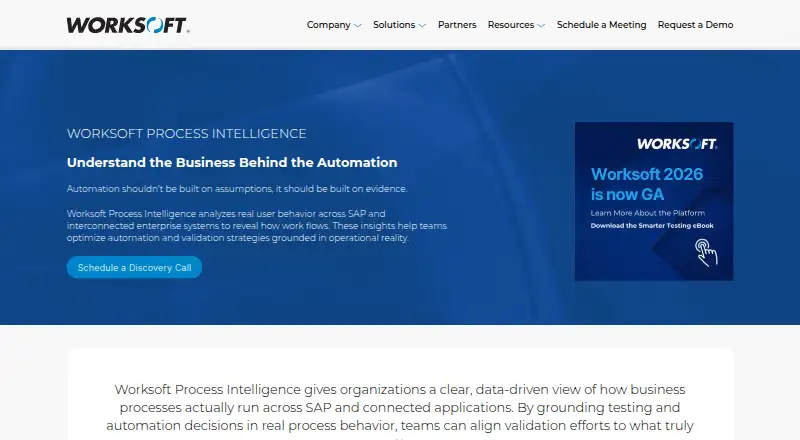
What Worksoft Process Intelligence is
Worksoft Process Intelligence analyzes real user behavior across SAP and connected enterprise systems to show how business processes flow. It surfaces process variations, inefficiencies and departures from expected paths, as well as patterns or anomalies associated with risk or instability. Teams can connect observed behavior with impact analysis and test orchestration to inform testing decisions. Inputs include process mining JSON, Worksoft Capture and Certify results, BPMN files and reference tables. The product can generate Microsoft Word or PDF documentation from Captures, Certify processes and BPMN files. Data refresh is scheduled, and the listed capabilities include process monitoring and ERP connectors. Deployment is self-hosted: installation requirements specify Windows Server, and the application server needs public Internet access. Listed requirements include IIS, ASP.NET Core, Python, Node.js and Microsoft ODBC Driver for SQL Server. It cannot share a server with Worksoft Portal; database requirements list SQL Server 2016 SP1, 2017 or 2019. Worksoft is headquartered in Frisco, Texas, and was founded in 1998. Pricing is on request.
Who it suits
Worksoft describes the product for organizations evaluating enterprise testing strategies or planning transformation initiatives. It may suit teams that need process behavior to inform testing decisions and can accommodate the stated self-hosted requirements.
What it does well
- Analyzes behavior across SAP and connected enterprise systems.
- Highlights process variation and potential risk patterns.
- Connects process behavior with impact analysis and test orchestration.
- Generates documentation as Word or PDF files.
- Accepts BPMN files and several Worksoft data inputs.
What to know first
- Requires a Windows Server installation.
- Application server needs public Internet access.
- Cannot share a server with Worksoft Portal.
- Pricing is available on request.
Limits
Deployment requires a self-hosted Windows Server application server with public Internet access, and it cannot be installed on the same server as Worksoft Portal. Listed database requirements are Microsoft SQL Server 2016 SP1, 2017, or 2019.
Plans
| Plan | Billed and limits | Price |
|---|---|---|
| Worksoft Process Intelligence | Pricing not listed; schedule a discovery call | On request |
As worksoft.com lists them, read 9 Oct 2026. The maker's own page has the final word.
Getting started
- Schedule a discovery call about the Worksoft Process Intelligence plan.
- Prepare a Windows Server application server with public Internet access.
- Provide the listed server components and a supported Microsoft SQL Server database.
- Install Process Intelligence on a server separate from Worksoft Portal.
- Load process mining JSON, Worksoft Capture or Certify results, BPMN files, or reference tables.
- Set up scheduled data refresh for process monitoring.
Verdict
Worksoft Process Intelligence links process analysis with testing decisions and documentation generation. Its self-hosted server and database requirements are important considerations before requesting pricing.
Questions
How much does Worksoft Process Intelligence cost?
Pricing is on request; the plan calls for scheduling a discovery call.
What deployment options are listed?
Deployment is self-hosted. Installation requirements specify Windows Server and public Internet access for the application server.
What data can Process Intelligence use?
Inputs include process mining JSON, Worksoft Capture and Certify results, BPMN files, and reference tables.
Can it generate process documentation?
Yes. It can generate Microsoft Word or PDF documentation from Captures, Certify processes, and BPMN files.
What database versions are listed?
The database requirements include Microsoft SQL Server 2016 SP1, 2017, or 2019.
Who makes Worksoft Process Intelligence?
Worksoft makes the product and says it was founded in 1998.
Facts from Worksoft Process Intelligence's own pages
- Administration
- Administrators can download server logs and event trace logs, clone a tenant, and delete or reprocess tenant data. · docs.worksoft.com, 9 Oct 2026
- Company history
- Worksoft says it was founded in 1998. · worksoft.com, 9 Oct 2026
- Database
- The listed database server requirements include Microsoft SQL Server 2016 SP1, 2017, or 2019. · docs.worksoft.com, 9 Oct 2026
- Data inputs
- Accepts process mining JSON, Worksoft Capture, Worksoft Certify results, BPMN files, and reference tables. · docs.worksoft.com, 9 Oct 2026
- Deployment
- The installation requirements specify Windows Server and describe installing Process Intelligence on a server; the application server must have public Internet access. · docs.worksoft.com, 9 Oct 2026
- Documentation
- Can generate process documentation as Microsoft Word or PDF files from Captures, Certify processes, and BPMN files. · docs.worksoft.com, 9 Oct 2026
- Founded
- 1998 · worksoft.com, 28 Sept 2026
- Headquarters
- Frisco, Texas, United States · worksoft.com, 28 Sept 2026
- Installation constraint
- Process Intelligence cannot be installed on the same server as Worksoft Portal. · docs.worksoft.com, 9 Oct 2026
- Intended users
- The product page describes the product for organizations evaluating enterprise testing strategies or planning transformation initiatives. · worksoft.com, 9 Oct 2026
- Process analysis
- Surfaces process variation, inefficiencies, and deviations from expected flows. · worksoft.com, 9 Oct 2026
- Purpose
- Analyzes real user behavior across SAP and connected enterprise systems to show how business processes flow. · worksoft.com, 9 Oct 2026
- Risk insights
- Highlights patterns and anomalies associated with risk or instability. · worksoft.com, 9 Oct 2026
- System requirements
- The listed requirements include Microsoft IIS, ASP.NET Core, Python, Node.js, and Microsoft ODBC Driver for SQL Server. · docs.worksoft.com, 9 Oct 2026
- Testing connection
- Integrates with impact analysis and test orchestration to inform testing decisions using process behavior. · worksoft.com, 9 Oct 2026
Where Worksoft Process Intelligence stands on Freedom251
- Process Mining Software#20 of 28