Freedom251 › Test Automation Software
Worksoft Certify
What Worksoft Certify is
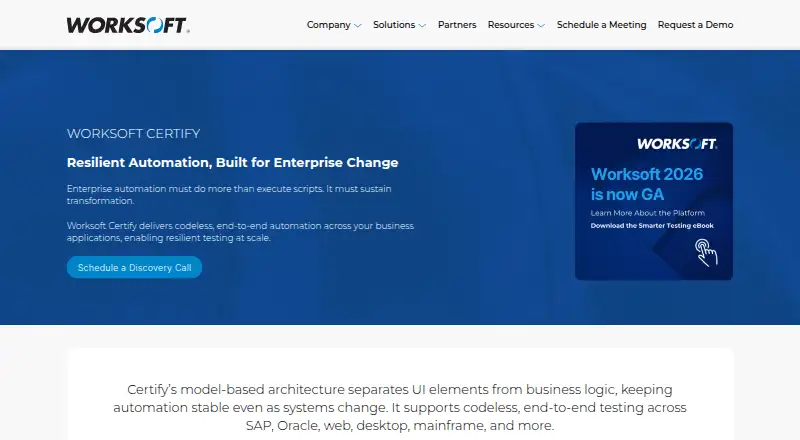
Worksoft Certify is a paid enterprise product for automating functional tests and validating business processes across SAP, Oracle, web, desktop, mainframe, mobile, cloud, and other applications. Teams can build end-to-end automation without code, using model-based design that separates interface elements from business logic. The product includes reusable assets, self-healing automation, test data management, and AI-driven analysis. Its tools identify likely root causes, summarize failures in natural language, and prioritize execution around higher-risk areas. Data Scrambling Manager can provision scrambled production data for testing. Certify integrates with Jira, Azure DevOps, OpenText ALM, SAP Cloud ALM, SAP Solution Manager, ServiceNow, Jenkins, Applitools Eyes, Xray, and Zephyr. A REST API triggers test execution and retrieves results, while scheduling, CI/CD integration, hybrid execution, and mobile testing are supported. The browser extension installs for Edge, Firefox, and Chrome. Pricing is available on request.
Who it suits
It is intended for enterprise teams managing complex business applications and broad testing programs. Organizations needing codeless automation, hybrid execution, integrations, and test-data controls may find it suitable.
What it does well
- Codeless end-to-end business-process automation
- Supports SAP, Oracle, web, and mainframe systems
- Includes self-healing automation and reusable assets
- AI analyzes and prioritizes test failures
- REST API and CI/CD integrations
What to know first
- Pricing is available only on request
- Client workstation support lists Windows 10 and 11
- Customer-managed infrastructure is described for deployment
- HTTPS and TLS 1.2 configuration is required
Limits
Pricing is available on request. The listed Certify client workstation operating systems are Windows 10 and Windows 11.
Getting started
- Visit the Certify website and book a demo or discovery call.
- Contact Worksoft Customer Support to receive licenses.
- Install Certify clients, services and databases on customer-managed infrastructure.
- Configure HTTPS on the application server and enable TLS 1.2.
- Install the Worksoft Automation Extension for Edge, Firefox or Chrome.
Verdict
Certify targets complex enterprise environments with codeless models, broad application coverage, and analysis tools. Prospective customers need a discovery call or demo to discuss availability and pricing.
Questions
How much does Worksoft Certify cost?
Certify is paid, with pricing available on request.
What applications can Certify test?
Listed targets include SAP, Oracle, web, desktop, mainframe, mobile, cloud and enterprise applications.
Does Certify require coding to build automation?
Worksoft describes Certify as supporting test automation built without code.
Which platforms are listed?
The listed platforms are API, extension, macOS, self-hosted, web and Windows. The Certify client workstation operating systems listed are Windows 10 and Windows 11.
Which tools does Certify integrate with?
Listed integrations include Jira, Azure DevOps, OpenText ALM, SAP Cloud ALM, SAP Solution Manager, ServiceNow, Jenkins, Applitools Eyes, Xray and Zephyr.
How do new customers get started?
Worksoft directs prospective customers to book a demo or discovery call. Its installation guide says new customers receive licenses from Worksoft Customer Support.
Facts from Worksoft Certify's own pages
- ALM integrations
- The documentation lists integrations including Jira, Azure DevOps, OpenText ALM, SAP Cloud ALM, ServiceNow, Xray, and Zephyr. · docs.worksoft.com, 8 Oct 2026
- API
- Certify supports REST API integrations that can trigger test execution and retrieve results. · worksoft.com, 9 Oct 2026
- Application coverage
- Certify supports testing across SAP, Oracle, web, desktop, mainframe, SaaS, and custom applications. · worksoft.com, 9 Oct 2026
- Automation features
- The product offers self-healing automation, reusable assets, built-in test data management, root cause analysis, and natural-language test failure summaries. · worksoft.com, 9 Oct 2026
- Availability
- Worksoft directs prospective customers to book a demo or schedule a discovery call; the page does not list a Certify price. · worksoft.com, 9 Oct 2026
- Browser extension
- The Certify client automatically installs the Worksoft Automation Extension for Edge, Firefox, and Chrome. · docs.worksoft.com, 9 Oct 2026
- Codeless automation
- The product page says teams can build self-healing test automation without code. · worksoft.com, 8 Oct 2026
- Deployment
- Worksoft provides installation guides for Certify and describes installing Certify services on an application server. · docs.worksoft.com, 9 Oct 2026
- Failure analysis
- The product page describes AI-driven root cause analysis and natural-language summaries of test failures. · worksoft.com, 8 Oct 2026
- Founded
- 1998 · worksoft.com, 28 Sept 2026
- Headquarters
- Frisco, Texas, United States · worksoft.com, 28 Sept 2026
- Integrations
- Certify integrates with tools including Jira, Azure DevOps, SAP Cloud ALM, SAP Solution Manager, ServiceNow, Jenkins, and Applitools Eyes. · worksoft.com, 9 Oct 2026
- Intended users
- Worksoft describes Certify as a codeless end-to-end automation product for enterprise teams managing complex business applications. · worksoft.com, 8 Oct 2026
- Model-based design
- Its model-based architecture separates UI elements from business logic to help keep automation stable as systems change. · worksoft.com, 9 Oct 2026
- Product
- Worksoft Certify provides codeless, end-to-end automation for testing business processes across enterprise applications. · worksoft.com, 9 Oct 2026
- Purpose
- Worksoft Certify automates functional testing across enterprise applications and validates critical business processes. · docs.worksoft.com, 8 Oct 2026
- Security
- Worksoft requires HTTPS on the application server and recommends enabling TLS 1.2. · docs.worksoft.com, 9 Oct 2026
- Support
- Customers can use the customer portal or contact Worksoft support by email or phone. · worksoft.com, 9 Oct 2026
- Support access
- The installation guide says new customers receive Worksoft licenses from Worksoft Customer Support. · docs.worksoft.com, 8 Oct 2026
- Test data
- Certify includes test data management, and the integrations page describes provisioning scrambled production data for testing through DSM. · worksoft.com, 8 Oct 2026
- Test prioritization
- Worksoft says AI-driven prioritization focuses execution on high-risk areas to reduce unnecessary regression cycles. · worksoft.com, 9 Oct 2026
- Windows requirement
- The listed Certify client workstation operating systems are Windows 10 and Windows 11. · docs.worksoft.com, 8 Oct 2026
Where Worksoft Certify stands on Freedom251
- Test Automation Software#38 of 45
- Testing Automation Software#23 of 26