Freedom251 › Software Update Tools
Winget-AutoUpdate
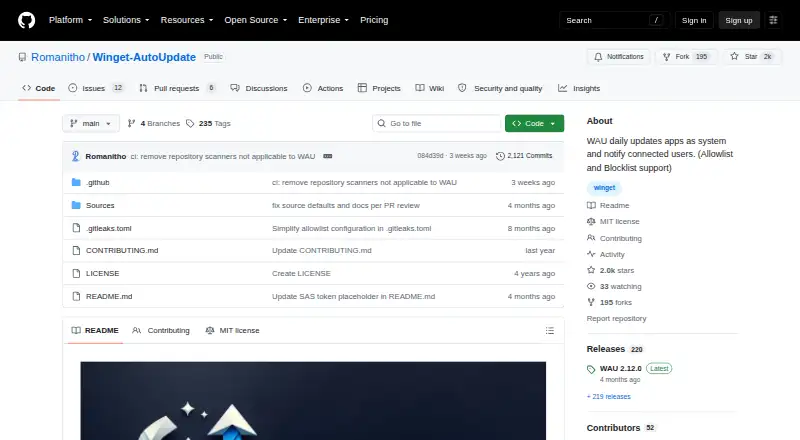
What Winget-AutoUpdate is
Winget-AutoUpdate is a free, open-source Windows utility that uses Winget to update applications and notify users when updates are available or installed. App allowlists and blocklists, including wildcard app IDs, let administrators choose which apps are updated or excluded. WAU runs at logon by default and can instead be scheduled daily, twice weekly, weekly, every two weeks, monthly or never. Notifications can show all results, only successful updates, only errors, or no popups; their text can be translated with a locale XML file. It can run in system and user contexts, including for apps installed in a user's scope. Custom scripts can run before, during or after installs and upgrades, or after failures. Deployment guidance covers Microsoft Intune, SCCM, Group Policy and Winget-Install, while administrative templates support managing settings through GPO or Intune policies. After a fresh install, WAU stops on metered connections by default, though an installer setting can allow it to run. The project describes advanced installation as mainly for administrators and advanced users.
Who it suits
It suits Windows administrators and advanced users who want scheduled Winget app updates and control over which apps are included. Its deployment options also address organisations managing settings through Intune or Group Policy.
What it does well
- App allowlists and blocklists support wildcard IDs
- Schedules range from daily to monthly or never
- Can run in system and user contexts
- Custom scripts can run around installs and upgrades
- Deployment guidance includes Intune, SCCM and Group Policy
What to know first
- Windows-only
- Microsoft Store PowerShell is unsupported in system context
- Stops on metered connections by default after fresh install
Limits
WAU is Windows-only and has no portable version. Microsoft Store PowerShell is unsupported when WAU runs in system context, and a fresh install stops on metered connections unless an installer setting permits updates there.
Plans
| Plan | Billed and limits | Price |
|---|---|---|
| Winget-AutoUpdate | Free GitHub project · Windows x64 MSI | Free |
As github.com lists them, read 7 Oct 2026. The maker's own page has the final word.
Getting started
- Open the Winget-AutoUpdate GitHub project page.
- Use the Windows x64 MSI installation route.
- Configure app allowlists or blocklists, including wildcard IDs, as needed.
- Choose a schedule and notification level.
- Set execution context and any custom scripts or deployment policies you need.
- Adjust the installer setting if updates should run on metered connections.
Verdict
Winget-AutoUpdate offers configurable update schedules, app selection and notifications for Windows, with deployment options for administrators. Its documented system-context limitation and default pause on metered connections are worth noting.
Questions
Is Winget-AutoUpdate free?
Yes. The project is open source, and its plan is free.
Which platforms does it support?
It is for Windows, with a Windows x64 MSI distribution.
Can I choose which apps it updates?
Yes. Allowlists and blocklists, including wildcard app IDs, can select apps for updating or exclusion.
Can it run on a schedule?
It runs at logon by default and can be set to daily, twice weekly, weekly, every two weeks, monthly, or never.
What deployment options are documented?
Deployment guidance covers Microsoft Intune, SCCM, Group Policy, and Winget-Install. Administrative templates support managing settings through GPO or Intune policies.
Does it work on metered connections?
By default, it stops on metered connections after a fresh install. An installer setting can allow it to run there.
Facts from Winget-AutoUpdate's own pages
- Administration
- Administrative templates allow WAU settings to be managed through GPO or Intune policies. · github.com, 7 Oct 2026
- App selection
- It supports allowlists and blocklists, including wildcard app IDs, to select apps for automatic updates or exclusion. · github.com, 7 Oct 2026
- Custom scripts
- Mods can run custom scripts before, during, or after app installs and upgrades, or after failures. · github.com, 7 Oct 2026
- Deployment integrations
- The README documents deployment using Microsoft Intune, SCCM, Group Policy, and Winget-Install. · github.com, 7 Oct 2026
- Execution contexts
- WAU can run in system and user contexts so it can update apps installed in a user's scope. · github.com, 7 Oct 2026
- Intended users
- The project describes advanced installation as mainly for admins or advanced users and documents enterprise deployment options. · github.com, 7 Oct 2026
- Known limitation
- The README says PowerShell from Microsoft Store is not supported with WAU in system context. · github.com, 7 Oct 2026
- Metered connections
- By default WAU stops on metered connections after a fresh install; an installer setting can allow it to run on them. · github.com, 7 Oct 2026
- Notifications
- Notification settings include full, success-only, errors-only, or no popups, and notification text can be translated with a locale XML file. · github.com, 7 Oct 2026
- Purpose
- Winget-AutoUpdate uses the Winget tool to update apps in system context and notify users when updates are available or installed. · github.com, 7 Oct 2026
- Scheduling
- Runs at logon by default and can be configured for daily, twice-weekly, weekly, every two weeks, monthly, or never. · github.com, 7 Oct 2026
- Security and trust
- The latest release page lists a SHA256 hash for the x64 MSI and says its release commit was signed with GitHub's verified signature. · github.com, 7 Oct 2026
Where Winget-AutoUpdate stands on Freedom251
- Software Update Tools#22 of 29