Freedom251 › Desktop Wallpaper Software
WinDynamicDesktop
What WinDynamicDesktop is
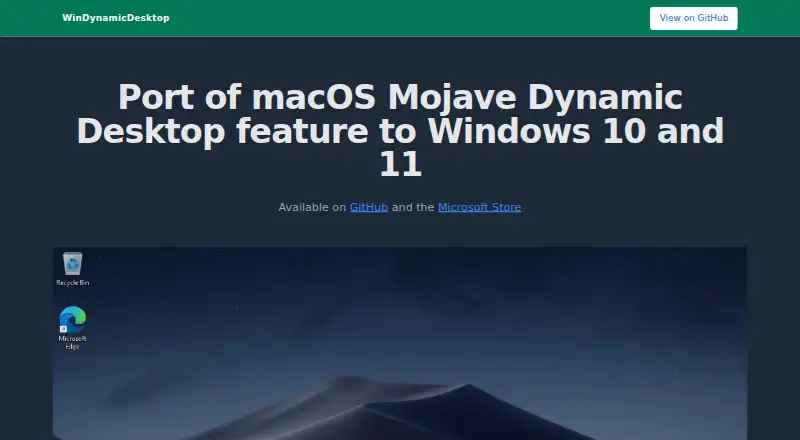
WinDynamicDesktop is free Windows software that brings macOS Mojave’s Dynamic Desktop behavior to Windows 10 and 11. Users can select bundled macOS themes, browse online themes, or create their own, then schedule wallpaper images to change across a 24-hour period. The themes page lists 427 free themes and 80 paid themes; paid themes can be bought in bundles through 24 Hour Wallpaper for a 50% discount. PowerShell scripts can extend the app and be shared with other users. It supports automatic rotation and multiple monitors, but cannot show separate images on separate virtual desktops. The project is developed mainly for Windows 11 and should run on Windows 7 or newer; Windows Insider builds are not officially supported. LocationIQ converts an entered location to latitude and longitude, while the Microsoft Store version can use Windows location with permission. The maker says the wallpaper images belong to Apple. The project uses the MPL-2.0 license.
Who it suits
It suits Windows users who want scheduled desktop wallpaper changes inspired by macOS Dynamic Desktop. Users interested in custom themes, multiple monitors, or PowerShell extensions may find its options useful.
What it does well
- Free Windows application
- Supports automatic wallpaper rotation
- Offers 427 listed free themes
- Supports custom themes and PowerShell scripts
- Works with multiple monitors
What to know first
- Cannot show different images on virtual desktops
- Windows Insider builds are not officially supported
- Wallpaper fit is not remembered in the Microsoft Store app
- Paid themes are available separately
Verdict
WinDynamicDesktop provides scheduled wallpaper changes, theme choices, multi-monitor support, and scripting at no software cost. Check its virtual-desktop limitation and Windows-version support before installing.
Facts from WinDynamicDesktop's own pages
- Free themes
- The themes page lists 427 free themes. · windd.info, 8 Oct 2026
- Known issue
- The site lists an issue where wallpaper fit is not remembered in the Microsoft Store app. · windd.info, 8 Oct 2026
- License
- The GitHub repository identifies its license as MPL-2.0. · github.com, 9 Oct 2026
- Limitation
- The app cannot show separate images on multiple virtual desktops. · windd.info, 8 Oct 2026
- Location integration
- LocationIQ is used to convert an entered location to latitude and longitude, and the Microsoft Store app uses the Windows location API if permission is granted. · windd.info, 9 Oct 2026
- Location service
- LocationIQ is used to convert a user-entered location to latitude and longitude. · windd.info, 8 Oct 2026
- Paid themes
- The themes page lists 80 paid themes and says they can be purchased in bundles for a 50% discount through 24 Hour Wallpaper. · windd.info, 8 Oct 2026
- Purpose
- WinDynamicDesktop ports the macOS Mojave Dynamic Desktop feature to Windows 10 and 11. · windd.info, 9 Oct 2026
- Scripts
- PowerShell scripts can extend the app's behavior and be shared with other users. · windd.info, 9 Oct 2026
- Security
- The GitHub repository says the project has no security policy file and no published security advisories. · github.com, 8 Oct 2026
- Security policy
- The GitHub security page says the project has no SECURITY.md policy and no published security advisories. · github.com, 9 Oct 2026
- Support
- The project links to a Get Help resource and says users can ask unanswered questions in GitHub Discussions. · github.com, 9 Oct 2026
- Supported versions
- The app is developed primarily for Windows 11 and should run on Windows 7 or newer; Windows Insider builds are not officially supported. · windd.info, 9 Oct 2026
- Themes
- Users can choose bundled macOS themes, browse hundreds of online themes, or create their own. · windd.info, 9 Oct 2026
- Virtual desktop limit
- The app cannot show separate images on multiple virtual desktops. · windd.info, 9 Oct 2026
- Wallpaper ownership
- The wallpaper images are not owned by the maker and belong to Apple. · windd.info, 9 Oct 2026
- Wallpaper schedule
- Users can choose a schedule to cycle wallpaper images over 24 hours. · windd.info, 9 Oct 2026
- Windows location
- The Microsoft Store app uses the Windows location API if permission is granted. · windd.info, 8 Oct 2026
- Windows support
- The app is developed primarily for Windows 11 and should run on Windows 7 or newer; Windows Insider builds are not officially supported. · windd.info, 8 Oct 2026
Where WinDynamicDesktop stands on Freedom251
- Desktop Wallpaper Software#28 of 33