
WeBuilder
What WeBuilder is
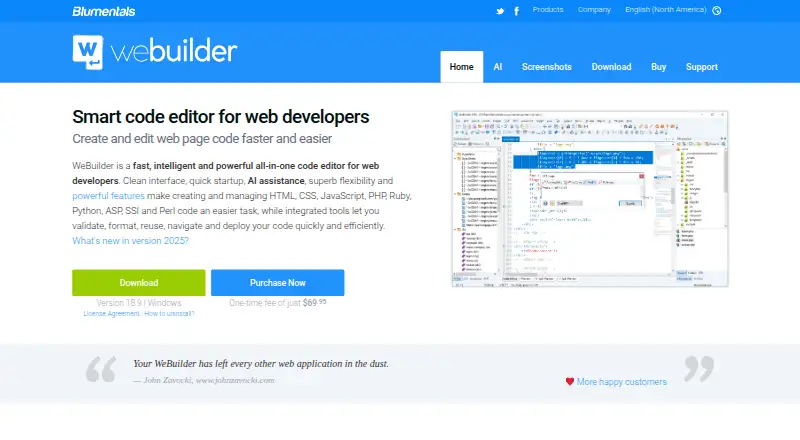
WeBuilder is a Windows code editor for web developers working with HTML, CSS, JavaScript, PHP, Ruby, Python, ASP, SSI, and Perl. It offers code completion, navigation, and suggestions for HTML, CSS, JavaScript, PHP, Ruby, and Smarty, alongside an AI assistant that can generate, modify, and optimize code, answer questions, and help with coding challenges. Each editor license includes AI credits for 100+ prompts, with extra credits available for purchase. Built-in FTP, SFTP, and FTPS tools support editing files on a web server or publishing changed local files. Validation and debugging tools include W3 HTML and CSS validators, JSLint, a realtime PHP checker, and an xDebug PHP debugger. Preview supports Chrome and Edge rendering, split-screen mode, and screen-size testing. Listed framework support includes Bootstrap 3, 4, and 5, jQuery, React, Vue.js, Laravel, CodeIgniter, Symfony, and WordPress. Version 18.9 supports Windows 10 and 11, with a legacy download for Windows 7 and 8. One-time license prices start at 69.95 USD; the maker also lists free email support and updates to the current major version.
Who it suits
WeBuilder suits web developers who want a Windows editor with code assistance, server publishing, validation, and debugging tools. Its Personal license is specified for students and home users, while other licenses cover professional, organizational, and team use.
What it does well
- Supports a broad set of web and server-side languages.
- Each license includes AI credits for 100+ prompts.
- Includes FTP, SFTP, and FTPS publishing tools.
- Provides validators, a PHP checker, and an xDebug debugger.
What to know first
- There is no free plan.
- It is not available for Mac computers.
- The current version supports Windows 10 and 11.
Limits
There is no free plan. Each license includes AI credits for 100+ prompts; extra credits must be purchased. The Personal license is for students and home users, the WeBuilder 2025 license covers professional use, and the Team license allows up to four users.
Plans
| Plan | Billed and limits | Price |
|---|---|---|
| WeBuilder 2025 Team License | One-time license · Up to 4 users · each may use at work, on a laptop or USB drive, and at home | $199.95, paid once |
| WeBuilder 2025 Personal | One-time license · For students and home users · use at home and on a laptop or USB drive | $69.95, paid once |
| WeBuilder 2025 | One-time license · General use by professional developers, companies and government organizations · use at work, on a laptop or USB drive, and at home | $89.95, paid once |
As webuilderapp.com lists them, read 9 Oct 2026. The maker's own page has the final word.
Getting started
- Open the WeBuilder website
- Choose a one-time license: Personal, WeBuilder 2025 or Team
- Download the current Windows 10 or 11 version, or a legacy Windows 7 or 8 release
- Install the editor on a Windows computer
- Use the included AI credits and connect to servers with FTP, SFTP or FTPS
Verdict
WeBuilder brings editing, AI assistance, publishing, preview, and debugging tools into a Windows-focused editor. Listed one-time prices are 69.95 USD for Personal, 89.95 USD for the standard license, and 199.95 USD for a team license covering up to four users.
Questions
How much does WeBuilder cost?
The Personal license costs 69.95 USD once, the WeBuilder 2025 license costs 89.95 USD once, and the Team License costs 199.95 USD once.
Is there a free plan?
No. WeBuilder is sold through one-time paid licenses.
Which platforms does WeBuilder support?
The current version supports Windows 10 and 11. Legacy downloads support Windows 7 and 8; Mac computers are not supported.
What AI access comes with a license?
Every editor license includes free AI credits valid for more than 100 prompts. Additional credits can be bought.
Does WeBuilder support version control?
Yes. It integrates with SVN and Git through TortoiseSVN and TortoiseGit.
Who makes WeBuilder?
Blumentals Software, a privately held company based in Jurmala, Latvia, makes WeBuilder.
Facts from WeBuilder's own pages
- AI assistant
- The built-in AI assistant can generate, modify and optimize code, answer questions, and help solve coding challenges. · webuilderapp.com, 9 Oct 2026
- AI credits
- Every code editor license includes free AI credits valid for 100+ prompts, and users can buy extra credits. · webuilderapp.com, 9 Oct 2026
- Code intelligence
- The editor provides code completion, navigation and suggestions for HTML, CSS, JavaScript, PHP, Ruby and Smarty. · webuilderapp.com, 9 Oct 2026
- Frameworks
- The feature list names Bootstrap 3, 4 and 5, jQuery, React, Vue.js, and PHP frameworks including Laravel, CodeIgniter, Symfony and WordPress. · webuilderapp.com, 9 Oct 2026
- Headquarters
- Jurmala, Latvia · webuilderapp.com, 28 Sept 2026
- Mac availability
- The support answer says the software is currently not available for Mac computers. · webuilderapp.com, 9 Oct 2026
- Maker and location
- The maker identifies itself as Blumentals Software, a privately held software company based in Jurmala, Latvia. · blumentals.net, 9 Oct 2026
- Platform requirements
- The current download is version 18.9 for Windows 10 and 11, with a legacy download for Windows 7 and 8. · webuilderapp.com, 9 Oct 2026
- Plugins
- Users can write plugins in JScript, which can use the Chromium engine; the site also lists a plugin catalog. · webuilderapp.com, 9 Oct 2026
- Preview
- Built-in preview supports Chrome and Edge rendering, split-screen mode and screen-size testing. · webuilderapp.com, 9 Oct 2026
- Product
- WeBuilder is an all-in-one code editor for web developers working with HTML, CSS, JavaScript, PHP, Ruby, Python, ASP, SSI and Perl. · webuilderapp.com, 9 Oct 2026
- Purchase support
- The purchase page says licenses include free support by email and free updates to the current major version. · webuilderapp.com, 9 Oct 2026
- Server publishing
- Built-in FTP, SFTP and FTPS tools let users edit files directly on a web server or publish changed local files. · webuilderapp.com, 9 Oct 2026
- Validation and debugging
- Listed tools include W3 HTML and CSS validators, JSLint, a realtime PHP checker and an xDebug PHP debugger. · webuilderapp.com, 9 Oct 2026
- Version control
- The editor integrates with SVN and Git through TortoiseSVN and TortoiseGit. · webuilderapp.com, 9 Oct 2026
Where WeBuilder stands on Freedom251
- PHP IDEs#22 of 23
- Web Development IDEs#43 of 44