Freedom251 › Website Change Monitoring Software
WebSite-Watcher
What WebSite-Watcher is
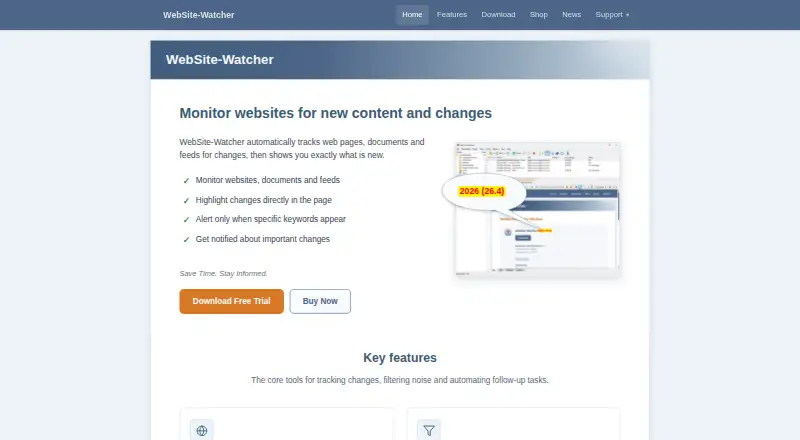
WebSite-Watcher monitors web pages, documents, and feeds for changes, then highlights new content. It handles RSS and Atom feeds, PDF files, Word and Excel documents, social media pages, local files, and forums. Users can filter unwanted material and set keyword alerts for terms found in changed content. Integrated Check-Macros can record and replay logins, search forms, and multi-step workflows before checking a page. After updates, the software can send email alerts, export reports in HTML, CSV, JSON, or XML, or trigger AI workflows and custom tools. The Windows client keeps bookmarks and settings on the user's hard disk and can check pages without access to the maker's servers. Optional synchronization shares bookmarks through a cloud folder or a shared local or network folder. A free Android and iOS app monitors pages and feeds, storing data on the phone without an account. The Free edition costs nothing; Personal costs €49, paid once per user, and Business costs €299, paid once per user. A 30-day evaluation is available at no charge. The maker is based in Attnang-Puchheim, Austria.
Who it suits
WebSite-Watcher suits people who need to monitor pages, feeds, documents, or local files and review changes through filters or keyword alerts. Personal licenses are for private, non-commercial use; companies and educational organizations must use Business Edition.
What it does well
- Monitors pages, feeds, office documents, social pages, and local files.
- Keyword alerts and filters help focus change monitoring.
- Check-Macros can replay logins and multi-step workflows.
- Exports reports in HTML, CSV, JSON, or XML.
- Mobile apps store monitoring data on the phone without an account.
What to know first
- The Free edition allows 10 bookmarks and one database.
- The Free edition's shortest check interval is one hour.
- Phone support is not provided.
- Companies and educational organizations must use Business Edition.
Limits
The Free plan permits 10 bookmarks and one database, and checks no more frequently than once per hour. It does not include email support. Personal licenses are limited to private, non-commercial use; companies and educational organizations must use Business Edition.
Plans
| Plan | Billed and limits | Price |
|---|---|---|
| Free | 10 bookmarks · 1 database · shortest check interval 1 hour · no email support | Free |
| Business | per user · Unlimited bookmarks and databases · business and professional use · priority support | €299, paid once |
| Personal | per user · Unlimited bookmarks and databases · private, non-commercial use only · e-mail support | €49, paid once |
As aignes.com lists them, read 11 Oct 2026. The maker's own page has the final word.
Getting started
- Visit https://www.aignes.com/.
- Choose the Free edition or a paid license; the maker also offers a 30-day evaluation at no charge.
- Install the Windows client to monitor and manage bookmarks on a computer.
- Alternatively, use the free Android or iOS app to monitor pages and feeds on a phone.
Verdict
Choose WebSite-Watcher if you need change monitoring across multiple content types, with filtering, alerts, and export options. The Free edition has tight bookmark and interval limits, while business and educational use requires the Business license.
Questions
What does WebSite-Watcher cost?
The Free plan costs nothing. Personal is €49, paid once per user, and Business is €299, paid once per user.
Is there a free trial?
Yes. The maker offers a 30-day evaluation period at no charge.
Which platforms are available?
The listed platforms are Windows, Android, and iOS. The Android and iOS apps are free.
What are the Free plan limits?
It allows 10 bookmarks and one database, with a shortest check interval of one hour. Email support is not included.
Can companies use the Personal license?
No. Personal is for private, non-commercial use; companies and educational organizations must use Business Edition.
Does WebSite-Watcher offer phone support?
No. The maker says it does not provide phone support; paid licenses include email support.
Facts from WebSite-Watcher's own pages
- Automation
- Integrated Check-Macros can record and replay logins, search forms, and multi-step workflows before checking a page. · aignes.com, 11 Oct 2026
- Business use
- Companies and educational organizations must use the Business Edition. · aignes.com, 11 Oct 2026
- Change filtering
- Users can filter unwanted content and set keyword alerts for specific words in changed content. · aignes.com, 11 Oct 2026
- Cloud sync
- The optional sync feature can synchronize bookmarks between computers through a cloud folder or a shared local or network folder. · aignes.com, 11 Oct 2026
- Content types
- It supports web pages, RSS and Atom feeds, PDF, Word and Excel documents, social media pages, local files, and forums. · aignes.com, 11 Oct 2026
- Free edition limits
- The Free edition allows 10 bookmarks and one database, and its shortest check interval is one hour. · aignes.com, 11 Oct 2026
- Headquarters
- Attnang-Puchheim, Austria · aignes.com, 28 Sept 2026
- Integrations and exports
- It can send email alerts, export reports in HTML, CSV, JSON, or XML, and trigger AI workflows or custom tools after updates. · aignes.com, 11 Oct 2026
- Local storage
- The Windows client stores bookmarks and settings on the user's hard disk and does not require access to the maker's servers to check pages. · aignes.com, 11 Oct 2026
- Mobile app
- A free Android and iOS app monitors pages and feeds, and stores its data on the phone without an account. · aignes.com, 11 Oct 2026
- Platforms
- The desktop version supports Windows 10/11 64-bit and Windows Server 2016 or later; the maker says it can run on Mac and Linux via a virtual machine. · aignes.com, 11 Oct 2026
- Purpose
- WebSite-Watcher monitors web pages, documents, and feeds for changes and highlights what is new. · aignes.com, 11 Oct 2026
- Security and privacy
- The maker says the Freeware edition has no account and collects no user data; its privacy policy notes that internet transmissions may have security gaps and cannot be guaranteed absolutely protected. · aignes.com, 11 Oct 2026
- Support
- Paid licenses include free e-mail support; the maker says it does not provide phone support. · aignes.com, 11 Oct 2026
- Trial
- The maker describes WebSite-Watcher as try-before-you-buy software with a 30-day evaluation period at no charge. · aignes.com, 11 Oct 2026
Where WebSite-Watcher stands on Freedom251
- Website Change Monitoring Software#5 of 13
- Website Monitoring Software#30 of 55