Freedom251 › Visual Regression Testing Software
Watchlight
What Watchlight is
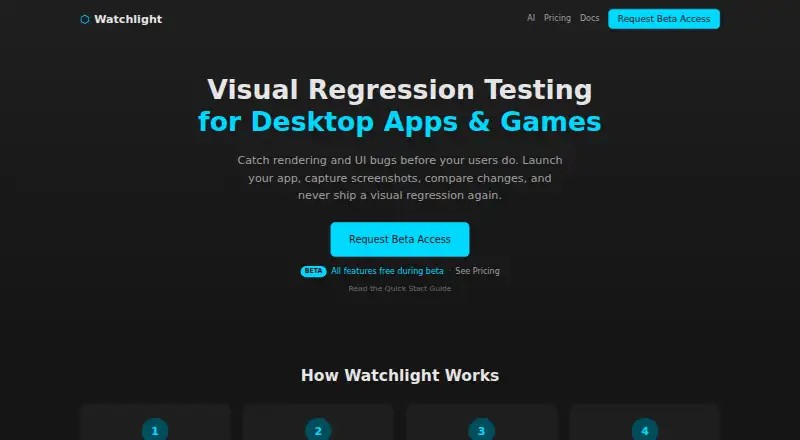
Watchlight is a Windows visual regression tool for checking how desktop apps and games change between screenshots. It launches an executable and captures a snapshot after a delay or when the app’s output matches a configured stdout pattern. You can compare snapshots side by side, choose from multiple diff modes, set thresholds, and view pass/fail results with diff percentages. For each scene, Watchlight compares against the baseline you configure; without one, it uses the first snapshot in name order.
Watchlight runs locally without a cloud dependency. It supports apps built with WPF, WinUI, Qt, Electron, Tauri, Unity, and Godot. Its headless CLI can capture and analyze snapshots, return structured JSON, and use strict mode to exit with a non-zero code when visual differences fail. A local stdio MCP server connects Watchlight to AI assistants, with setup examples for VS Code, Cursor, and Claude Code. The site says it works with any CI system and names GitHub Actions, GitLab, and Jenkins as examples.
The Free plan costs nothing and includes the GUI, unlimited projects and scenes, diff and analysis modes, configurable thresholds, and snapshot management. During beta, all features are free; after beta, CLI and MCP require Pro.
Who it suits
Watchlight suits developers and QA teams who need to catch visual changes in desktop applications or games. It also fits teams running CI/CD pipelines, especially those that want CLI or AI assistant workflows alongside the GUI.
What it does well
- Runs locally without a cloud dependency.
- Free GUI tier has unlimited projects, scenes, and snapshots.
- Captures can start after a delay or stdout pattern.
- Diff results include thresholds, percentages, and pass/fail status.
- CLI supports structured JSON and strict mode.
What to know first
- Windows is the only listed platform.
- CLI and MCP require Pro after beta.
- Pro is $9 a month.
Limits
The Free GUI tier has no artificial limits on projects, scenes, or snapshots. After beta, CLI and MCP require Pro at $9 a month; during beta, all features are free.
Plans
| Plan | Billed and limits | Price |
|---|---|---|
| Free | Full GUI application · Unlimited projects and scenes · All diff and analysis modes · Configurable thresholds · Snapshot management | Free |
| Pro | ~$86/year with annual billing (save 20%) · Everything in Free · CLI/headless mode · MCP server for AI agents · CI/CD pipeline integration · Coming soon; all features free during beta | $9 a month |
As getwatchlight.com lists them, read 7 Oct 2026. The maker's own page has the final word.
Getting started
- Visit https://getwatchlight.com/.
- Use the Windows platform.
- Start with the Free plan, which includes the GUI application.
- Create a scene and launch an executable to capture snapshots.
- Configure a baseline or let Watchlight use the first snapshot by name order.
- For AI assistant integration, use the documented local stdio MCP setup for VS Code, Cursor, or Claude Code.
- For CI, use the headless CLI and configure a CI system such as GitHub Actions, GitLab, or Jenkins.
Verdict
Choose Watchlight for local screenshot comparisons across desktop apps and games, with a free GUI tier and automation options. Teams that need CLI or MCP after beta should plan for Pro at $9 a month.
Questions
Does Watchlight have a free plan?
Yes. The Free plan costs nothing and includes the full GUI, unlimited projects and scenes, diff and analysis modes, configurable thresholds, and snapshot management.
How much does Pro cost?
Pro costs $9 a month, or about 86 USD per year with annual billing and a stated 20% saving. All features are free during beta.
Which platforms does Watchlight support?
Windows is the listed platform.
Can Watchlight run in CI pipelines?
Yes. It provides headless CLI commands for capture and analysis, with structured JSON output and an optional strict mode. The site names GitHub Actions, GitLab, and Jenkins as examples and says it works with any CI system.
Does Watchlight connect to AI assistants?
It includes a local stdio MCP server, with setup examples for VS Code, Cursor, and Claude Code. MCP requires Pro after beta.
Does Watchlight use the cloud?
The site says Watchlight runs entirely locally with no cloud dependency.
Facts from Watchlight's own pages
- AI integrations
- Watchlight includes a local stdio MCP server for AI assistants, and its documentation gives setup examples for VS Code, Cursor, and Claude Code. · docs.getwatchlight.com, 7 Oct 2026
- Audience
- The site presents Watchlight for individual developers, teams running CI/CD pipelines, and QA workflows. · getwatchlight.com, 7 Oct 2026
- Baseline behavior
- A scene uses its explicitly configured baseline, or otherwise the first snapshot by name order, as the comparison source. · docs.getwatchlight.com, 7 Oct 2026
- Beta pricing
- The pricing page says all features, including CLI and MCP, are free during beta and beta testers will receive a founding-member discount when Pro launches. · getwatchlight.com, 7 Oct 2026
- Capture
- Screenshots can be captured after a delay or when a configured stdout pattern appears. · docs.getwatchlight.com, 7 Oct 2026
- CI automation
- Watchlight provides headless CLI commands for capturing and analyzing snapshots, with structured JSON output and an optional strict mode that returns a non-zero exit code when visual diffs fail. · docs.getwatchlight.com, 7 Oct 2026
- CI integrations
- The website says Watchlight works with any CI system and names GitHub Actions, GitLab, and Jenkins as examples. · getwatchlight.com, 7 Oct 2026
- Diff analysis
- The app offers side-by-side comparisons, multiple diff modes, configurable thresholds, and pass/fail results with diff percentages. · getwatchlight.com, 7 Oct 2026
- Local operation
- The website says Watchlight runs entirely locally with no cloud dependency. · getwatchlight.com, 7 Oct 2026
- Pricing limits
- The pricing page says the free GUI tier has no artificial limits on projects, scenes, or snapshots; CLI and MCP require Pro after beta. · getwatchlight.com, 7 Oct 2026
- Purpose
- Watchlight is a visual regression testing tool for desktop apps and games that launches an executable, captures screenshots, and compares visual changes over time. · docs.getwatchlight.com, 7 Oct 2026
- Supported app types
- The website lists WPF, WinUI, Qt, Electron, Tauri, Unity, and Godot among the app technologies it is built for. · getwatchlight.com, 7 Oct 2026
Where Watchlight stands on Freedom251
- Visual Regression Testing Software#22 of 26