Freedom251 › Email Warmup Software
WarmupHero
What WarmupHero is
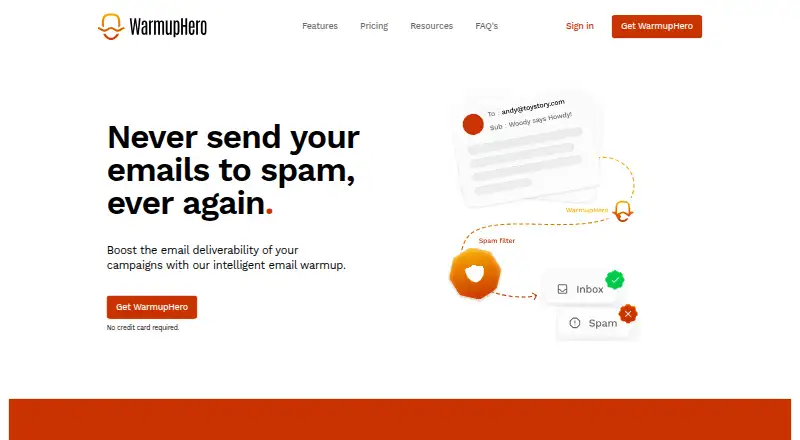
WarmupHero is an email warmup service that gradually increases an address’s sending volume to build its reputation and reduce spam risk. It is available on the web and as an extension, and its free plan is for use with SmartReach.io plans. The service says setup takes one minute, works with all email providers, and runs automatically. It exchanges warm-up messages with real people, sends personalized emails in sequence, and keeps them in conversation threads with automated replies. It also opens warm-up emails, marks them important, and returns them to the inbox if they land in spam. Analytics show whether messages reach the inbox, spam, or folders such as Promotions and Updates. Users can customize the messages and add signatures with images or links. Connections include Office365 API and SMTP/IMAP for other business accounts. SmartReach.io users connect with a generated API key before linking an email account. WarmupHero says it does not access, read, or delete users’ emails, though it may process information provided about recipients and customers.
Who it suits
WarmupHero may suit people seeking to improve email campaign deliverability, including those who send cold email. Its SmartReach.io plan is listed for use with SmartReach plans.
What it does well
- Free plan for use with SmartReach plans
- Connects through Office365 API or SMTP/IMAP
- Analytics distinguish inbox, spam, and category folders
- Customizable messages support image or link signatures
What to know first
- SmartReach.io plan requires use with SmartReach
- No price is listed for other use
Limits
The listed free plan is for use with SmartReach.io and is billed free with all SmartReach plans.
Plans
| Plan | Billed and limits | Price |
|---|---|---|
| WarmupHero with SmartReach.io | Free with all SmartReach plans · Use with SmartReach.io | Free |
As warmuphero.com lists them, read 7 Oct 2026. The maker's own page has the final word.
Getting started
- Visit warmuphero.com and choose the web service or extension.
- For SmartReach.io, generate a SmartReach API key and then connect an email account.
- For Office365, use the documented API connection method.
- For another business email account, provide SMTP and IMAP details.
- Customize warm-up emails and add a signature if desired.
Overview
WarmupHero automates the gradual increase of email sending volume used to build sender reputation and lower spam risk. It is a strong fit for campaign operators who want warmup to run unattended while tracking inbox placement, particularly those working in SmartReach.io. The free offer is most compelling when that integration matches your workflow; users wanting a broadly documented standalone connection should examine the setup requirements closely.
Key features
The service says it takes about a minute to configure, supports all email service providers and then runs on autopilot. It sends personalized messages one after another, increasing volume incrementally to resemble human activity. Warm-up traffic is exchanged with real people rather than dummy addresses, which gives the process a more natural conversation context. The combination is useful for teams that do not want to schedule or adjust each warm-up message manually.
WarmupHero reports where messages arrive: the inbox, spam, or category folders such as Promotions and Updates. That folder-level view is more actionable than a single delivery figure because it shows when messages are technically delivered but still bypass the primary inbox. It also keeps warm-up messages in the same thread and automates replies sent from the connected account. The service says it opens messages, marks them important, and returns them to the inbox when they fall into spam, reinforcing the behaviors its warm-up process is designed to encourage.
Message content is editable, including a personalized signature containing images or links. Connection documentation names an Office365 API option and an “Other” route requiring SMTP and IMAP details for business email accounts. SmartReach.io users generate a SmartReach API key first and then connect an email account. The privacy policy says WarmupHero does not access, read or delete users’ emails, although it may process recipient and customer information supplied by users. Personal data is stored and processed on servers in the European Union, with Google Cloud, Crisp.im, Google Analytics and Mailgun identified as service providers. Support is available at [email protected].
Pricing
WarmupHero with SmartReach.io — free (billed Free with all SmartReach plans; use with SmartReach.io). This is a genuinely free route for SmartReach customers and removes a separate warm-up subscription from the budget. Its defining limitation is scope: the plan is expressly tied to SmartReach.io, so it is not the clearest choice for a sender who wants an independent, provider-agnostic free tier.
Platforms
WarmupHero is offered as a browser extension and a web application. That suits users who prefer browser-based administration rather than a native desktop client.
Who it's for
Choose WarmupHero if you run cold-email or other campaigns, need to improve deliverability, and want automated warmup with inbox, spam and category-folder reporting. SmartReach.io users receive the clearest pricing advantage. It is less suitable when your account cannot use the documented Office365, SMTP/IMAP or SmartReach connection paths, or when you require a free plan clearly independent of another platform.
Pros and cons
- Pro: Autopilot operation and sequential, personalized sending reduce ongoing warm-up administration.
- Pro: A real-person exchange network, threaded conversations and automated replies support a human-like warm-up pattern.
- Pro: Inbox, spam and Promotions/Updates reporting shows placement quality rather than delivery alone.
- Pro: Custom text and signatures with images or links let users keep warm-up messages aligned with their identity.
- Con: The documented free plan is for SmartReach.io, limiting its value as a standalone option.
- Con: Business-account setup may require handling SMTP and IMAP credentials instead of a dedicated native connector.
Alternatives
For a free tier with one account, 10 warmup emails per day and basic deliverability tracking, consider TrulyInbox. WarmEnvelopes suits users who need domain-level limits, logs and filters, with its free plan covering up to 10 domains. Pick SendScale Email Warmup if pre-warmed inboxes and campaign access are priorities; its Starter plan is $28 per month when billed annually. Warmerly offers a free plan with one email account plus campaign and lead quotas. Folderly is an alternative for users focused on inbox insights and real-time alerts. Swokei Email Warmup provides a no-card free entry with credits but excludes mailboxes and warmup. darkzwarmer is a free option available on desktop operating systems and self-hosted setups. Warmforge is a paid choice with automated AI warmup and a free placement test each month.
See more tools in Email Warmup Software.
Verdict
WarmupHero is a sensible pick for SmartReach.io users who want free, automated warmup plus folder-level placement visibility and customizable messages. Its main reason to look elsewhere is the SmartReach-linked plan: senders seeking a standalone free service or a different connection method may find another alternative a better fit.
Verdict
WarmupHero combines automated warm-up messages with folder-level analytics and customizable content. Check that its available connection method and SmartReach plan fit your email setup.
Questions
Is WarmupHero free?
WarmupHero lists a free plan for use with SmartReach.io. The SmartReach.io plan is free and is available with all SmartReach plans.
Where can I use WarmupHero?
WarmupHero is available as a web service and an extension.
Does it work with different email providers?
WarmupHero says it works with all email service providers. Its documented connection methods include the Office365 API and SMTP/IMAP details for other business email accounts.
What do its analytics show?
Analytics show how many warm-up emails reach the inbox, spam, or category folders such as Promotions and Updates.
Does WarmupHero read my emails?
Its privacy policy says it does not access, read or delete users’ emails. It may process information users provide about email recipients and customers.
How do SmartReach.io users connect it?
They generate a SmartReach API key and then connect an email account.
Facts from WarmupHero's own pages
- Analytics
- Its analytics show how many emails reach the inbox, spam, or category folders such as Promotions and Updates. · warmuphero.com, 7 Oct 2026
- Automated setup
- The site says WarmupHero works with all email service providers, takes one minute to set up, and runs on autopilot. · warmuphero.com, 7 Oct 2026
- Conversation threads
- WarmupHero says it keeps warm-up emails in the same thread and automates replies to messages sent from the user’s account. · warmuphero.com, 7 Oct 2026
- Customization
- Users can customize warm-up emails and include a personalized signature with images or links. · warmuphero.com, 7 Oct 2026
- Data handling
- WarmupHero’s privacy policy says it does not access, read, or delete users’ emails, while it may process information users provide about email recipients and customers. · warmuphero.com, 7 Oct 2026
- Email connections
- WarmupHero documents Office365 API connection and an “Other” method for business email accounts using SMTP and IMAP details. · warmuphero.com, 7 Oct 2026
- Intended users
- The FAQ includes questions about cold emailing and who should warm up an inbox, and the homepage describes improving email campaign deliverability. · warmuphero.com, 7 Oct 2026
- Purpose
- WarmupHero describes email warmup as gradually increasing sending volume to build an email address’s reputation and reduce spam risk. · warmuphero.com, 7 Oct 2026
- Security and hosting
- The privacy policy says personal data is stored and processed on servers exclusively in the European Union and names Google Cloud, Crisp.im, Google Analytics, and Mailgun as service providers. · warmuphero.com, 7 Oct 2026
- Sending pattern
- WarmupHero says it sends personalized emails sequentially to mimic human-like sending and incrementally increase volume. · warmuphero.com, 7 Oct 2026
- SmartReach integration
- The SmartReach.io integration uses a generated SmartReach API key, after which the user connects an email account. · warmuphero.com, 7 Oct 2026
- Spam handling
- The site says WarmupHero opens warm-up emails, marks them important, and moves warm-up messages back to the inbox if they land in spam. · warmuphero.com, 7 Oct 2026
- Support
- The site lists [email protected] as a support contact. · warmuphero.com, 7 Oct 2026
- Warmup network
- WarmupHero says users exchange warm-up emails with real people rather than fake email addresses. · warmuphero.com, 7 Oct 2026
Where WarmupHero stands on Freedom251
- Email Warmup Software#10 of 24