Freedom251 › Network Performance Monitoring Software
WanAware Network Performance Monitoring
Visit WanAware Network Performance Monitoring Alternatives Pricing
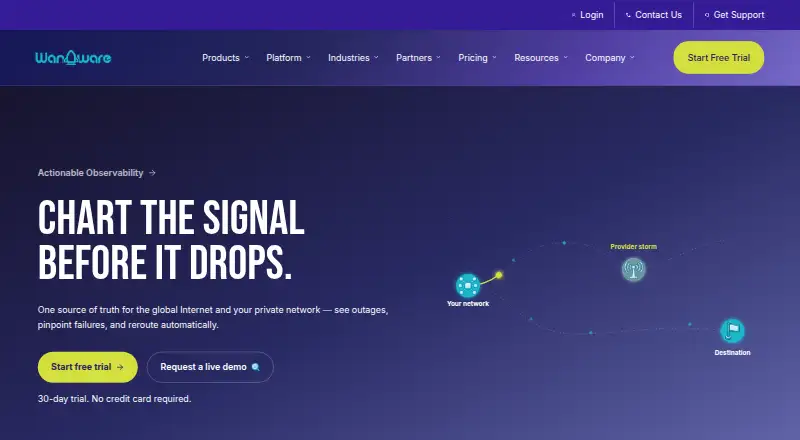
What WanAware Network Performance Monitoring is
WanAware Network Performance Monitoring provides performance observability across the global internet and private WAN or LAN. It correlates internet outages with application traffic to help distinguish local ISP issues from backbone failures, and can identify a router, interface, or BGP change associated with a drop. Dynamic path views show network layers from BGP routing through application latency. The service can integrate with SD-WAN and cloud controllers to reroute traffic when a provider falls below an SLA, and can send stakeholders reports about third-party providers. WanAware cites 16T+ daily path measurements, monitoring in 220+ countries, and 99.9% accuracy in root-cause identification. Listed use cases include SaaS and cloud adoption, SD-WAN optimization, and customer experience monitoring; Salesforce, Zoom, and AWS are example services for remote workforce access monitoring. It is delivered through a SaaS web portal, includes packet loss monitoring, and lists coverage for 1,000 devices. A 15-day trial is available, with no agents required for initial setup. Pricing is not published, and an Asset Intelligence subscription is required for WanAware services.
Who it suits
It is aimed at network, application, and cloud teams examining packet loss, latency, outages, or resource allocation. The listed use cases include cloud adoption, SD-WAN optimization, and customer experience monitoring.
What it does well
- Correlates internet outages with application traffic.
- Path views span BGP routing to application latency.
- Can reroute traffic when a provider falls below an SLA.
- Lists packet loss monitoring and 1,000-device coverage.
- 15-day trial; no agents required for initial setup.
What to know first
- No free plan is available.
- Pricing is not published.
- An Asset Intelligence subscription is required.
Limits
The listed plan covers up to 1,000 devices. The trial lasts 15 days; ongoing use is paid, requires an Asset Intelligence subscription, and Actionable Observability scope and pricing are discussed with WanAware.
Plans
| Plan | Billed and limits | Price |
|---|---|---|
| WanAware Network Performance Monitoring | Pricing for Actionable Observability is not published; contact WanAware to discuss scope and pricing · The pricing page says all WanAware services require an Asset Intelligence subscription | On request |
As wanaware.com lists them, read 7 Oct 2026. The maker's own page has the final word.
Getting started
- Open the WanAware product website
- Start the 15-day trial
- Use the SaaS web portal
- Connect monitoring for up to 1,000 devices
- Configure packet loss and path observation
- Integrate SD-WAN or cloud controllers for rerouting
Verdict
WanAware focuses on tracing network problems and linking them to application performance, with remediation options for provider issues. Teams should discuss scope and pricing with WanAware and account for the required Asset Intelligence subscription.
Questions
Is there a free plan?
No. WanAware Network Performance Monitoring is a paid service, but a 15-day trial is available.
Which platforms does it support?
It is delivered through a SaaS web portal and uses cloud deployment.
How many devices can it monitor?
The listed plan supports up to 1,000 devices.
Does it require agents for setup?
No agents are required for the initial setup.
What subscription is required?
Every WanAware service requires an Asset Intelligence plan. Actionable Observability has separate scope and pricing to discuss with WanAware.
What security controls are available?
Listed controls include username and password, Google Identity, multifactor authentication, role-based access control, and audit and access logs.
Facts from WanAware Network Performance Monitoring's own pages
- Example services
- The page names Salesforce, Zoom, and AWS as services for which teams can monitor remote workforce access. · wanaware.com, 7 Oct 2026
- Fault isolation
- The page says the product can pinpoint the router, interface, or BGP change causing a drop. · wanaware.com, 7 Oct 2026
- Founded
- 2020 · wanaware.com, 28 Sept 2026
- Outage detection
- Correlates global internet outages with application traffic and can distinguish local ISP issues from backbone failures. · wanaware.com, 7 Oct 2026
- Path visualization
- Dynamic path visualization shows network layers from BGP routing to application latency. · wanaware.com, 7 Oct 2026
- Pricing requirement
- The pricing page says every WanAware service requires an Asset Intelligence plan, and Actionable Observability has separate scope and pricing to discuss with WanAware. · wanaware.com, 7 Oct 2026
- Provider reports
- The page says the service can automatically alert stakeholders with “Proof of Innocence” reports for third-party providers. · wanaware.com, 7 Oct 2026
- Purpose
- Provides performance observability across the global internet and private WAN/LAN to detect outages, identify provider failures, and automate remediation. · wanaware.com, 7 Oct 2026
- Remediation
- It can integrate with SD-WAN and cloud controllers to reroute traffic when a provider’s performance falls below an SLA. · wanaware.com, 7 Oct 2026
- Scale claims
- WanAware claims 16T+ daily path measurements, monitoring in 220+ countries, and 99.9% accuracy in root-cause identification. · wanaware.com, 7 Oct 2026
- Security controls
- The pricing page lists username/password, Google Identity, multi-factor authentication, role-based access control, and audit and access logs as platform capabilities. · wanaware.com, 7 Oct 2026
- Trial and setup
- The product page offers a 15-day trial and says no agents are required for initial setup. · wanaware.com, 7 Oct 2026
- Use cases
- The listed use cases are SaaS and cloud adoption, SD-WAN optimization, and customer experience monitoring. · wanaware.com, 7 Oct 2026
- Web access and support
- The pricing page lists a SaaS web portal and 24/7 email support among its platform capabilities. · wanaware.com, 7 Oct 2026
- Who it serves
- The product page describes use by network, application, and cloud teams to understand packet loss, latency, and resource allocation. · wanaware.com, 7 Oct 2026