Freedom251 › AI Wallpaper Generators
WallAI
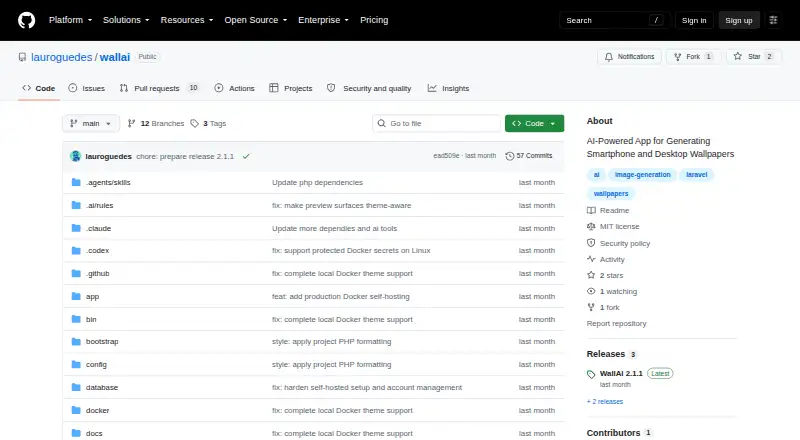
What WallAI is
WallAI is a self-hosted tool for generating smartphone and desktop wallpapers in 21 curated styles. It uses OpenAI and Google for text and image generation, and Ollama for local text models. In the application, users can choose providers and models and enter personal API keys. WallAI can be set up for authenticated, multi-user workspaces or used in private browser sessions; with authentication enabled, users can invite and manage others. Image generation and invitations go through dedicated Horizon queues.
The free software can run on a Docker host without separate PHP, Composer, Node.js, or Redis installations. Its documented minimums are Docker Engine 20.10, Docker Compose 2.15, and 2 GB of available memory. A domain-based server installation sets up an HTTPS proxy and obtains a Let's Encrypt certificate. The production installer also configures secure session cookies and a trusted-host value for the domain. Command-line tools cover status, logs, diagnostics, backups, and updates. WallAI is released under the MIT License.
Who it suits
WallAI suits people who want to generate wallpapers for multiple device types and configure their own AI providers. Its workspace options also fit private individual use or authenticated groups.
What it does well
- Creates mobile and desktop wallpapers in 21 styles
- Supports OpenAI, Google, and local Ollama text models
- Offers authenticated workspaces or private browser sessions
- Docker deployment avoids separate PHP and Redis installation
- MIT License; free plan
What to know first
- Docker deployment requires at least 2 GB of memory
- Native development requires PHP 8.4, Node.js 26, and Redis
Limits
The Docker installation requires Docker Engine 20.10 or newer, Docker Compose 2.15 or newer, and at least 2 GB of available memory.
Getting started
- Open the WallAI project website on GitHub.
- Prepare a Docker host with Docker Engine 20.10 or newer, Docker Compose 2.15 or newer, and at least 2 GB of available memory.
- Install WallAI on the Docker host.
- Configure providers, models, and personal API keys in the application.
- Choose authenticated multi-user workspaces or private browser sessions.
Verdict
WallAI combines configurable AI wallpaper generation with self-hosted deployment and options for solo or multi-user use. Check the Docker requirements before installation, or account for the additional dependencies required for native development.
Questions
Is WallAI free?
Yes. WallAI has a free plan.
Which platforms does WallAI support?
WallAI is self-hosted and web-based.
Which AI providers does it support?
It supports OpenAI and Google for text and image generation, plus Ollama for local text models.
Can multiple people use WallAI?
Yes. It can run with authenticated multi-user workspaces. When authentication is enabled, users can invite and manage other users.
What are the Docker requirements?
The documented requirements are Docker Engine 20.10 or newer, Docker Compose 2.15 or newer, and at least 2 GB of available memory.
What license does WallAI use?
WallAI is released under the MIT License.
Facts from WallAI's own pages
- AI providers
- It supports OpenAI and Google for text and image generation, plus Ollama for local text models. · github.com, 8 Oct 2026
- Configuration
- The application lets users configure providers, models, and personal API keys. · github.com, 8 Oct 2026
- Deployment
- WallAI can be installed on a Docker host without separately installing PHP, Composer, Node.js, or Redis. · github.com, 8 Oct 2026
- Development requirements
- Native development requires PHP 8.4 or newer, Node.js 26 or newer, and Redis; Docker source builds require only Docker. · github.com, 8 Oct 2026
- HTTPS
- For a domain-based server install, WallAI starts an automatic HTTPS proxy and obtains a certificate from Let's Encrypt. · github.com, 8 Oct 2026
- License
- WallAI is released under the MIT License. · github.com, 8 Oct 2026
- Management
- The command-line tool includes status, logs, diagnostics, backup, and update commands. · github.com, 8 Oct 2026
- Product
- WallAI is a self-hosted AI wallpaper generator for smartphone and desktop wallpapers. · github.com, 8 Oct 2026
- Provider settings
- Users can configure providers, models, and personal API keys in the application. · github.com, 8 Oct 2026
- Queues
- Image generation and invitations are processed through dedicated Horizon queues. · github.com, 8 Oct 2026
- Requirements
- The documented Docker requirements are Docker Engine 20.10 or newer, Docker Compose 2.15 or newer, and at least 2 GB of available memory. · github.com, 8 Oct 2026
- Security settings
- The documented production installer sets secure session cookies and a trusted-host value for the configured domain. · github.com, 8 Oct 2026
- Styles
- Users can generate mobile and desktop wallpapers in 21 curated styles. · github.com, 8 Oct 2026
- User management
- When authentication is enabled, users can invite and manage other users. · github.com, 8 Oct 2026
- What it makes
- It generates mobile and desktop wallpapers in 21 curated styles. · github.com, 8 Oct 2026
- Workspaces
- It can run with authenticated multi-user workspaces or private browser sessions. · github.com, 8 Oct 2026
Where WallAI stands on Freedom251
- AI Wallpaper Generators#19 of 22