Freedom251 › AI Screen Recorders
Walkmark
What Walkmark is
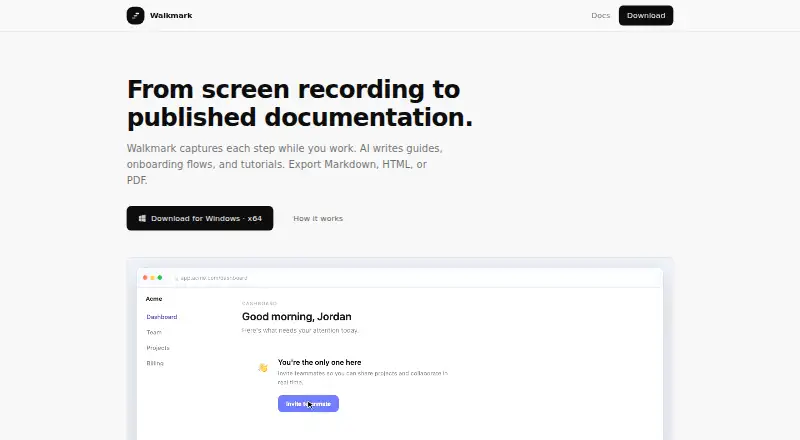
Walkmark is desktop software that records workflows and turns captured screenshots into AI-written guides, onboarding documents, and tutorials. While recording a screen or window, it can capture frames when you click, type, or scroll. Before generating a guide, you can reorder steps, blur sensitive fields, and replace frames. Exports include Markdown with an images folder, self-contained HTML, and print-ready PDF; Markdown is described for GitHub, Notion, Confluence, and internal wikis. Recording, editing, and exporting remain on your computer and work without a Walkmark account or its servers. Screenshots and prompts are sent only when you run Write, to a configured local model, API provider, or Walkmark Cloud when available. Listed AI options include Google Gemini, OpenAI, Anthropic, Mistral, OpenRouter, Ollama, and custom endpoints. The Open source plan costs nothing, uses an MIT license, and has no subscription.
Who it suits
Walkmark suits teams creating customer-support material, onboarding documents, product how-tos, compliance material, or standard operating procedures. It is also suited to users who want local recording and editing on Linux, macOS, or Windows.
What it does well
- Captures screenshots from clicks, typing, and scrolling
- Sensitive fields can be blurred before generation
- Exports Markdown, HTML, and PDF
- Works without an account or Walkmark servers
- Supports local models and multiple AI providers
What to know first
- Walkmark Cloud is not open yet
- Hosted writing and shareable links are planned as paid add-ons
- AI data is sent when Write is run
Plans
| Plan | Billed and limits | Price |
|---|---|---|
| Open source | MIT license · no subscription · use Ollama or your own API keys | Free |
As walkmark.app lists them, read 9 Oct 2026. The maker's own page has the final word.
Verdict
Walkmark combines workflow capture, editing controls, AI writing, and several document formats. Its local-first operation and provider choices are central considerations, while cloud features remain planned.
Facts from Walkmark's own pages
- AI data handling
- Screenshots and prompts are sent only when the user runs Write, to the configured local model, API provider, or Walkmark Cloud when available. · walkmark.app, 9 Oct 2026
- AI providers
- The docs list Google Gemini, OpenAI, Anthropic, Mistral, OpenRouter, Ollama, and custom endpoints as AI options. · walkmark.app, 9 Oct 2026
- API key security
- Walkmark says provider API keys are stored locally and are never uploaded to Walkmark's servers. · walkmark.app, 9 Oct 2026
- Cloud status
- Walkmark Cloud is not open yet; the site says hosted AI writing and shareable guide links are planned as a paid add-on. · walkmark.app, 9 Oct 2026
- Editing
- Users can reorder steps, blur sensitive fields, and replace frames before generating a guide. · walkmark.app, 9 Oct 2026
- Enterprise
- Teams seeking SSO, audit logs, or on-prem requirements are directed to contact [email protected]. · walkmark.app, 9 Oct 2026
- Exports
- Guides can be exported as Markdown with an images folder, self-contained HTML, or print-ready PDF. · walkmark.app, 9 Oct 2026
- Integrations
- The site describes Markdown exports for GitHub, Notion, Confluence, and internal wikis. · walkmark.app, 9 Oct 2026
- Local storage
- Recording, editing, and export stay on the user's machine and work without a Walkmark account or its servers. · walkmark.app, 9 Oct 2026
- Recording
- It can capture screenshots when you click, type, or scroll while recording a screen or window. · walkmark.app, 9 Oct 2026
- System requirements
- The site lists macOS 11+, Windows 10+ (x64 or ARM64), and Linux with screen capture as supported requirements. · walkmark.app, 9 Oct 2026
- Use cases
- The site names customer support, internal onboarding, product how-tos, compliance, and standard operating procedures as use cases. · walkmark.app, 9 Oct 2026
- What it does
- Walkmark records desktop workflows and turns screenshots into AI-written guides, onboarding documents, and tutorials. · walkmark.app, 9 Oct 2026
Where Walkmark stands on Freedom251
- AI Screen Recorders#27 of 39