Voxie Studio
What Voxie Studio is
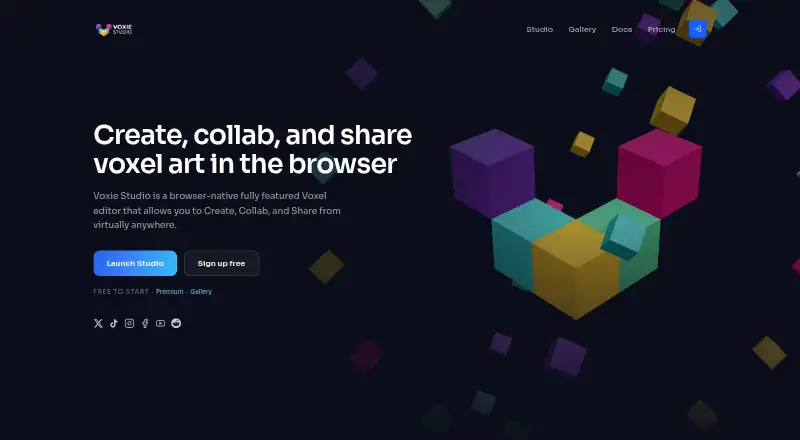
Voxie Studio is a browser-native voxel editor for making, animating, collaborating on, and sharing voxel art. Its tools include a voxel brush, eraser, paint, 3D shapes, selection, symmetry, layers, palettes, and materials. Creators can work with animation clips and play mode, then import or export JSON, .vox, MML, images, and supported mesh formats. Finished scenes can be published to a public gallery, shared through private links, or embedded interactively on other sites. Creating locally does not require an account; scenes saved in browser storage stay on the device unless exported, synced, or published. The free plan allows a 40³ maximum work area, with VOXIE watermarks on exports. Premium costs $9.99/mo and raises the work area limit to 256³, with cloud sync, live collaboration, watermark-free exports, Code Lab, Agent API keys, and an ad-free editor. Premium users can host co-create scenes and invite up to four people to edit in a browser for free. Anyone with a private share URL can view, play, or remix its model, so the link should be treated like a secret.
Who it suits
It suits people who want to create voxel art in a browser rather than rely on desktop tools. Premium is relevant to creators seeking cloud sync, collaboration, or larger work areas.
What it does well
- Local creation is available without an account.
- Supports animation clips and play mode.
- Imports and exports several listed formats.
- Scenes can be embedded interactively on other sites.
- Premium collaboration supports up to four invitees.
What to know first
- Free work areas are limited to 40³.
- Free exports include a VOXIE watermark.
- Private link recipients can view, play, or remix scenes.
Limits
The free plan has a 40³ maximum work area and exports include a VOXIE watermark. Premium costs $9.99/mo and increases the maximum work area to 256³; cloud sync and live collaboration are Premium features.
Plans
| Plan | Billed and limits | Price |
|---|---|---|
| Free | $0 forever · 40³ maximum work area · local scene saves · imports, exports, play, AR, and sharing · exports include VOXIE watermark | Free |
| Premium | $9.99/ month · 256³ maximum work area · cloud scene sync and live collaboration · host co-create scenes and invite up to 4 people · private shareable links · watermark-free exports · Code Lab · Agent API keys · ad-free editor | $9.99 a month |
As voxie.studio lists them, read 7 Oct 2026. The maker's own page has the final word.
Getting started
- Open https://voxie.studio/ in a browser.
- Start creating locally without an account, or sign in with Google, GitHub, or Discord.
- Use the editor tools to build a scene and add animation clips if needed.
- Import or export supported formats, or publish, share, or embed the scene.
- Choose Premium at $9.99/mo for cloud sync, collaboration, and the other Premium features.
Verdict
Voxie Studio offers browser-based voxel creation with animation and several sharing options. Consider the free work-area and watermark limits, and protect private share links because recipients can remix their models.
Questions
Is Voxie Studio free?
Yes. The Free plan costs nothing, billed $0 forever. Premium costs $9.99/mo.
What platforms does it support?
Voxie Studio is available on the web. Its platform information also lists API.
Do I need an account to create?
No account is required to create locally. Google, GitHub, or Discord sign-in provides access to gallery, cloud saves, Premium, profiles, and API keys.
What can I import and export?
It supports JSON, .vox, MML, images, and supported mesh formats. Free exports include a VOXIE watermark; Premium exports are watermark-free.
Can other people work on a scene with me?
Premium account holders can host co-create scenes and invite up to four people to edit in the browser for free.
What happens to locally saved scenes?
Scenes autosaved in browser storage remain on the device unless exported, synced to the cloud, or published.
Facts from Voxie Studio's own pages
- Accounts
- An account is not required to create locally; sign-in with Google, GitHub, or Discord is available for gallery, cloud saves, Premium, profiles, and API keys. · voxie.studio, 7 Oct 2026
- Animation
- The studio supports animation clips and play mode. · voxie.studio, 7 Oct 2026
- API
- The Agent API provides an HTTP and live room API, and Premium includes Agent API keys. · voxie.studio, 7 Oct 2026
- Audience
- The About page describes Voxie Studio as a browser alternative to desktop voxel tools for people who want to create from anywhere. · voxie.studio, 7 Oct 2026
- Collaboration
- Premium account holders can host co-create scenes and invite up to four people, who can edit in the browser for free. · voxie.studio, 7 Oct 2026
- Data handling
- The privacy policy says service providers include Google, Stripe, Cloudflare, and Vercel, and that Voxie Studio does not sell personal information. · voxie.studio, 7 Oct 2026
- Editor tools
- The editor includes voxel brush, eraser, paint, 3D shapes, selection, symmetry, layers, palettes, and materials. · voxie.studio, 7 Oct 2026
- Import and export
- It supports importing and exporting JSON, .vox, MML, images, and supported mesh formats. · voxie.studio, 7 Oct 2026
- Privacy
- Scenes autosaved in browser storage remain on the device unless exported, synced to the cloud, or published. · voxie.studio, 7 Oct 2026
- Product
- Voxie Studio is a browser-native voxel editor for creating, collaborating on, and sharing voxel art. · voxie.studio, 7 Oct 2026
- Sharing
- Creators can publish to a public gallery, share private links, and embed interactive scenes on other sites. · voxie.studio, 7 Oct 2026
- Sharing limit
- Anyone with a private share URL can view, play, or remix its model, so the policy advises treating the link like a secret. · voxie.studio, 7 Oct 2026
- Support
- The contact page provides email support for bug reports, feature ideas, billing issues, and API or rate-limit issues. · voxie.studio, 7 Oct 2026
Where Voxie Studio stands on Freedom251
- Voxel Editors#17 of 26