Vimb
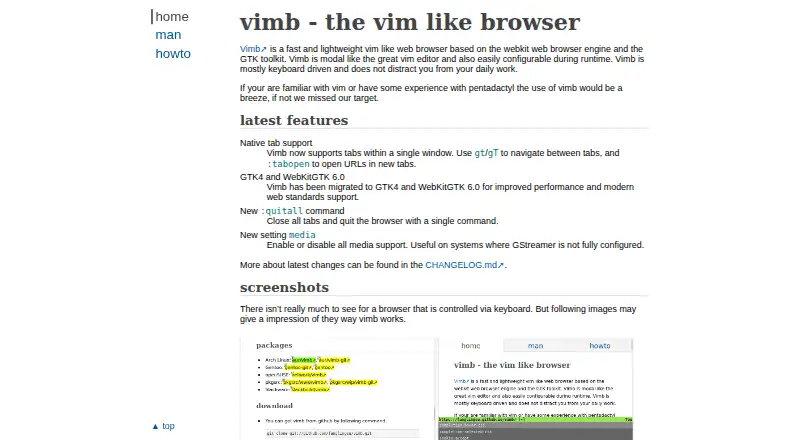
What Vimb is
Vimb is a free, open-source Linux desktop browser built on WebKit for keyboard-driven browsing. It uses Normal, Input, Command, and Pass-Through modes, with assignable keybindings for each and runtime configuration changes. Native tabs share one window and can be opened, switched, or closed through commands and keys. History and completions cover commands, URLs, bookmarks, settings, and searches. Keyboard hints identify links, form fields, and other clickable elements for pointer-free interaction. Users can create URL shortcuts with placeholders, Vim-like autocmd commands for matching events and URIs, and multiple yank and paste registers. Vimb validates SSL against a CA certificate file and offers cookie policies of always, never, or origin only. Incognito starts with user data read-only, while commands can clear cookies, caches, and storage. A read-later queue requires the QUEUE feature. Vimb has no built-in ad blocker.
Who it suits
Vimb suits Linux desktop users who prefer Vim-like keyboard navigation and configurable browser behavior. It is especially relevant to people comfortable compiling or installing Linux software.
What it does well
- Free and open source
- Keyboard-driven WebKit browsing
- Configurable modes and keybindings
- Native tabs in one window
- Runtime settings and URL automation
What to know first
- Linux desktop only
- Requires GTK 4 and WebKitGTK 6.0
- No built-in ad blocker
- Read-later queue requires QUEUE
Verdict
Vimb focuses on keyboard control, Vim-style commands, and extensive runtime customization. Users who need a conventional built-in ad blocker or other platforms will need alternatives.
Facts from Vimb's own pages
- Ad blocking
- Vimb does not provide an ad blocker itself; its how-to page describes using the wyebadblock webextension or host blocking instead. · fanglingsu.github.io, 12 Oct 2026
- Audience
- The project describes Vimb as intended to provide an efficient browsing experience that is intuitive for Vim users. · github.com, 12 Oct 2026
- Automation
- Vimb supports user defined URL shortcuts and Vim like autocmd commands that run for configured events and matching URIs. · fanglingsu.github.io, 12 Oct 2026
- Browser engine
- webkit · github.com, 19 Sept 2026
- Downloads
- The project page provides source downloads and lists packages for several Linux distributions. · fanglingsu.github.io, 12 Oct 2026
- Features
- It supports native tabs, configurable keybindings, runtime settings, command and search history, and completions for commands, URLs, bookmarks, settings, and searches. · fanglingsu.github.io, 12 Oct 2026
- Free plan
- Yes · github.com, 19 Sept 2026
- Installation
- The maker provides source downloads and instructions to compile and install Vimb, and lists packages for several Linux distributions. · fanglingsu.github.io, 12 Oct 2026
- Integrations
- Users can configure external handlers for URI schemes and an external editor for webpage form fields. · fanglingsu.github.io, 12 Oct 2026
- Keybindings
- Users can assign keybindings for each browser mode and change nearly every configuration at runtime. · fanglingsu.github.io, 12 Oct 2026
- Modes
- Vimb has Normal, Input, Command, and Pass-Through modes. · fanglingsu.github.io, 12 Oct 2026
- Navigation tools
- The browser provides history and completions for commands, URLs, bookmarks, settings, and searches, plus hints for interacting with links and form fields. · fanglingsu.github.io, 12 Oct 2026
- Open source
- Yes · github.com, 19 Sept 2026
- Page interaction
- Hinting labels links, form fields, and other clickable elements so they can be clicked, opened, or inspected from the keyboard. · fanglingsu.github.io, 12 Oct 2026
- Personalization
- Users can define URL shortcuts with placeholders, automate commands for matching URLs and events, and use multiple yank and paste registers. · fanglingsu.github.io, 12 Oct 2026
- Supported platforms
- desktop · github.com, 19 Sept 2026
- Privacy controls
- The manual documents an incognito option that starts an instance with user data read only, and commands to clear website data such as cookies, caches, and storage. · fanglingsu.github.io, 12 Oct 2026
- Product
- Vimb is a WebKit based browser designed for keyboard driven browsing with Vim like usage. · fanglingsu.github.io, 12 Oct 2026
- Read later
- A read it later queue is available when Vimb is compiled with the QUEUE feature. · fanglingsu.github.io, 12 Oct 2026
- Requirements
- The current build requires GTK 4 and WebKitGTK 6.0; GStreamer media decoding packages are optional. · fanglingsu.github.io, 12 Oct 2026
- Security
- The feature list states that Vimb validates SSL against a CA certificate file. · fanglingsu.github.io, 12 Oct 2026
- Security controls
- The feature list states that Vimb validates SSL against a CA certificate file, and its settings include cookie acceptance policies of always, never, or origin only. · fanglingsu.github.io, 12 Oct 2026
- Support
- The project directs issue reports and feature requests to its GitHub issue tracker or mailing list. · fanglingsu.github.io, 12 Oct 2026
- Tabs
- Vimb supports native tabs within a single window, with commands and keys to open, switch, and close tabs. · fanglingsu.github.io, 12 Oct 2026
Where Vimb stands on Freedom251
- Web browsers#65 of 154