Freedom251 › AI Background Music Generators
Vidsembly
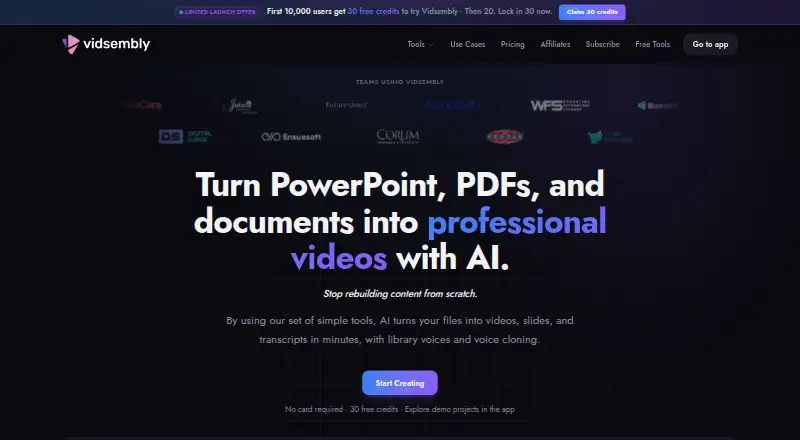
What Vidsembly is
Vidsembly is a web-based service for making videos and related media from presentations, recordings, documents, or pasted text. Its guided tools can turn PowerPoint or PDF slides into narrated videos, using library voices or voice clones. With Content to Video, a document or text becomes a slide deck and narration that can be exported as an MP4 and PPTX. Both video-creation tools list 12 output languages for AI voiceover.
The service also hosts videos: users can upload or publish them, share watch links, embed a player, and track views. Other tools include a Transcriber, AI Deck Creator, AI Soundtrack, and AI Voice. The Transcriber accepts MP3, MP4, WAV, and M4A files and exports TXT, DOCX, SRT, or PDF transcripts; its free plan allows up to 30 minutes of media. Vidsembly is intended for training teams, educators, sales enablement, and internal communications. Generated outputs use credits, which do not expire. Plans include a free option and paid plans from $6.99/mo. Separate browser utilities at tools.vidsembly.com require no sign-up. The maker says uploaded files are not used to train general-purpose AI models, while noting that inputs may be sent to AI systems to fulfill requests.
Who it suits
Vidsembly suits educators and teams making training, sales enablement, or internal communications videos from slides, documents, and recordings. It is also relevant to users who need hosted videos, shareable watch links, or downloadable transcripts.
What it does well
- Turns PowerPoint or PDF slides into narrated videos.
- Creates MP4 videos and PPTX decks from documents or text.
- Offers 12 AI voiceover languages in two video tools.
- Hosts videos with watch links, embeds, and view tracking.
- Transcriber exports TXT, DOCX, SRT, or PDF.
- Credits do not expire.
What to know first
- Free Transcriber use is limited to 30 minutes of media.
- Free exports include a watermark.
- Webcam recording is unavailable.
- Uploaded files and project data remain in the account until deletion, subject to stated retention needs.
Limits
The free plan includes 30 one-time credits, 250 MB of video library storage, standard AI voices, and watermarked exports. The free Transcriber plan allows up to 30 minutes of media.
Plans
| Plan | Billed and limits | Price |
|---|---|---|
| Free | 30 one-time credits · 250 MB video library storage · Standard AI voices · Watermarked exports | Free |
| Elite | $21.99/month; $219.99/yearly · 1,200 credits/month · 250 GB video library storage · Top-up credits · 5 voice clones · 4K re-render · Priority render speed marked coming soon | $21.99 a month |
| Pro | $6.99/month; $69.99/yearly · 300 credits/month · 50 GB video library storage · Top-up credits · Premium voices · 3 voice clones · 720p and 1080p re-render · No watermark | $6.99 a month |
As vidsembly.com lists them, read 8 Oct 2026. The maker's own page has the final word.
Getting started
- Open https://www.vidsembly.com/ in a web browser.
- Choose the free plan or a paid plan starting at $6.99/mo.
- Use a presentation, document, pasted text, or supported media file with the relevant tool.
- For no-sign-up browser utilities, visit tools.vidsembly.com.
Verdict
Choose Vidsembly if you want guided tools to turn slides or documents into narrated videos, alongside hosting and transcription. Look elsewhere if webcam recording is essential or the free Transcriber’s 30-minute limit is too restrictive.
Questions
Is Vidsembly free?
Yes. Its free plan includes 30 one-time credits, 250 MB of video library storage, standard AI voices, and watermarked exports.
How much do paid plans cost?
Pro is $6.99 per month, billed at $6.99/month or $69.99 yearly. Elite is $21.99 per month, billed at $21.99/month or $219.99 yearly.
Which platforms does Vidsembly support?
The listed platform is web.
What can the Transcriber export?
It accepts MP3, MP4, WAV, and M4A files, and exports TXT, DOCX, SRT, or PDF transcripts.
Does Vidsembly use uploaded files to train AI models?
The maker says uploaded files are not used to train general-purpose AI models. Its privacy policy says inputs may be sent to third-party or Vidsembly-operated AI systems to perform requested actions.
How does Vidsembly handle stored files and project data?
Uploaded files and project data remain in an account until deletion or an account deletion request, subject to stated legal, security, or billing retention needs.
Facts from Vidsembly's own pages
- AI processing
- The privacy policy says inputs may be sent to third-party or Vidsembly-operated AI systems to perform requested actions and advises against uploading confidential, sensitive, or regulated information without understanding cloud-processing risks. · vidsembly.com, 8 Oct 2026
- Content to Video
- The tool creates a slide deck and narration from a document or pasted text, then exports a narrated MP4 and PPTX deck. · vidsembly.com, 8 Oct 2026
- Credits
- Credits are used across tools for generated outputs, and the site says credits do not expire. · vidsembly.com, 8 Oct 2026
- Data retention
- Uploaded files and project data remain in an account until deletion or an account deletion request, subject to stated legal, security, or billing retention needs. · vidsembly.com, 8 Oct 2026
- Free tools
- Vidsembly offers separate browser utilities at tools.vidsembly.com that require no sign-up. · vidsembly.com, 8 Oct 2026
- Languages
- Presentation to Video and Content to Video list 12 output languages for AI voiceover. · vidsembly.com, 8 Oct 2026
- Notable limits
- The free Transcriber plan lists a limit of up to 30 minutes of media. · vidsembly.com, 8 Oct 2026
- Other tools
- Vidsembly lists a Transcriber, AI Deck Creator, AI Soundtrack, and AI Voice among its current tools. · vidsembly.com, 8 Oct 2026
- Presentation to Video
- The tool turns PowerPoint or PDF slides into narrated videos and supports library voices or voice clones. · vidsembly.com, 8 Oct 2026
- Privacy
- Vidsembly says it does not use uploaded files to train general-purpose AI models. · vidsembly.com, 8 Oct 2026
- Product
- Vidsembly provides guided AI tools for turning presentations, recordings, and documents into videos, transcripts, slide decks, and related media. · vidsembly.com, 8 Oct 2026
- Support
- The privacy policy lists [email protected] as the contact for privacy requests and policy questions. · vidsembly.com, 8 Oct 2026
- Transcriber formats
- The Transcriber accepts MP3, MP4, WAV, and M4A files and exports TXT, DOCX, SRT, or PDF transcripts. · vidsembly.com, 8 Oct 2026
- Use cases
- The product is described as built for training teams, educators, sales enablement, and internal communications. · vidsembly.com, 8 Oct 2026
- Video hosting
- Users can upload or publish videos, share watch links, embed a player, and track views. · vidsembly.com, 8 Oct 2026
Where Vidsembly stands on Freedom251
- AI Background Music Generators#15 of 29
- Presentation Recording Software#19 of 26