Freedom251 › Video Collage Maker Software

VidCollage
What VidCollage is
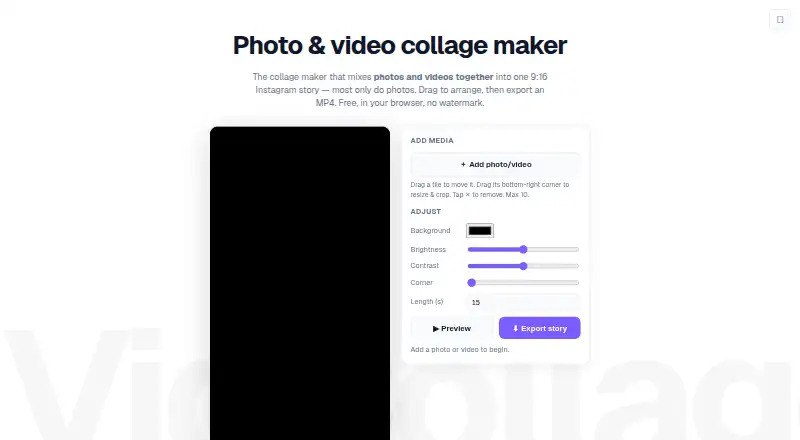
VidCollage is a free web tool for combining photos and videos into a single 9:16 collage for Instagram stories and reels. You can add up to 10 items from your device, select an automatic layout, and then move, resize, or crop tiles by dragging them. The editor also lets you change the background colour, brightness, contrast, rounded corners, and collage length. Finished collages export as 9:16 MP4 files; browsers without the fast encoder use WebM instead. The maker says media stays on the device and is processed locally in the browser rather than uploaded. VidCollage requires no signup and adds no watermark. Its Free plan is listed as free, billed as completely free, with no stated limit on exports. The main constraint is the 10-item maximum for each collage, so it is aimed at small collections of local photos and clips rather than larger sets.
Who it suits
VidCollage suits anyone making a vertical collage from a small group of photos and videos for Instagram stories or reels. It is also a fit for people who want a browser-based tool with no signup or watermark.
What it does well
- Combines up to 10 local photos and videos.
- Offers adjustable layout and image settings.
- Exports without a watermark.
- No signup or export limit.
What to know first
- Each collage is limited to 10 media items.
- WebM is used if the browser lacks the fast encoder.
Limits
The free plan allows up to 10 photos and videos in each collage. Exports have no stated limit.
Plans
| Plan | Billed and limits | Price |
|---|---|---|
| Free | Completely free · Up to 10 photos and videos · No signup · No watermark · No limits on exports | Free |
As vidcollage.com lists them, read 7 Oct 2026. The maker's own page has the final word.
Getting started
- Open https://www.vidcollage.com/ in a web browser.
- Add photos and videos from your local device, up to 10 items.
- Choose an automatic layout and arrange the tiles.
- Adjust the background, image settings, corners, and collage length.
- Export the collage as MP4 or, where the fast encoder is unavailable, WebM.
Verdict
VidCollage provides a focused way to arrange local photos and clips into a vertical collage. Its free use has no export cap, but each collage is limited to 10 items.
Questions
How much does VidCollage cost?
Its Free plan costs nothing and is billed Completely free.
Does VidCollage require an account or add a watermark?
No signup is required, and the tool adds no watermark.
Which platforms does it support?
VidCollage is web-based.
What media can I use, and where does it come from?
You can add up to 10 photos and videos from your local device.
What export format does it use?
It exports a 9:16 MP4, with WebM as a fallback in browsers without the fast encoder.
Are there limits on exports?
The maker says exports have no limit. Each collage can contain up to 10 photos and videos.
Facts from VidCollage's own pages
- Adjustments
- Users can adjust the background colour, brightness, contrast, rounded corners, and length. · vidcollage.com, 7 Oct 2026
- Arrange media
- Users can choose an automatic layout, then drag tiles to move, resize, and crop them. · vidcollage.com, 7 Oct 2026
- Export
- The collage exports as a 9:16 MP4, with WebM fallback in browsers without the fast encoder. · vidcollage.com, 7 Oct 2026
- Export limits
- The maker says there are no limits on exports. · vidcollage.com, 7 Oct 2026
- Privacy
- The maker says media stays on the device and runs locally in the browser without being uploaded. · vidcollage.com, 7 Oct 2026
- Signup and watermark
- The free tool requires no signup and adds no watermark. · vidcollage.com, 7 Oct 2026
- Use limits
- Users can add up to 10 photos and videos to a collage. · vidcollage.com, 7 Oct 2026
- What it does
- VidCollage combines photos and videos into one 9:16 collage for Instagram stories and reels. · vidcollage.com, 7 Oct 2026
Where VidCollage stands on Freedom251
- Video Collage Maker Software#15 of 22