Freedom251 › Video Converter Software
VidCoder
What VidCoder is
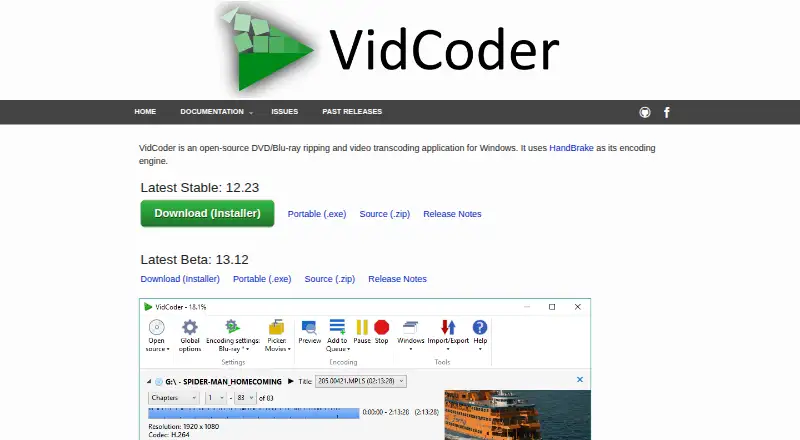
VidCoder is a free, open-source Windows application for ripping DVDs and Blu-rays and transcoding video. It uses HandBrake as its encoding engine, so HandBrake does not need to be installed separately. Videos can be saved in MP4 or MKV containers, with codecs including AV1, H.265, H.264, MPEG-4, MPEG-2, VP9, VP8 and Theora. Audio choices include AAC, MP3, Vorbis, AC3, TrueHD, Opus, FLAC and ALAC, as well as passthrough. Encoding controls include bitrate, size or quality targets, multi-pass encoding, filters, and pause and resume. It can run simultaneous batch encodes and use hardware encoding with AMD VCE, Nvidia NVENC or Intel QuickSync. A folder watcher can start encoding automatically, while customizable Pickers can choose audio and subtitle tracks, destination and titles. VidCoder is available as an installer, a portable executable or a zip archive. The installer downloads updates in the background and applies them on the next launch by default; update behavior can be changed in Global options. The zip version does not auto-update and requires the .NET 10 Desktop Runtime. The app can rip DVDs and Blu-rays, but does not defeat encryption on commercial discs.
Who it suits
VidCoder suits Windows users who want a free tool for disc ripping and video transcoding, including batch workflows and control over encoding targets. It can also suit users who want folder-based automation or choices over audio and subtitle tracks.
What it does well
- Free, open-source application for Windows.
- Supports MP4 and MKV containers and eight listed video codecs.
- Runs simultaneous batch encodes and supports pause and resume.
- Offers hardware encoding through AMD VCE, Nvidia NVENC and Intel QuickSync.
- Folder watcher can start encoding automatically.
What to know first
- Does not defeat encryption found on commercial discs.
- Zip version requires the .NET 10 Desktop Runtime.
- Zip version does not auto-update.
Limits
VidCoder does not defeat encryption on commercial discs. The zip version requires the .NET 10 Desktop Runtime and does not auto-update.
Plans
| Plan | Billed and limits | Price |
|---|---|---|
| VidCoder | Free software · runs on 64-bit Windows 10 and 11 | Free |
As vidcoder.net lists them, read 10 Oct 2026. The maker's own page has the final word.
Getting started
- Visit https://vidcoder.net/.
- Choose the installer, portable executable or zip download.
- Use the installer or portable version without additional prerequisites, or install the .NET 10 Desktop Runtime for the zip version.
- Open VidCoder and use its HandBrake-based encoding engine; HandBrake does not need separate installation.
Verdict
Choose VidCoder if you need a free Windows application for transcoding or ripping discs, with batch encoding and a range of output and audio options. Look elsewhere if your workflow requires defeating encryption on commercial DVDs or Blu-rays.
Questions
Is VidCoder free?
Yes. Its listed plan is free, and it is described as free software.
Which platforms does VidCoder support?
VidCoder runs on 64-bit Windows 10 and 11.
What formats and codecs can it output?
It supports MP4 and MKV containers, with AV1, H.265, H.264, MPEG-4, MPEG-2, VP9, VP8 and Theora video codecs.
Is VidCoder open source?
Yes, VidCoder is an open-source application.
Can VidCoder rip encrypted commercial discs?
It can rip DVDs and Blu-rays, but does not defeat encryption found on commercial discs.
How can I install VidCoder?
It is available as an installer, portable executable or zip. The zip requires the .NET 10 Desktop Runtime and does not auto-update.
Facts from VidCoder's own pages
- Audio
- Audio encoding options include AAC, MP3, Vorbis, AC3, TrueHD, Opus, FLAC, and ALAC, with passthrough support. · vidcoder.net, 10 Oct 2026
- Automation
- A folder watcher can automatically encode video, and customizable Pickers can select audio and subtitle tracks, destination, and titles. · vidcoder.net, 10 Oct 2026
- Batch conversion
- Yes · vidcoder.net, 21 Sept 2026
- Bug support
- The site directs users to report VidCoder-only issues to VidCoder and issues reproducible in HandBrake to HandBrake. · vidcoder.net, 10 Oct 2026
- Disc limitation
- VidCoder can rip DVDs and Blu-rays but does not defeat encryption found on commercial discs. · vidcoder.net, 10 Oct 2026
- Encoding controls
- Features include bitrate, size, or quality targets; multi-pass encoding; filters; simultaneous batch encodes; and pause and resume. · vidcoder.net, 10 Oct 2026
- Encoding engine
- VidCoder uses HandBrake as its encoding engine, and HandBrake does not need to be installed separately. · vidcoder.net, 10 Oct 2026
- Formats
- It supports MP4 and MKV containers, with video codecs including AV1, H.265, H.264, MPEG-4, MPEG-2, VP9, VP8, and Theora. · vidcoder.net, 10 Oct 2026
- Free plan
- Yes · vidcoder.net, 21 Sept 2026
- Hardware acceleration
- Yes · vidcoder.net, 21 Sept 2026
- Hardware encoding
- Hardware-accelerated encoding is available with AMD VCE, Nvidia NVENC, and Intel QuickSync. · vidcoder.net, 10 Oct 2026
- Install options
- VidCoder is available as an installer, a portable executable, or a zip; the zip version does not auto-update. · vidcoder.net, 10 Oct 2026
- Languages
- The site lists translations in 26 languages and says the app selects a language from the operating system setting or lets users choose manually. · vidcoder.net, 10 Oct 2026
- Output formats
- MP4,MKV; AV1,H.265,H.264,MPEG-4,MPEG-2,VP9,VP8,Theora · vidcoder.net, 21 Sept 2026
- Prerequisites
- The installer and portable versions have no prerequisites; the zip version requires the .NET 10 Desktop Runtime. · vidcoder.net, 10 Oct 2026
- Purpose
- VidCoder is an open-source DVD and Blu-ray ripping and video transcoding application for Windows. · vidcoder.net, 10 Oct 2026
- Supported platforms
- windows · vidcoder.net, 21 Sept 2026
- Updates
- The installer downloads updates in the background and applies them on the next launch by default; update behavior can be changed in Global options. · vidcoder.net, 10 Oct 2026
Where VidCoder stands on Freedom251
- Video Converter Software#20 of 76
- File Conversion Software#41 of 69