Freedom251 › UML Modeling Software
UMLGen
What UMLGen is
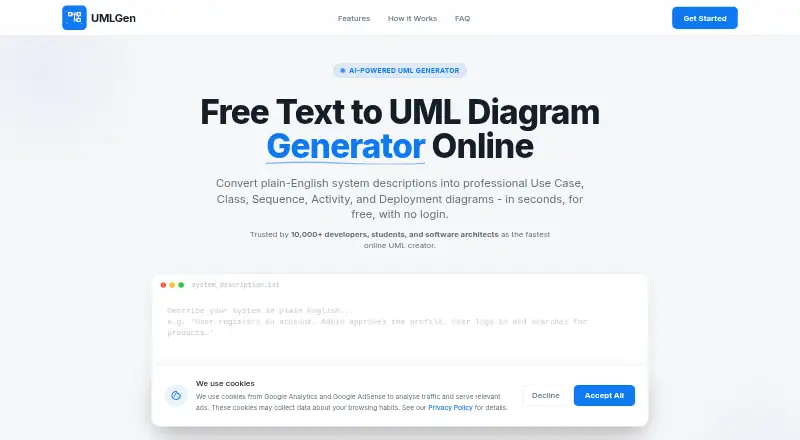
UMLGen is a browser-based diagramming tool that turns plain-English descriptions of systems into UML, ER, or EER diagrams. Its engine reads the text, identifies relationships, and renders a diagram without requiring special syntax. Supported types are Use Case, Class, Sequence, Activity, Deployment, ER, and EER, covering behavioral, structural, process, deployment, and data models. You can change the source description and regenerate the result, or build a diagram from scratch in the editor. Completed diagrams download as high-resolution PNG images. UMLGen runs on desktop, tablet, and mobile browsers, and requires no installation, plugin, or IDE. The site says no signup or login is needed. Core diagramming features are described as free forever, with no export limits. The Free plan is priced at $0 and includes text-to-diagram generation, the design-from-scratch editor, and PNG export. UMLGen is aimed at software developers, students and academics, and software architects who need a quick web-based way to create and revise the listed diagram formats.
Who it suits
UMLGen suits developers and software architects who want text-driven UML, ER, or EER modeling in a browser. Students and academics can use its editor and PNG export without installing software or creating an account.
What it does well
- Converts plain-English descriptions into diagrams
- Supports seven UML, ER, and EER diagram types
- Allows text regeneration and from-scratch editing
- Exports high-resolution PNG images
- Works in desktop, tablet, and mobile browsers
- No signup, installation, plugin, or IDE required
What to know first
- Its export format is high-resolution PNG
- The tool is browser-based
- The listed plan is focused on the supported diagram types
Limits
The Free plan includes the listed text-to-diagram generation, editor, and PNG export, with core features described as free forever and no export limits.
Plans
| Plan | Billed and limits | Price |
|---|---|---|
| Free | Text-to-diagram generation · design-from-scratch editor · PNG export · no login required | Free |
As umlgen.com lists them, read 8 Oct 2026. The maker's own page has the final word.
Getting started
- Open UMLGen in a desktop, tablet, or mobile browser
- Enter a plain-English system description
- Generate a supported UML, ER, or EER diagram
- Edit the text and regenerate when changes are needed
- Use the editor to create a diagram from scratch
- Download the result as a high-resolution PNG
Verdict
Choose UMLGen if you want free, accountless diagram creation from plain-language descriptions or an in-browser editor. Consider another tool when you need formats or workflows beyond its listed diagram types and PNG export.
Questions
How much does UMLGen cost?
The Free plan is priced at $0. Core diagramming features are described as free forever.
Do I need an account?
No signup or login is required to use UMLGen.
Which diagram types are supported?
UMLGen supports Use Case, Class, Sequence, Activity, Deployment, ER, and EER diagrams.
Where can I use UMLGen?
It runs in a web browser on desktop, tablet, and mobile devices, with no installation, plugin, or IDE.
What export does it provide?
Users can download diagrams as high-resolution PNG images, with no export limits stated for the core features.
Who is UMLGen intended for?
The listed users are software developers, students and academics, and software architects.
Facts from UMLGen's own pages
- Account requirement
- The site says no signup is required to use UMLGen. · umlgen.com, 8 Oct 2026
- AI generation
- Its engine parses text, identifies relationships, and renders UML, ER, or EER notation. · umlgen.com, 8 Oct 2026
- Diagram types
- It supports Use Case, Class, Sequence, Activity, Deployment, ER, and EER diagrams. · umlgen.com, 8 Oct 2026
- Editing
- Users can modify a generated diagram by editing the text and regenerating it, or create a diagram from scratch in the editor. · umlgen.com, 8 Oct 2026
- Export
- Users can download diagrams as high-resolution PNG images. · umlgen.com, 8 Oct 2026
- Installation
- The site says UMLGen requires no installation, plugin, or IDE. · umlgen.com, 8 Oct 2026
- Intended users
- The site names software developers, students and academics, and software architects as users. · umlgen.com, 8 Oct 2026
- Platforms
- UMLGen is browser-based and the site says it works on desktop, tablet, and mobile. · umlgen.com, 8 Oct 2026
- Price
- The site describes the core diagramming features as free forever, with no export limits. · umlgen.com, 8 Oct 2026
- Text-to-diagram
- UMLGen converts plain-English system descriptions into diagrams without requiring special syntax. · umlgen.com, 8 Oct 2026
Where UMLGen stands on Freedom251
- UML Modeling Software#17 of 26