Freedom251 › Disk Defragmentation Software

UltimateDefrag 6
What UltimateDefrag 6 is
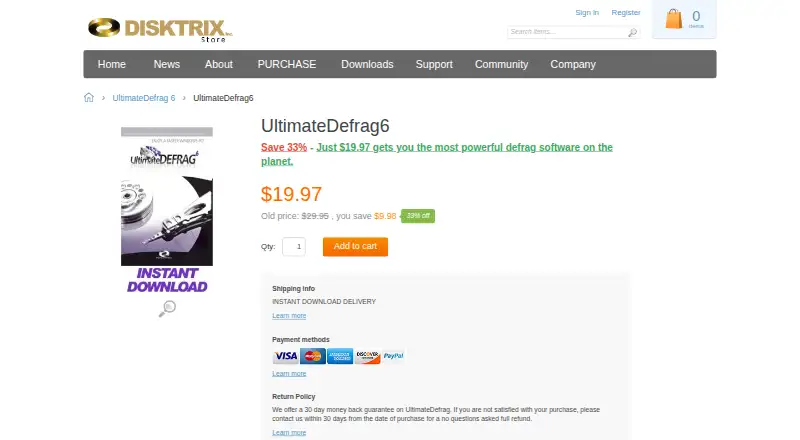
UltimateDefrag 6 is a Windows utility for defragmenting drives and managing file placement. It offers six defragmentation methods and many setting combinations. Users can prioritize files and programs for performance and select positions for directories. Its boot-time module can defragment and place NTFS system files, including the MFT, page file, USN Change Journal, and logfile. Version 6 adds NTFS compression management with SmartCompress. It supports FAT32 and NTFS, RAID volumes, external drives, and SSDs; SSD-specific algorithms limit data transfer to reduce wear leveling. Some advanced functions are unavailable on FAT32. Listed operating systems include Windows 11, 10, 8, 7, Vista, and Windows Server editions in 32-bit and 64-bit versions. The trial offers full functionality in simulation mode but does not change the hard drive. A listed plan costs $19.97, paid once for one license covering three PCs; the page also lists a regular price of $29.95 and pricing from $29.95 one-time. Offline installation and activation are available, and the product page offers a 30-day money-back guarantee.
Who it suits
It suits Windows users who want to choose file placement and defragmentation settings across supported drive types. The trial is useful for simulation only and will not alter the hard drive.
What it does well
- Offers six defragmentation methods
- Supports FAT32, NTFS, RAID volumes, external drives, and SSDs
- Includes boot-time placement for NTFS system files
- Offline installation and activation are available
- One license covers three systems
What to know first
- No free plan is listed
- Trial mode does not change the hard drive
- Some advanced functions are unavailable on FAT32
- The listed plan and regular price differ
Limits
The trial offers full functionality only in simulation mode and does not modify the hard drive. Some advanced functions are unavailable on FAT32. One license covers three systems; additional licenses are required for more.
Plans
| Plan | Billed and limits | Price |
|---|---|---|
| UltimateDefrag6 | One license covers three PCs; the page lists a regular price of $29.95. · 1 license · 3 PCs | $19.97, paid once |
As disktrix.com lists them, read 2 Oct 2026. The maker's own page has the final word.
Getting started
- Open the UltimateDefrag 6 website.
- Start the free trial or choose a paid license.
- Install the software on a Windows system.
- Use offline activation if needed.
- Choose defragmentation and file-placement options for your drive.
Verdict
UltimateDefrag 6 offers detailed file placement controls, multiple defragmentation methods, and support for several storage types. Note that its trial only simulates changes, and the listed plan price differs from the regular price shown.
Questions
What does UltimateDefrag 6 cost?
A plan is listed at $19.97, paid once for one license covering three PCs. The page also lists a regular price of $29.95 and pricing from $29.95 one-time.
Is there a free plan or trial?
There is no free plan. A trial is available, with full functionality in simulation mode only; it does not make hard drive changes.
Which operating systems and storage types does it support?
It supports Windows 11, 10, 8, 7, Vista, and Windows Server editions in 32-bit and 64-bit versions. Supported storage and filesystems include FAT32, NTFS, RAID volumes, external drives, and SSDs.
Can I install and activate it without internet access?
Yes. Installation and activation can be performed without an internet connection using offline activation.
How many systems does one license cover?
One license can be installed on three systems. Additional licenses are required for more systems.
Is there a refund guarantee?
The product page offers a 30-day money-back guarantee. After a refund, the license is disabled on its activation server.
Facts from UltimateDefrag 6's own pages
- Activation
- The maker says installation and activation can be performed without an internet connection using offline activation. · disktrix.com, 2 Oct 2026
- Compression
- Version 6 adds NTFS compression management with a SmartCompress option. · disktrix.com, 2 Oct 2026
- Defragmentation methods
- The features page says the software offers six defrag methods and hundreds of option combinations. · disktrix.com, 2 Oct 2026
- File placement
- It lets users choose files and programs for high performance and place directories at selected positions on a drive. · disktrix.com, 2 Oct 2026
- Filesystems and storage
- It supports FAT32 and NTFS, RAID volumes, and external drives; some advanced functions are unavailable on FAT32. · disktrix.com, 2 Oct 2026
- License limit
- One license can be installed on three systems, and additional licenses are required for more systems. · disktrix.com, 2 Oct 2026
- Operating systems
- The system requirements page lists Windows 11, 10, 8, 7, Vista, and Windows Server editions, in 32-bit and 64-bit versions. · disktrix.com, 2 Oct 2026
- Purpose
- UltimateDefrag is a Windows disk defragmentation and file placement optimization utility. · disktrix.com, 2 Oct 2026
- Refund
- The product page offers a 30-day money-back guarantee and says the license will be disabled on its activation server after a refund. · disktrix.com, 2 Oct 2026
- SSD support
- It supports SSDs and provides SSD-specific defrag algorithms that limit data transfer to reduce wear leveling. · disktrix.com, 2 Oct 2026
- Support
- The technical support page directs customers with unresolved issues to [email protected]. · disktrix.com, 2 Oct 2026
- System files
- Its boot time module can defragment and place NTFS system files such as the MFT, page file, USN Change Journal, and logfile. · disktrix.com, 2 Oct 2026
- Trial limits
- The trial offers full functionality in simulation mode only and does not make changes to the hard drive. · disktrix.com, 2 Oct 2026
Where UltimateDefrag 6 stands on Freedom251
- Disk Defragmentation Software#17 of 20