Freedom251 › Boot Manager Software
UEFI Boot Manager
What UEFI Boot Manager is
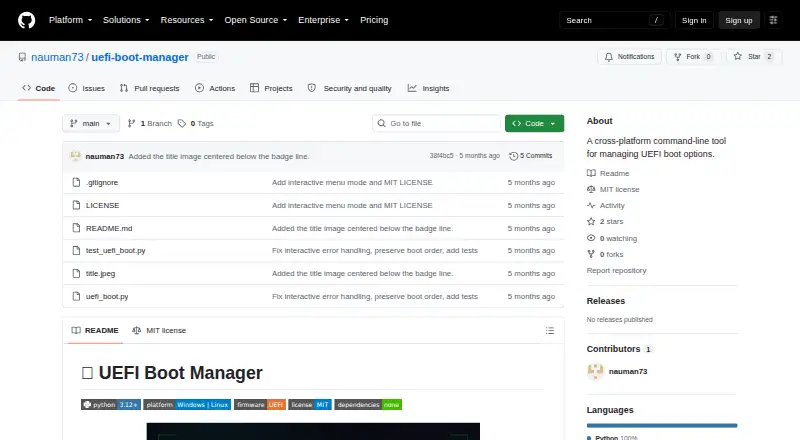
UEFI Boot Manager is a free command-line tool for managing UEFI boot options on Linux and Windows. It can list boot entries with their order, active status, and IDs, then change the permanent boot sequence while preserving omitted entries at the end in their existing relative order. It can also set or clear a one-time next-boot override without changing that permanent sequence. A menu-driven interactive mode supports the listed operations and returns to the menu after errors. The tool requires Python 3.12 or later and UEFI firmware, but has no external Python dependencies. Commands need elevated privileges: Administrator access on Windows or root access on Linux. Its Windows backend uses bcdedit; Linux uses efibootmgr, which may need to be installed separately. It does not support legacy BIOS, and unsupported operating systems produce an error. The project is licensed under MIT, which permits use and modification subject to its conditions and provides the software without warranty.
Who it suits
It suits Linux or Windows users who need to view or manage UEFI boot entries and can run commands with elevated privileges. It is not for legacy BIOS systems.
What it does well
- Lists boot-entry order, status, and IDs
- Reorders entries while preserving unspecified ones
- Sets or clears a one-time boot override
- Interactive mode returns to the menu after errors
What to know first
- Requires Python 3.12 or later
- Requires Administrator or root privileges
- Linux may require separate efibootmgr installation
- Does not support legacy BIOS
Limits
The tool requires UEFI firmware and does not support legacy BIOS; unsupported operating systems produce an error. Linux use depends on efibootmgr, which may need to be installed separately.
Getting started
- Open the project repository on GitHub.
- Ensure the system uses UEFI firmware and has Python 3.12 or later.
- On Linux, install efibootmgr if it is not already available.
- Run commands with Administrator privileges on Windows or root privileges on Linux.
Verdict
UEFI Boot Manager covers viewing, reordering, and one-time overrides for UEFI boot entries across Linux and Windows. Check the Python, firmware, platform-backend, and privilege requirements before using it.
Questions
Is UEFI Boot Manager free?
Yes. The project is free and has a free plan.
Which platforms does it support?
It supports Linux and Windows. It requires UEFI firmware, not legacy BIOS.
What does it require?
It requires Python 3.12 or later and elevated privileges. Linux uses efibootmgr, which may need to be installed separately; Windows uses the built-in bcdedit tool.
Is the project open source?
It is licensed under MIT, which permits use, modification, distribution, sublicensing, and sale subject to the license conditions.
Does it change boot order safely?
When entries are omitted from a requested new order, they are preserved at the end in their original order.
Does the MIT license include a warranty?
No. The license provides the software as is without warranty, including implied warranties of merchantability, fitness, and noninfringement.
Facts from UEFI Boot Manager's own pages
- Compatibility limit
- The README reports an error on unsupported operating systems and states that the tool requires UEFI rather than legacy BIOS. · github.com, 8 Oct 2026
- Distribution
- The repository lists a Python script and README, and its Releases and Packages sections show no listed items. · github.com, 8 Oct 2026
- Interactive mode
- Its menu-driven interactive mode supports the listed boot-entry operations and returns to the menu after errors. · github.com, 8 Oct 2026
- License
- The project is licensed under the MIT License. · github.com, 8 Oct 2026
- Limits
- The README says the tool does not support legacy BIOS and reports unsupported operating systems as an error. · github.com, 8 Oct 2026
- Linux backend
- On Linux it uses efibootmgr, which may need to be installed separately. · github.com, 8 Oct 2026
- List entries
- It lists UEFI boot entries with their order, active status, and IDs. · github.com, 8 Oct 2026
- One-time boot
- It can set or clear a one-time next-boot override without changing the permanent order. · github.com, 8 Oct 2026
- Platform backends
- Windows uses the built-in bcdedit tool, while Linux uses efibootmgr, which may need to be installed separately. · github.com, 8 Oct 2026
- Privileges
- Commands require elevated privileges: Administrator on Windows or root on Linux. · github.com, 8 Oct 2026
- Purpose
- UEFI Boot Manager is a cross-platform command-line tool for managing UEFI boot options. · github.com, 8 Oct 2026
- Reorder boots
- It can change the permanent boot sequence, appending unspecified entries at the end in their original order. · github.com, 8 Oct 2026
- Reorder entries
- It can change the permanent boot sequence, appending unspecified entries in their original order. · github.com, 8 Oct 2026
- Requirements
- The project requires Python 3.12 or later, UEFI firmware, and no external Python dependencies. · github.com, 8 Oct 2026
- Safety behavior
- When changing boot order, entries omitted from the requested order are preserved at the end. · github.com, 8 Oct 2026
- Security controls
- The README describes safe reordering that preserves unspecified entries at the end of the boot order. · github.com, 8 Oct 2026
- Testing
- The README says its mock-based test suite contains 62 unit tests covering parsers, interactive mode, and error handling. · github.com, 8 Oct 2026
- Warranty
- The MIT license provides the software “as is” without warranty, including implied warranties of merchantability, fitness, and noninfringement. · github.com, 8 Oct 2026
- Windows backend
- On Windows it uses the built-in bcdedit tool. · github.com, 8 Oct 2026
Where UEFI Boot Manager stands on Freedom251
- Boot Manager Software#23 of 29