Freedom251 › AI Music Generators

Udio
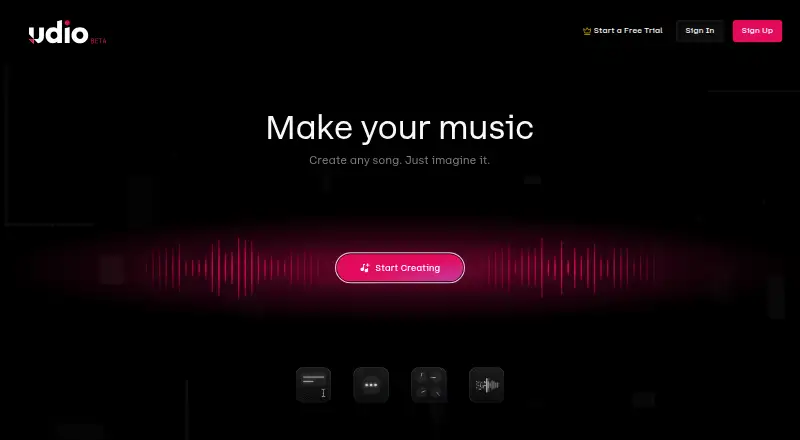
What Udio is
Udio is a music-generation service available on the web and iOS, with vocal generation and audio upload. Its free plan includes 10 daily credits and 100 monthly credits. The Standard plan costs $10.00 per month and provides 2,400 credits per month; Pro costs $30.00 per month and provides 6,000 credits per month, with 10 songs simultaneously. A seven-day trial is listed. The maximum track length is 2.1666666667, and stem export is not available. Udio’s supported-platform listing describes web and mobile access, while its platform list names web and iOS. The monthly paid plans differ in credit allowance, and Pro also lists simultaneous work on 10 songs. These allowances and limits can help users decide whether the free option or a paid plan better fits their intended music-generation activity.
Who it suits
It may suit people who want to generate vocals or use uploaded audio on the web or iOS. The free and paid credit allowances offer different listed options for use.
What it does well
- Vocal generation
- Audio upload
- Free plan with 10 daily credits
- Standard provides 2,400 monthly credits
- Pro allows 10 songs simultaneously
What to know first
- Stem export is unavailable
- Maximum track length is listed as 2.1666666667
Limits
The free plan has 10 daily credits and 100 monthly credits, with up to three 130-second songs per day. The seven-day Standard trial does not increase credit limits and also allows no more than three 2-minute songs per day. Standard costs $10.00 per month and includes up to 2,400 credits; Pro costs $30.00 per month and includes up to 6,000 credits and up to 10 simultaneous songs.
Plans
| Plan | Billed and limits | Price |
|---|---|---|
| Free | 10 daily credits · 100 monthly credits · up to three 130-second songs per day | Free |
| Standard | Monthly pricing; Udio’s example shows $10USD/month · Up to 2,400 credits per month | $10 a month |
| Pro | Monthly pricing; Udio’s example shows $30USD/month · Up to 6,000 credits per month · up to 10 songs at the same time | $30 a month |
As udio.com lists them, read 8 Oct 2026. The maker's own page has the final word.
Getting started
- Open the Udio website or install the official iPhone app.
- Create an account with Google, Discord, X, Apple, or email.
- Enter a prompt describing a song's style, mood, or theme.
- Use the Create page controls to adjust the track or generate variations.
- Choose the free plan or a paid plan; the Standard trial lasts up to seven days.
Udio turns text prompts into songs and gives creators tools to extend and reshape audio. It suits people who want vocal generation and a browser-based creation workflow, especially if they can work within its track-length and export limits. Its free plan is useful for trying short generations, but disabled downloads and no stem export make it a poor fit for anyone who needs finished files.
Overview
Describe a style, mood, or theme and Udio generates two songs per prompt. You can choose clips of 32 seconds or 2 minutes 10 seconds, with a maximum track length of 2 minutes 10 seconds. That gives the service room for short song ideas, but not longer compositions in a single generation.
The Create page has sliders and fields for refining tracks, experimenting, and producing variations. A library with search, filters, favorites, playlists, and a trash bin helps manage saved work, while the player can share songs. Those organization and iteration tools make Udio more useful for developing ideas than a bare prompt box.
Key features
Udio supports vocal generation and audio upload. Paid subscribers can extend, inpaint, remix, stylize, or edit uploaded audio in a waveform-centric Session editor, giving them several ways to work with source material. Uploads must be audio the user owns; commercial or copyrighted tracks are not allowed.
There is a significant gap between the web workflow and the iPhone app. The app supports track extension, but not uploading, remixing, inpainting, styling, or searching for songs by title. Udio has no Android app, so mobile users on that platform need to use the web version.
Downloads of audio, video, and stems are disabled, and stem export is unavailable. That limits Udio’s usefulness for people who need local files or separate parts for further production, even though its paid editor offers several ways to manipulate audio.
Pricing
| Plan | Price | What it includes |
|---|---|---|
| Free | free | 10 daily credits, 100 monthly credits, and up to three 130-second songs per day |
| Standard | $10 a month | Up to 2,400 credits per month |
| Pro | $30 a month | Up to 6,000 credits per month and up to 10 simultaneous songs |
The free plan is the sensible starting point for occasional experimentation, but its daily song cap and modest credit allowance constrain regular use. Standard raises the monthly allowance for creators who need more generations; Pro is aimed at heavier users who also benefit from running up to 10 songs at once. The plans’ stated allowances do not change the track-length ceiling or the download restrictions.
Udio offers one free Standard subscription trial lasting up to seven days. The trial does not increase credit limits and permits no more than three 2-minute songs per day. If it is not canceled, it is charged at the annual price unless changed to monthly, so check the billing choice before the trial ends.
Platforms
Udio is available on the web and iOS. The iPhone app is narrower than the web experience, and there is no Android app. Account signup supports Google, Discord, X, Apple, or email. For help, Udio directs users to the messenger in the lower-right corner of its service.
Who it's for
Udio is best for people exploring vocal song ideas from prompts or iterating on audio they own, particularly on the web. Its library and creation controls support repeated experimentation, while paid plans provide larger credit allowances and audio-editing tools.
Look elsewhere if you need downloadable audio, stem exports, longer tracks, or a full set of creation tools on a phone. Those constraints make Udio less suitable as the final production destination for creators who need to take files into another workflow.
Pros and cons
- Pros: Generates two songs per prompt, with vocal generation and two clip-length choices for exploring an idea.
- Pros: Paid subscribers can extend, inpaint, remix, stylize, and edit uploaded audio in a waveform-centric editor.
- Pros: Search, filters, favorites, playlists, and a trash bin help keep a growing library manageable.
- Cons: Audio, video, and stem downloads are disabled, and stem export is unavailable, limiting downstream use.
- Cons: The maximum track length is 2 minutes 10 seconds, which rules out longer single-track generations.
- Cons: The iOS app lacks several audio tools and title search, while Android users have no dedicated app.
- Cons: The trial keeps the regular credit limits and can renew at the annual price if not canceled or changed to monthly.
Alternatives
Suno is worth considering if Android access matters: it has Android and iOS apps, a free plan with 50 credits per day and 8 minutes of audio upload, and a Pro plan at $8 a month. Choose it over Udio when those platform and plan differences better match your needs.
Eleven Music may suit web users looking for a free plan with 10,000 monthly credits and personal-use terms, or a 6.00 USD-per-month Starter plan. Its free plan is expressly for personal use.
Wubble is an option for web users who prioritize unlimited generation minutes; its free plan allows three downloads total. Its Basic plan has no listed price.
MusicWave.ai offers a free web plan with 10 credits on signup and two song generations, streaming-only and for personal use; its Starter plan is $5.99 a month. It may fit someone who only needs a small number of streaming generations.
SongUp AI has a free plan with three instant songs for personal use and a Pro plan at $9.99 a month. It is an alternative for users whose needs fit those plan terms.
Treblo has a free plan with unlimited songs, generation, inpainting, extending, stem separation, and downloads in several formats. It is worth considering if downloadable files or stem separation are central to your workflow.
Loudly has a free plan with a 30-second limit on generated tracks. Its Personal plan includes downloads and commercial licensing, which may make it a better fit when those capabilities matter.
Melody Genie is another option, with a free plan offering 14 shared credits per month and three full AI songs, plus a 7.99 USD-per-month Starter plan.
Browse AI Music Generators or Songwriting Software for more options.
Verdict
Choose Udio if you want to generate vocal song ideas from prompts and, on a paid plan, reshape audio you own through a capable web editor. Its library and iteration controls are useful, but the short track ceiling and disabled downloads are decisive drawbacks. If you need exportable files, stems, or a fuller mobile workflow, another tool is the better choice.
Verdict
Udio offers vocal generation and audio upload, with a free plan and monthly paid tiers. Compare the listed credit allowances and note the track-length and stem-export limits when deciding whether it fits your needs.
Questions
Is Udio free?
Yes. Its Free plan costs nothing and includes 10 daily credits and 100 monthly credits.
What do the paid plans cost?
Standard is $10.00 per month with up to 2,400 credits. Pro is $30.00 per month with up to 6,000 credits and up to 10 songs at once.
Is there a free trial?
Creators can start one free Standard subscription trial lasting up to seven days. An uncanceled trial is charged at the annual price unless changed to monthly.
Which platforms does Udio support?
Udio is available on the web and has an official iPhone app. Udio says it does not currently have an Android app.
Can I upload audio and export stems?
Audio upload is supported, and paid subscribers can use uploaded audio for editing tools on the web. Stem export is unavailable, and downloads of audio, video, and stems have been disabled.
Can I upload any audio?
Uploaders must own the audio rights. Udio says commercial or copyrighted tracks are not allowed uploads.
Facts from Udio's own pages
- Audio tools
- Paid subscribers can upload audio to extend, inpaint, remix, stylize, or edit it in a waveform-centric Session editor. · help.udio.com, 8 Oct 2026
- Audio upload
- Yes · help.udio.com, 22 Sept 2026
- Audio upload rights
- Udio says uploaders must own the audio rights and identifies commercial or copyrighted tracks as not allowed uploads. · help.udio.com, 8 Oct 2026
- Creation tools
- The Create page offers sliders and fields to fine-tune tracks, experiment, and generate variations. · help.udio.com, 8 Oct 2026
- Downloads
- Udio says downloads of audio, video, and stems have been disabled. · help.udio.com, 8 Oct 2026
- Free plan
- Yes · help.udio.com, 22 Sept 2026
- Integrations
- Account signup supports Google, Discord, X, Apple, or email. · help.udio.com, 8 Oct 2026
- iOS app
- Udio offers an official iPhone app, while its help page says it does not currently have an Android app. · help.udio.com, 8 Oct 2026
- iOS limitations
- The app supports track extension but does not yet support audio uploading, remixing, inpainting, styling, or searching for songs by title. · help.udio.com, 8 Oct 2026
- Library and sharing
- The library includes search, filters, favorites, playlists, and a trash bin for recovering deleted songs; the player can share songs. · help.udio.com, 8 Oct 2026
- Maximum track length
- 2.1666666667 · help.udio.com, 22 Sept 2026
- Supported platforms
- web_and_mobile · help.udio.com, 22 Sept 2026
- Song generation
- Each prompt generates two songs, and the listed clip lengths are 32 seconds or 2 minutes 10 seconds. · help.udio.com, 8 Oct 2026
- Paid from
- 10 · help.udio.com, 22 Sept 2026
- Stem export
- No · help.udio.com, 22 Sept 2026
- Support
- Udio directs users to contact support through the messenger in the lower-right corner of its service. · help.udio.com, 8 Oct 2026
- Trial
- Creators can start one free Standard subscription trial lasting up to seven days; Udio says an uncanceled trial is charged at the annual price unless changed to monthly. · help.udio.com, 8 Oct 2026
- Trial limits
- The trial does not increase credit limits and allows no more than three 2-minute songs per day. · help.udio.com, 8 Oct 2026
- Vocal generation
- Yes · help.udio.com, 22 Sept 2026
- What it does
- Udio generates songs from a text prompt describing a style, mood, or theme. · help.udio.com, 8 Oct 2026
Where Udio stands on Freedom251
- AI Music Generators#10 of 123
- AI Song Extenders#8 of 24
- AI Sad Song Generators#14 of 29
- AI Music Apps#11 of 22
- AI Instrumental Music Generators#16 of 25
- AI Song Generators#20 of 31
- Lyrics-to-Song Generators#19 of 29
- AI Podcast Music Generators#24 of 36
- Songwriting Software#22 of 30
- AI Content Creation Platforms#22 of 29
- Text-to-Music Software#19 of 23
- Emerging AI Software#20 of 22