uBlock
by uBlock
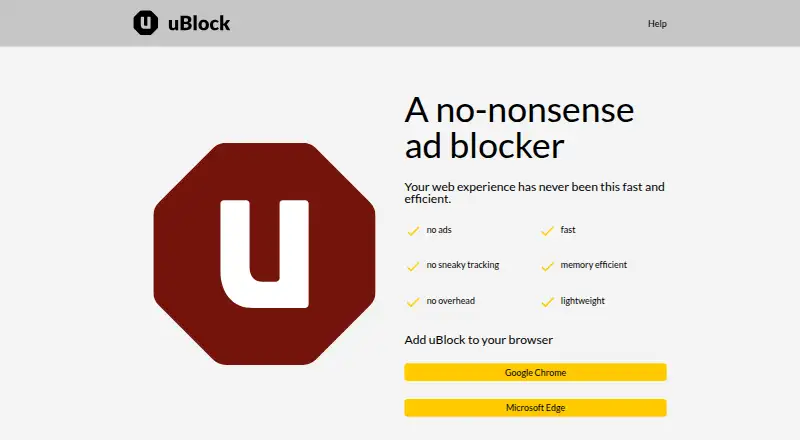
What uBlock is
uBlock is a free, open-source ad blocker from the maker uBlock, based in Atlanta, Georgia. Its browser extension automatically blocks ads, pop-ups, and trackers; its help center also says it protects against malware. The extension activates after installation and is designed to need little customization. Users can pause it to allow ads temporarily or disable it on particular sites.
The official website links to browser add-ons for Google Chrome and Microsoft Edge. The listed platforms include extension, web, and Windows, while device coverage is described as browser-only. uBlock characterises the extension as fast, memory efficient, and lightweight. Its site links to the GNU General Public License version 3 (GPLv3). EasyList is always installed, but custom filter lists and an element picker are unavailable. Chrome builds use Manifest V3 starting with release 24.0.3.
The extension collects anonymous usage details such as its version, preferred language, browser and operating-system type, and an anonymous installation ID. uBlock also says it uses Cloudflare Analytics for aggregated traffic and usage information, and Sentry to gather error details and device information for debugging. Its privacy policy says request-log IP addresses are hashed and the original addresses deleted immediately. The help center offers a support request form and an email address, and states that uBlock is independent of uBlock Origin.
Who it suits
uBlock suits people looking for a free, open-source browser extension to block ads, pop-ups, and trackers in Chrome or Edge. It is designed to activate after installation with little configuration, and users can pause it or turn it off for specific sites.
What it does well
- Free, open-source ad blocker linked to GPLv3.
- Automatically blocks ads, pop-ups, and trackers.
- Activates on installation and is designed to need little customization.
- Can be paused or disabled on specific sites.
- Support is available through a form and email.
What to know first
- Device coverage is browser-only.
- Custom filter lists and an element picker are unavailable.
- The extension collects anonymous usage information and uses analytics and error reporting.
Plans
| Plan | Billed and limits | Price |
|---|---|---|
| uBlock | Free, open-source ad blocker · Chrome and Edge | Free |
As ublock.org lists them, read 7 Oct 2026. The maker's own page has the final word.
Getting started
- Visit the uBlock website.
- Choose the Google Chrome or Microsoft Edge browser extension.
- Install the extension; it activates upon installation.
- Pause uBlock to allow ads temporarily, or disable it on specific sites.
Verdict
Choose uBlock if you want a free, open-source ad blocker that starts working after installation in Chrome or Edge. Look elsewhere if you need custom filter lists or an element picker, which are unavailable.
Questions
How much does uBlock cost?
uBlock is free. Its listed plan is free.
Which browsers are supported?
The website links to browser add-ons for Google Chrome and Microsoft Edge.
Does uBlock offer custom filter lists or an element picker?
No. Custom filter lists and an element picker are unavailable; EasyList is always installed.
Is uBlock open source?
Yes. The site links to the GNU General Public License version 3 (GPLv3).
What information does the extension collect?
It collects anonymous usage details including version, preferred language, browser and operating-system type, and an anonymous installation ID. uBlock also says it uses Cloudflare Analytics and Sentry error reporting.
Is uBlock affiliated with uBlock Origin?
No. The help center states that uBlock is independent and not affiliated with uBlock Origin.
Facts from uBlock's own pages
- Ad blocking
- The browser extension automatically blocks ads, pop-ups, and trackers. · ublock.org, 7 Oct 2026
- Analytics
- uBlock says it uses Cloudflare Analytics to aggregate traffic and usage information to improve its extension and website. · ublock.org, 7 Oct 2026
- Browser availability
- The site links to browser add-ons for Google Chrome and Microsoft Edge. · ublock.org, 7 Oct 2026
- Browser support
- multiple-browsers · ublock.org, 20 Sept 2026
- Custom filter lists
- No · ublock.org, 20 Sept 2026
- Data retention
- General request logs are kept for up to 180 days; the policy says IP addresses are hashed and the original IP address is immediately deleted. · ublock.org, 7 Oct 2026
- Device coverage
- browser-only · ublock.org, 20 Sept 2026
- Element picker
- No · ublock.org, 20 Sept 2026
- Error reporting
- uBlock says Sentry collects error messages, stack traces, and device information for debugging, and that personally identifiable information is not sent to Sentry. · ublock.org, 7 Oct 2026
- Extension telemetry
- The extension collects anonymous usage information including its version, preferred language, and browser and operating system type. · ublock.org, 7 Oct 2026
- Filter lists
- Release 24.0.4 states that EasyList is always installed. · ublock.org, 7 Oct 2026
- Free plan
- Yes · ublock.org, 20 Sept 2026
- Headquarters
- Atlanta, Georgia, United States · ublock.org, 28 Sept 2026
- Independence
- The help center states that uBlock is independent and is not affiliated with uBlock Origin. · support.ublock.org, 7 Oct 2026
- Install options
- The official website links to Google Chrome and Microsoft Edge browser extensions. · ublock.org, 7 Oct 2026
- License
- The site links to the GNU General Public License version 3 (GPLv3). · ublock.org, 7 Oct 2026
- Malware protection
- The help center says uBlock protects against malware. · support.ublock.org, 7 Oct 2026
- Manifest version
- The release notes say Chrome builds use Manifest V3 starting with release 24.0.3. · ublock.org, 7 Oct 2026
- Performance
- The site describes uBlock as fast, memory efficient, and lightweight. · ublock.org, 7 Oct 2026
- Privacy data
- The privacy policy says the extension collects anonymous usage information including its version, preferred language, browser and operating system type, and an anonymous installation ID. · ublock.org, 7 Oct 2026
- Purpose
- uBlock is a free, open-source ad blocker for Chrome and Edge. · support.ublock.org, 7 Oct 2026
- Security
- uBlock says collected information is stored in its databases and that it takes reasonable steps to keep it secure, while noting it cannot guarantee absolute security. · ublock.org, 7 Oct 2026
- Security caveat
- The privacy policy says uBlock takes reasonable steps to secure collected information but cannot guarantee absolute security. · ublock.org, 7 Oct 2026
- Setup
- uBlock activates upon installation and is designed to require minimal customization. · support.ublock.org, 7 Oct 2026
Where uBlock stands on Freedom251
- Ad blockers#31 of 48
- Ad Blocking Software#23 of 29