Freedom251 › Authenticator apps
TypingDNA Authenticator
What TypingDNA Authenticator is
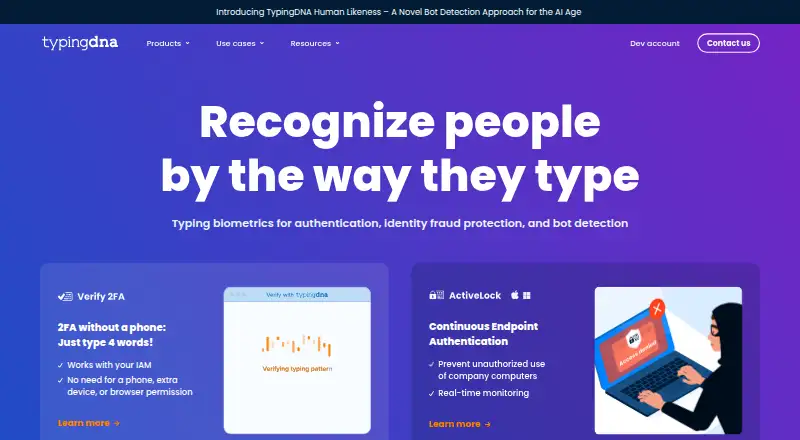
TypingDNA Authenticator is a Chrome extension that generates TOTP two-factor authentication codes without a phone. Users scan a QR code or enter a secret key, then copy codes from the browser. The page says it works with more than 1,000 services. Secret codes can remain in local storage, while Chrome profile sync provides a cloud-storage option. The Free plan costs nothing and includes TOTP generation, QR scanning, manual secret-key entry, and local storage. Free codes are not protected by the user's email, password, and typing pattern. Premium adds encryption at rest based on the user's typing pattern; the key is stored in TypingDNA's authentication cloud. A Premium license supports up to five locations, each treated as a separate local account. TypingDNA says it cannot restore locally stored codes if device or Chrome-location access is lost. Some websites reject pasted codes and require character-by-character entry. The maker lists offices in New York and Romania and says it fulfills ISO 27001, ISO 27017, and ISO 27018 standards.
Who it suits
TypingDNA Authenticator suits Chrome users who want phone-free TOTP codes and QR-based setup. It also fits users needing optional profile sync or premium typing-pattern protection.
What it does well
- Generates TOTP codes without a phone
- QR scanning and manual secret entry
- Works with more than 1,000 services
- Chrome profile sync cloud option
- Premium supports up to five locations
What to know first
- Free version lacks email, password, and typing-pattern protection
- Lost local codes cannot be restored
- Some sites require manual code entry
- Chrome extension support only
Plans
| Plan | Billed and limits | Price |
|---|---|---|
| Free | Generates TOTP codes · Stores secret codes locally · QR-code scanning and manual secret-key entry | Free |
| Premium | Up to 5 unique locations | On request |
| Free / Unsecured | TOTP codes · no email, password, or typing pattern protection | Free |
As typingdna.com lists them, read 22 Sept 2026. The maker's own page has the final word.
Verdict
TypingDNA Authenticator provides phone-free TOTP generation in Chrome with free local storage and optional premium protection. Users should plan backups carefully because locally stored codes cannot be restored after access is lost.
Facts from TypingDNA Authenticator's own pages
- Backup and recovery
- TypingDNA says it cannot restore codes saved in local storage if the user loses access to the device or Chrome location where the extension was installed. · typingdna.com, 11 Oct 2026
- Code type
- totp · typingdna.com, 22 Sept 2026
- Company
- TypingDNA describes itself as a cybersecurity SaaS with offices in New York and Romania. · typingdna.com, 11 Oct 2026
- Compatibility limitation
- Some websites may reject pasted codes from an app or extension and require users to type the code character by character. · typingdna.com, 11 Oct 2026
- Device limit
- A Premium license supports up to five locations, with each location treated as a separate local account. · typingdna.com, 11 Oct 2026
- Encrypted backup
- Yes · typingdna.com, 22 Sept 2026
- Free plan
- Yes · typingdna.com, 22 Sept 2026
- Free version limit
- The Free version does not protect codes with the user's email, password, and typing pattern. · typingdna.com, 11 Oct 2026
- Headquarters
- New York, USA and Romania, EU · typingdna.com, 28 Sept 2026
- Integrations
- The page says the extension works with more than 1,000 services and shows QR-code setup and backup features. · typingdna.com, 11 Oct 2026
- Multi-device sync
- Yes · typingdna.com, 22 Sept 2026
- Portable app
- TypingDNA says its Windows, Mac, and Linux Portable Vault is a private preview for enterprise use, not the standard Authenticator download. · typingdna.com, 11 Oct 2026
- Premium protection
- The Premium version uses the user's typing pattern to protect secret codes with encryption at rest; the encryption key is stored in TypingDNA's authentication cloud. · typingdna.com, 11 Oct 2026
- Purpose
- TypingDNA Authenticator generates TOTP two-factor authentication codes in a Chrome browser extension without requiring a phone. · typingdna.com, 11 Oct 2026
- Push approvals
- No · typingdna.com, 22 Sept 2026
- Secret storage
- Secret codes can be stored locally, and Chrome profile sync is also available as a cloud storage option. · typingdna.com, 11 Oct 2026
- Security standards
- TypingDNA says it fulfills ISO 27001, ISO 27017, and ISO 27018 standards. · typingdna.com, 11 Oct 2026
- Setup
- Users can set up two-factor authentication by scanning a QR code and copy codes from the browser. · typingdna.com, 11 Oct 2026
- Support
- For unresolved issues, the product page directs users to email [email protected]. · typingdna.com, 11 Oct 2026
- Supported platforms
- chrome extension · typingdna.com, 22 Sept 2026
Where TypingDNA Authenticator stands on Freedom251
- Authenticator apps#68 of 111