Freedom251 › Typing Tutor Software
TypingCenter
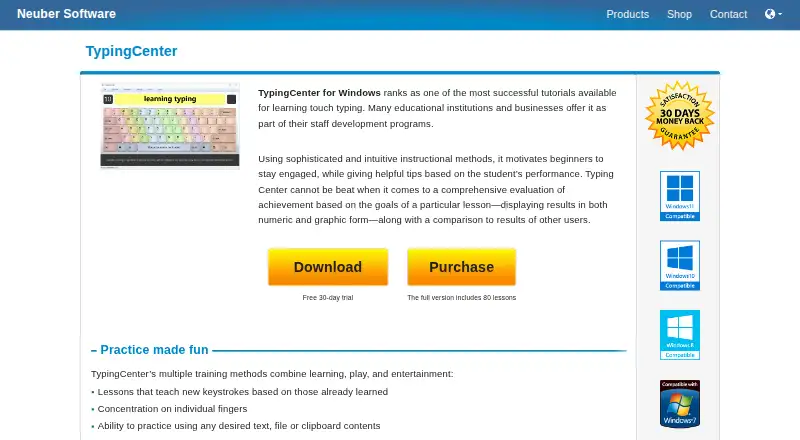
What TypingCenter is
TypingCenter is Windows software that teaches touch typing with all 10 fingers. Its guided lessons introduce keystrokes in sequence and include exercises for individual fingers. You can practice with selected text, files, or clipboard contents, then take a 10-minute copy test. Hangman and 10-Key games provide additional practice, with controls for typing speed and subject matter. Progress appears in numeric and graphic form, and results can be compared with those of other users. The program is described as suitable for children and adults, with educational institutions and businesses using it in staff development programs. It runs on Windows 11, 10, 7, and Windows Server and requires 5 MB of free disk space. A free 30-day trial is available. The TypingCenter plan costs $25, paid once as a one-time payment and includes 80 lessons, 100 practice texts, and future 4.x minor updates. A school or network edition is also listed.
Who it suits
TypingCenter suits children, adults, schools, and businesses seeking structured touch-typing practice. It fits Windows users who want lessons, tests, games, and progress comparisons.
What it does well
- Guided lessons introduce new keystrokes progressively
- Practice uses text, files, or clipboard contents
- Includes Hangman and 10-Key games
- Numeric and graphic progress evaluation
- Free 30-day trial available
What to know first
- Windows platforms only
- No free plan
- One-time purchase costs 25.00 USD
- Requires 5 MB of disk space
Plans
| Plan | Billed and limits | Price |
|---|---|---|
| TypingCenter | One-time payment · 80 lessons · 100 practice texts · future 4.x minor updates | $25, paid once |
As neuber.com lists them, read 11 Oct 2026. The maker's own page has the final word.
Verdict
TypingCenter combines guided finger exercises with varied practice, testing, games, and progress displays. Its Windows-only availability and paid plan may matter when choosing a typing tutor.
Facts from TypingCenter's own pages
- Audience
- The maker describes TypingCenter as suitable for children and adults and says educational institutions and businesses offer it in staff development programs. · neuber.com, 11 Oct 2026
- Founded
- 1993 · neuber.com, 28 Sept 2026
- Games
- The program includes Hangman and 10-Key games, and users can select typing speed and subject matter. · neuber.com, 11 Oct 2026
- Headquarters
- Halle, Germany · neuber.com, 28 Sept 2026
- Network edition
- The order page lists a school or network version. · neuber.com, 11 Oct 2026
- Practice
- Users can practice with chosen text, files, or clipboard contents and take a 10-minute copy test. · neuber.com, 11 Oct 2026
- Privacy
- Neuber says its website minimizes data collection and does not use behavior tracking or sharing tools. · neuber.com, 11 Oct 2026
- Progress evaluation
- It displays lesson achievement in numeric and graphic form and compares results with those of other users. · neuber.com, 11 Oct 2026
- Purpose
- TypingCenter teaches touch typing with all 10 fingers. · neuber.com, 11 Oct 2026
- Refund
- The purchase is covered by a 30-day money-back guarantee. · neuber.com, 11 Oct 2026
- Support
- The maker directs users to read the program help file and FAQ before contacting technical support. · neuber.com, 11 Oct 2026
- System requirements
- The listed requirements are Windows 11, 10, 7, or Windows Server and 5 MB of free disk space. · neuber.com, 11 Oct 2026
- Training
- Lessons introduce new keystrokes based on those already learned and include exercises focused on individual fingers. · neuber.com, 11 Oct 2026
- Trial
- The product page offers a free 30-day trial. · neuber.com, 11 Oct 2026
- Updates
- The purchase includes free updates for future 4.x versions, and the registration code permits future minor updates. · neuber.com, 11 Oct 2026
Where TypingCenter stands on Freedom251
- Typing Tutor Software#32 of 36