Freedom251 › AI Paraphrasing Tools
Typeahead
What Typeahead is
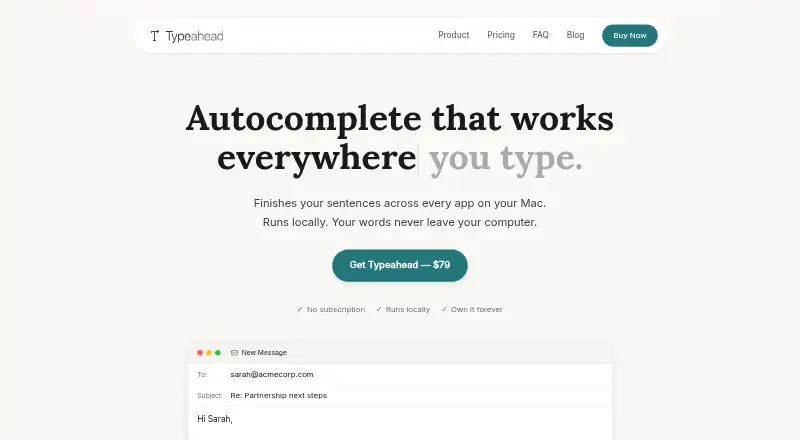
Typeahead adds inline AI autocomplete suggestions while you type across applications on a Mac. Suggestions are generated on-device with a local model, and the app says writing is not sent to a server. After setup, suggestions work without an internet connection; pressing Tab accepts one. Compatibility examples include Safari, Gmail, Slack, Notion, and VS Code across browsers, email, documents, notes, messaging, and developer tools. In browsers it operates at the system level without an extension. Typeahead requires macOS 14 or later, Apple Silicon or Intel, at least 8 GB of RAM, and about 3 GB of free disk space. Accessibility permission lets it read active text fields and insert suggestions. Password managers, wallets, and finance apps are suppressed by default. It does not work in virtual machines or remote desktop windows. Noats Inc. develops it. The Typeahead plan costs $79, paid once, with unlimited usage, all language models, free updates for life, and a 30-day money-back guarantee.
Who it suits
It suits Mac users who write frequently in email, messaging, documents, notes, or developer tools. Users must be comfortable granting macOS Accessibility permission and meeting the stated hardware requirements.
What it does well
- On-device suggestions with offline operation after setup
- Works across many app categories
- No browser extension required
- Unlimited usage and all language models
- One-time purchase with lifetime updates
What to know first
- Requires macOS 14 or later
- Needs at least 8 GB RAM and 3 GB disk
- Does not work in virtual machines or remote desktops
- Accessibility permission is required
Limits
Typeahead has no free plan or free trial. It is limited to macOS 14 or later and does not work in virtual machines or remote desktop windows; some apps may not expose usable text fields.
Plans
| Plan | Billed and limits | Price |
|---|---|---|
| Typeahead | One-time purchase; no recurring fees. · Unlimited usage · all language models included · free updates for life · 30-day money-back guarantee | $79, paid once |
As typeahead.ai lists them, read 4 Oct 2026. The maker's own page has the final word.
Getting started
- Open the Typeahead website
- Purchase the Typeahead plan for 79.00 USD once
- Use a Mac running macOS 14 or later with the required memory and disk space
- Grant macOS Accessibility permission
- Type in a compatible application and press Tab to accept a suggestion
Verdict
Typeahead focuses on local, cross-application autocomplete for Mac writing workflows. Its listed plan is a $79 as a one-time purchase, while app compatibility and system requirements determine where it can be used.
Questions
How much does Typeahead cost?
The listed Typeahead plan costs 79.00 USD as a one-time purchase, with no recurring fees.
Is there a free plan or trial?
Typeahead has no free plan and no free trial.
Which platforms does it support?
Typeahead supports macOS and web access to its site. The app requires macOS 14 or later on Apple Silicon or Intel.
Does Typeahead send writing to a server?
The app says suggestions are generated on-device with a local model and writing is not sent to a server. Suggestions work offline after setup.
Which apps can it work with?
Compatibility includes browsers, email, documents and notes, messaging apps, and developer tools, with examples such as Safari, Gmail, Slack, Notion, and VS Code.
What information is sent for licensing?
At activation, Typeahead sends its licensing server the license key, the Mac's hardware UUID, and the Mac's name, and checks the license again at startup.
Facts from Typeahead's own pages
- Browser extension
- Typeahead says it works at the system level in browsers without a browser extension. · typeahead.ai, 4 Oct 2026
- Company privacy policy
- The policy says the app has no telemetry, crash reporting, analytics, or usage tracking, while the website uses analytics and advertising services. · typeahead.ai, 4 Oct 2026
- Integrations and compatibility
- The compatibility page lists browsers, email, documents and notes, messaging apps, and developer tools; examples include Safari, Gmail, Slack, Notion, and VS Code. · typeahead.ai, 4 Oct 2026
- Intended users
- The maker describes Typeahead as useful for high-volume writing such as email, messaging, documents, and routine communication. · typeahead.ai, 4 Oct 2026
- License data
- At activation, the app sends its licensing server the license key, the Mac's hardware UUID, and the Mac's name, and checks the license again at startup. · typeahead.ai, 4 Oct 2026
- Local processing
- Suggestions are generated on-device using a local model; the app says your writing is not sent to a server. · typeahead.ai, 4 Oct 2026
- Maker
- Typeahead is developed and operated by Noats Inc. · typeahead.ai, 4 Oct 2026
- Notable limits
- Typeahead says it does not work in virtual machines or remote desktop windows, and some apps may not expose text fields through macOS Accessibility. · typeahead.ai, 4 Oct 2026
- Offline use
- After setup, suggestions work without an internet connection. · typeahead.ai, 4 Oct 2026
- Permissions
- Typeahead requires macOS Accessibility permission to read active text fields and insert suggestions across apps. · typeahead.ai, 4 Oct 2026
- Protected apps
- Password managers, wallets, and finance apps are suppressed by default; changing that requires explicit opt-in. · typeahead.ai, 4 Oct 2026
- Support
- Support is available by email at [email protected], and the support page says replies typically arrive within 24 hours on business days. · typeahead.ai, 4 Oct 2026
- Supported Mac
- Typeahead requires macOS 14 or later, Apple Silicon or Intel, at least 8 GB RAM, and about 3 GB of free disk space for the AI model. · typeahead.ai, 4 Oct 2026
- What it does
- Typeahead shows inline AI autocomplete suggestions as you type across apps on your Mac, and Tab accepts a suggestion. · typeahead.ai, 4 Oct 2026
Where Typeahead stands on Freedom251
- AI Paraphrasing Tools#24 of 24