Freedom251 › Pair Programming Software
Tuple
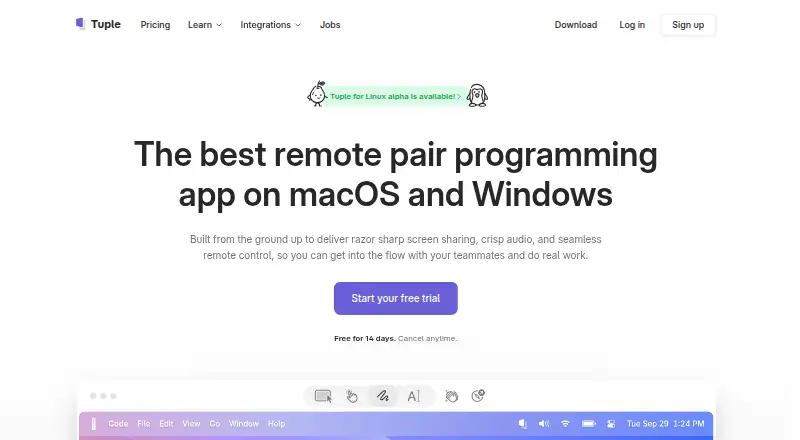
What Tuple is
Tuple is a remote pair programming app for engineers, combining screen sharing, audio, video, and remote control. Tuple says streaming supports resolutions up to 5K. Browser guests can talk, use a webcam, and view a shared screen, while screen sharing, remote control, and drawing require the app. Collaboration tools include screen annotations, emoji reactions, animations, customizable keyboard shortcuts, and one-click switching of the screen sharer. App Veil can hide sensitive apps and notifications during sharing. Slack commands can start calls and list ongoing calls, while Google Calendar and Apple Calendar integrations add call links or rooms to scheduled sessions. Triggers let users run their own code when calls or participant events change. Tuple says call data and media are end-to-end encrypted, although calls with four or more participants may relay encrypted media through its servers. Local capture stores transcripts, recordings, annotations, and app metadata, with transcription on-device. Plans start at $30 per user per month.
Who it suits
It suits engineering teams conducting remote pairing sessions with screen control and collaboration tools. Guests can join basic calls in a browser, while full sharing and control require the app.
What it does well
- Remote control for pair programming
- Streaming up to 5K resolution
- Browser access for guest calls
- Slack and calendar integrations
- On-device transcription for local capture
What to know first
- Linux app is in alpha
- No free plan
- Full sharing requires the app
Limits
Tuple has no free plan. The Engineering teams plan is $30 a month billed per user, per month; browser guests cannot share screens, use remote control, or draw without the app, and Linux is in alpha.
Plans
| Plan | Billed and limits | Price |
|---|---|---|
| Engineering teams | per user, per month · Unlimited pairing sessions · Single sign-on (SSO) · Pair with external collaborators for free | $30 a month |
| Enterprises | Custom pricing available · Everything on the teams plan · Custom contracts · Payment via invoice/PO | On request |
As tuple.app lists them, read 3 Oct 2026. The maker's own page has the final word.
Getting started
- Open the Tuple website
- Start the 14-day trial or choose the Engineering teams plan
- Download the app for macOS, Windows, or Linux
- Invite browser guests when they only need to talk, use a webcam, or view a shared screen
- Connect Slack, Google Calendar, or Apple Calendar if needed
- Configure triggers to run your code on Tuple events
Verdict
Tuple is designed for engineering pairing sessions with sharing, remote control, annotations, integrations, and local capture. The Engineering teams plan costs $30 per user per month, while Enterprise uses custom pricing.
Questions
How much does Tuple cost?
The Engineering teams plan is $30 a month, billed per user, per month. A 14-day trial is available, and enterprise pricing is custom.
Which platforms does Tuple support?
Tuple supports Linux, macOS, web, and Windows. Its Linux application is in alpha.
Can guests join without installing Tuple?
Yes. Browser guests can talk, use a webcam, and view a shared screen. Screen sharing, remote control, and drawing require the app.
Does Tuple integrate with Slack and calendars?
Slack commands can start calls and list ongoing calls. Integrations with Google Calendar and Apple Calendar add Tuple links or rooms to scheduled sessions.
What does local call capture store?
It stores transcripts, screen recordings, annotations, and app metadata in a local database. Transcription runs on-device.
Facts from Tuple's own pages
- Browser calls
- Guests can join calls from a browser to talk, use their webcam, and view a shared screen; screen sharing, remote control, and drawing require the app. · tuple.app, 3 Oct 2026
- Calendar integrations
- Tuple offers integrations for Google Calendar and Apple Calendar to add Tuple call links or rooms to scheduled pairing sessions. · tuple.app, 3 Oct 2026
- Collaboration tools
- Tuple supports screen annotations, emoji reactions, animations, customizable keyboard shortcuts, and one-click switching of the screen sharer. · tuple.app, 3 Oct 2026
- End-to-end encryption
- Tuple says call data and media are end-to-end encrypted; in calls with four or more participants, encrypted media may be relayed through its media servers. · tuple.app, 3 Oct 2026
- Linux availability
- Tuple for Linux is in alpha. · tuple.app, 3 Oct 2026
- Local capture
- Call capture stores transcripts, screen recordings, annotations, and app metadata in a local database, and transcription runs on-device. · tuple.app, 3 Oct 2026
- Privacy feature
- App Veil can hide sensitive apps and notifications during screen sharing. · tuple.app, 3 Oct 2026
- Purpose
- Tuple is a remote pair programming app built for engineers, with screen sharing, audio, video, and remote control. · tuple.app, 3 Oct 2026
- Security practices
- Tuple says it performs third-party penetration tests annually and uses TLS 1.2 for client-to-backend communication and AES-256 encryption at rest for user data. · tuple.app, 3 Oct 2026
- Slack integration
- The Slack integration starts a call with /tuple and lists ongoing calls with /tuple ls. · tuple.app, 3 Oct 2026
- Support
- Tuple lists support at [email protected]. · tuple.app, 3 Oct 2026
- Supported downloads
- The download page offers macOS builds for Intel and Apple Silicon and Windows builds for Windows 10 and 11 on x86_64. · tuple.app, 3 Oct 2026
- Video quality
- Tuple says its streaming supports resolutions up to 5K. · tuple.app, 3 Oct 2026
- Workflow automation
- Triggers let users run their own code in response to Tuple events, with examples including call initiation, call end, and participant join or leave. · tuple.app, 3 Oct 2026
Where Tuple stands on Freedom251
- Pair Programming Software#26 of 26