Freedom251 › Kiosk Management Software
Trio Kiosk Management
What Trio Kiosk Management is
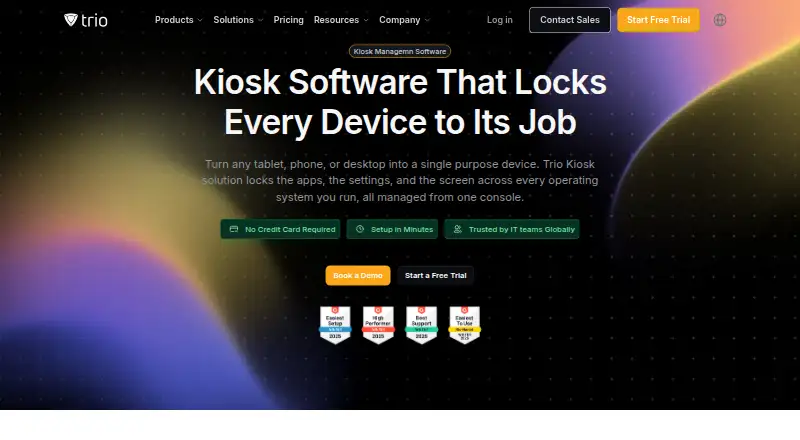
Trio Kiosk Management lets IT teams manage kiosks from one console, turning tablets, phones, and desktops into dedicated devices. It supports single-app and multi-app kiosk modes, enforced through platform-native management capabilities. Administrators can silently deploy and update approved apps, maintain allowlists, and push preconfigured settings. Kiosk devices can display looping local images and video or web content, with scheduled sleep and wake settings. Enrollment options include Apple Business Manager, Android Zero Touch, and Windows AutoPilot. The product lists kiosk support for iOS, iPadOS, Android, Windows, macOS, ChromeOS, and Linux. Security controls include factory reset protection, device encryption enforcement, and records of configuration and deployment changes. Trio says automated evidence collection supports SOC 2 and HIPAA reporting. Essentials costs $5 a month per device, starts with 20 devices, and includes a 14-day free trial. Secure is $8 a month per device and Zero Trust is $11 a month per device; each also starts with 20 devices and includes a 14-day trial.
Who it suits
Trio presents the product for IT teams managing dedicated devices across settings such as retail. It suits teams that need to lock down, configure, and deploy apps to kiosks across supported operating systems.
What it does well
- Offers single-app and multi-app kiosk modes.
- Admins can silently deploy and update approved apps.
- Supports seven listed kiosk operating systems.
- Enrollment options include Apple Business Manager and Android Zero Touch.
- Lists audit records for configuration and deployment changes.
What to know first
- No free plan is listed.
- Plans start with 20 devices.
- Essentials costs $5 a month per device.
Limits
There is no free plan. The listed paid plans start with 20 devices, and the free trial lasts 14 days.
Plans
| Plan | Billed and limits | Price |
|---|---|---|
| Zero Trust | Per device, per month · 14 days free trial · starts with 20 devices | $11 a month |
| Essentials | Per device, per month · 14 days free trial · starts with 20 devices | $5 a month |
| Secure | Per device, per month · 14 days free trial · starts with 20 devices | $8 a month |
As trio.so lists them, read 30 Sept 2026. The maker's own page has the final word.
Getting started
- Open the Trio Kiosk Management website.
- Choose Essentials, Secure, or Zero Trust; each plan starts with 20 devices.
- Use the 14-day free trial to begin.
- Enroll devices through Apple Business Manager, Android Zero Touch, or Windows AutoPilot where applicable.
- Configure kiosk mode, approved apps, and signage for supported devices.
Verdict
Trio Kiosk Management combines device lockdown, app deployment, and kiosk display scheduling across several operating systems. Consider the 20-device starting point and per-device plan cost when evaluating it.
Questions
How much does Trio Kiosk Management cost?
Essentials costs $5 a month, Secure costs $8 a month, and Zero Trust costs $11 a month. Each is billed per device, per month, starts with 20 devices, and includes a 14-day free trial.
Is there a free plan?
No. The product is paid, with a 14-day free trial.
Which operating systems are supported for kiosks?
The kiosk page lists iOS, iPadOS, Android, Windows, macOS, ChromeOS, and Linux.
What can administrators manage?
Administrators can enforce single-app or multi-app lockdown, silently deploy and update approved apps, manage allowlists, push settings, and configure signage and schedules.
What integrations are listed?
Named integrations include Auth0, Slack, Google Play, Okta, Google, Splunk, IDAP, Jira, Microsoft Teams, Microsoft Entra ID, and Office 365.
What support does Trio advertise?
Trio advertises 24/7 support, live chat response under one minute, email response under one hour, and ticket resolution under six hours.
Facts from Trio Kiosk Management's own pages
- App deployment
- Admins can silently deploy and update approved apps, manage allowlists, and push preconfigured app settings. · trio.so, 30 Sept 2026
- Company
- Trio describes itself as a TrioSoft product and names Berlin as its head office; the company page does not state a founding year. · trio.so, 30 Sept 2026
- Compliance
- Trio says automated evidence collection supports SOC 2 and HIPAA reporting. · trio.so, 30 Sept 2026
- Digital signage
- Kiosk devices can loop local images and video, show web content, and follow scheduled sleep and wake settings. · trio.so, 30 Sept 2026
- Enrollment
- The page describes zero-touch enrollment through Apple Business Manager and Android Zero Touch, plus Windows AutoPilot. · trio.so, 30 Sept 2026
- Integrations
- The kiosk page names Auth0, Slack, Google Play, Okta, Google, Splunk, IDAP, Jira, Microsoft Teams, Microsoft Entra ID, and Office 365. · trio.so, 30 Sept 2026
- Intended users
- The page presents the product for IT teams managing dedicated devices across environments including retail. · trio.so, 30 Sept 2026
- Lockdown
- It offers single-app and multi-app kiosk modes, enforced using platform-native management capabilities. · trio.so, 30 Sept 2026
- Purpose
- Trio manages kiosks from one console, turning tablets, phones, and desktops into single-purpose devices. · trio.so, 30 Sept 2026
- Security
- The page describes enforced device lockdown, factory reset protection, device encryption enforcement, and audit records for configuration and deployment changes. · trio.so, 30 Sept 2026
- Support
- The page advertises 24/7 support, live chat response under one minute, email response under one hour, and ticket resolution under six hours. · trio.so, 30 Sept 2026
- Supported kiosk systems
- The product page lists iOS, iPadOS, Android, Windows, macOS, ChromeOS, and Linux kiosk support. · trio.so, 30 Sept 2026
Where Trio Kiosk Management stands on Freedom251
- Kiosk Management Software#20 of 27