Freedom251 › Python Package Managers
tox
What tox is
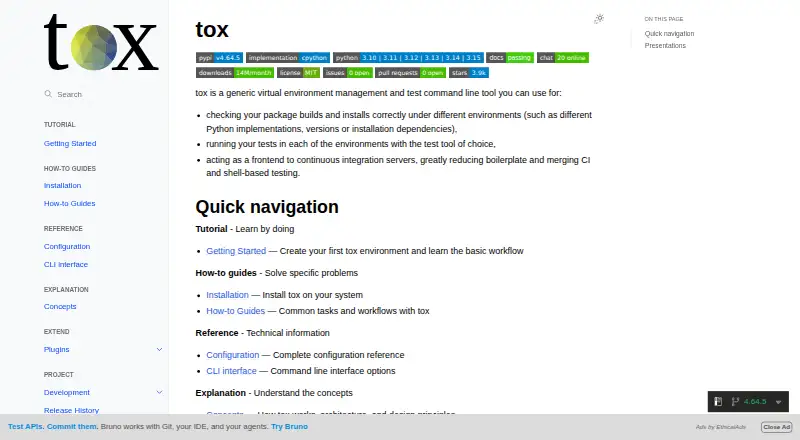
tox is an open-source command-line tool for managing virtual environments and checking package builds and installations across different environments. It can run tests in those environments and coordinate other development commands, including test runners, linters, formatters, documentation generators, and build or publishing tools. tox can also front continuous integration servers, bringing CI and shell-based testing together while reducing boilerplate.
Configuration can come from tox.toml, tox.ini, pyproject.toml, or toxfile.py. By default, tox filters host environment variables unless they are permitted through pass_env, and changes PATH so commands use the active environment. The command-line tool requires Python 3.10 or higher and runs on Linux, macOS, and Windows. Installation guidance includes pipx or uv for an isolated installation, along with pip; apt and brew package-manager routes are also documented. Plugins extend tox, including tox-gh-actions for GitHub Actions workflows, tox-uv for faster package installation, and tox-gh for broader GitHub integration across environments. The project is volunteer-maintained, with issue reports directed to its issue tracker. tox is free, and its plan is listed as free.
Who it suits
tox suits developers who need repeatable virtual environments for package builds, installations, and tests across Linux, macOS, or Windows. It is also relevant to teams connecting shell-based checks with continuous integration workflows or coordinating other development tools.
What it does well
- Manages isolated virtual environments and runs tests within them.
- Checks package builds and installations across environments.
- Coordinates linters, formatters, documentation, and build tools.
- Can front CI servers and reduce workflow boilerplate.
- Supports configuration in four file formats.
- Free and open source, with plugin support.
What to know first
- The command-line tool requires Python 3.10 or higher.
- Its development is maintained by volunteers.
Plans
| Plan | Billed and limits | Price |
|---|---|---|
| tox | Open-source command-line tool | Free |
As tox.wiki lists them, read 10 Oct 2026. The maker's own page has the final word.
Getting started
- Visit https://tox.wiki/ for the project and installation guidance.
- Use Python 3.10 or higher for the tox command-line tool.
- Install tox with pipx or uv for an isolated setup, or follow the pip instructions.
- Alternatively, use the documented apt or brew package-manager route.
- Configure tox using tox.toml, tox.ini, pyproject.toml, or toxfile.py.
- Add tox-gh-actions if you want tox integration with GitHub Actions.
Verdict
Choose tox if you want a free, open-source command-line tool to coordinate environments, package checks, tests, and related development commands. Its CI frontend role and plugin integrations may suit development workflows; look elsewhere if your environment cannot meet the Python 3.10 requirement.
Questions
How much does tox cost?
tox is free and open source. Its listed plan is free.
Which operating systems does tox support?
tox runs on Linux, macOS, and Windows.
What Python version does tox require?
The tox command-line tool requires Python 3.10 or higher.
How can I install tox?
Installation guidance includes pipx, uv, and pip. Package-manager options with apt and brew are also documented.
Can tox be used with continuous integration?
Yes. tox can front CI servers, and the tox-gh-actions plugin integrates it with GitHub Actions workflows.
What configuration files can tox use?
tox reads configuration from tox.toml, tox.ini, pyproject.toml, and toxfile.py.
Facts from tox's own pages
- CI use
- tox can act as a frontend to continuous integration servers, reducing boilerplate and combining CI and shell-based testing. · tox.wiki, 10 Oct 2026
- CLI and platform evidence
- The development guide documents running tox from a source checkout on Linux and Windows; the installation guide also describes package-manager installation with apt and brew. · tox.wiki, 10 Oct 2026
- Configuration
- tox reads configuration from files including tox.toml, tox.ini, pyproject.toml, and toxfile.py. · tox.wiki, 10 Oct 2026
- Environment isolation
- By default, tox removes host environment variables unless allowed through pass_env and adjusts PATH so commands resolve inside the active environment. · tox.wiki, 10 Oct 2026
- Environment orchestration
- tox can set up environments and invoke test runners, linters, formatters, documentation generators, and build and publishing tools. · tox.wiki, 10 Oct 2026
- GitHub Actions integration
- The tox-gh-actions plugin integrates tox with GitHub Actions for CI workflows. · tox.wiki, 10 Oct 2026
- Installation options
- The installation guide recommends pipx or uv for installing tox in an isolated environment and also provides pip instructions. · tox.wiki, 10 Oct 2026
- Man page
- tox includes a compiled man page in its wheel, and package managers such as apt and brew install it in an appropriate system location. · tox.wiki, 10 Oct 2026
- Plugin ecosystem
- tox supports plugins, including tox-uv for faster package installation and tox-gh for enhanced GitHub integration across environments. · tox.wiki, 10 Oct 2026
- Purpose
- tox manages virtual environments, checks package builds and installations across different environments, and runs tests in those environments. · tox.wiki, 10 Oct 2026
- Python requirement
- The tox command-line tool requires Python 3.10 or higher. · tox.wiki, 10 Oct 2026
- Support
- The development guide describes tox as a volunteer-maintained open-source project and directs people with issues to the issue tracker. · tox.wiki, 10 Oct 2026
Where tox stands on Freedom251
- Python Package Managers#22 of 27