Freedom251 › Keyboard and Mouse Customization Software
TouchCursor
What TouchCursor is
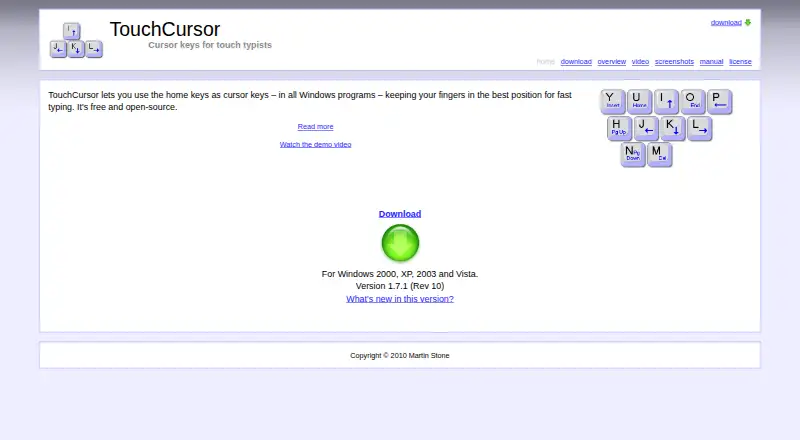
TouchCursor is free Windows software that lets you use home-row keys as cursor controls, reducing hand movement while typing. Holding the Space bar activates cursor mode, and releasing it returns to normal typing. Cursor bindings can be combined with Shift, Ctrl, and Alt, and both the bindings and activation key are customizable. Cursor mode and training mode can be limited to selected programs or excluded from specified programs. Training mode can disable the usual cursor keys while you learn. TouchCursor runs in the background and can be configured to start when you log in. The maker provides a Windows installer and a portable ZIP package, including use from a USB drive. It normally works with virtual machines and remote desktop without installation on the guest or remote computer, although some VMware versions require enhanced virtual keyboard to be disabled. The software is released under GNU GPL version 3 or any later version. The manual says weekly update checks are available. Space registers only when released and does not auto-repeat.
Who it suits
TouchCursor suits Windows users who want cursor controls without moving their hands from typing position. It also fits users needing per-application controls, training mode, or portable use.
What it does well
- Free Windows software
- Customizable cursor bindings
- Per-app inclusion and exclusion
- Portable ZIP version
- Works with virtual machines and remote desktop
What to know first
- Space registers only on release
- Space does not auto-repeat
- Some VMware versions need a setting changed
- Listed version history is dated 2010
Plans
| Plan | Billed and limits | Price |
|---|---|---|
| Free | Windows 2000, XP, 2003 and Vista | Free |
As martin-stone.github.io lists them, read 12 Oct 2026. The maker's own page has the final word.
Verdict
TouchCursor offers a free alternative cursor layout with customization, training, and portable distribution. Its Space-bar behavior and VMware requirement are the main operational details to consider.
Facts from TouchCursor's own pages
- Background operation
- TouchCursor runs automatically in the background and can be configured to start when the user logs in to Windows. · martin-stone.github.io, 12 Oct 2026
- Customization
- Users can customize key bindings and choose a different activation key. · martin-stone.github.io, 12 Oct 2026
- Downloads
- The maker offers a Windows installer and a ZIP version for portable use, including running from a USB drive. · martin-stone.github.io, 12 Oct 2026
- Free plan
- Yes · martin-stone.github.io, 23 Sept 2026
- Key combinations
- Cursor bindings can be combined with Shift, Ctrl, and Alt like normal cursor keys. · martin-stone.github.io, 12 Oct 2026
- Known limitations
- The manual says Space does not produce a space until released and does not auto repeat; users can disable TouchCursor for selected programs or choose another activation key. · martin-stone.github.io, 12 Oct 2026
- License
- TouchCursor is free software under GNU GPL version 3 or, at the user's option, any later version. · martin-stone.github.io, 12 Oct 2026
- Per app controls
- Users can restrict cursor mode and training mode to specified programs or exclude specified programs. · martin-stone.github.io, 12 Oct 2026
- Purpose
- TouchCursor lets users use home keys as cursor keys in Windows programs to reduce hand movement while typing. · martin-stone.github.io, 12 Oct 2026
- Space bar mode
- Holding Space activates cursor mode, and releasing it returns to normal typing. · martin-stone.github.io, 12 Oct 2026
- Supported operating systems
- windows · martin-stone.github.io, 23 Sept 2026
- Training
- The built in training mode can disable real cursor keys to help users learn TouchCursor. · martin-stone.github.io, 12 Oct 2026
- Update checks
- The manual says TouchCursor can check the web weekly for newer versions. · martin-stone.github.io, 12 Oct 2026
- Version history
- The maker's changelog lists version 1.7.1 dated 16 February 2010. · martin-stone.github.io, 12 Oct 2026
- Virtual machines and remote desktop
- The maker says TouchCursor normally works with virtual machines and remote desktop without installation on the guest or remote machine, though some VMware versions require disabling enhanced virtual keyboard. · martin-stone.github.io, 12 Oct 2026