Freedom251 › Jewelry Design Software
TiaraCAD
What TiaraCAD is
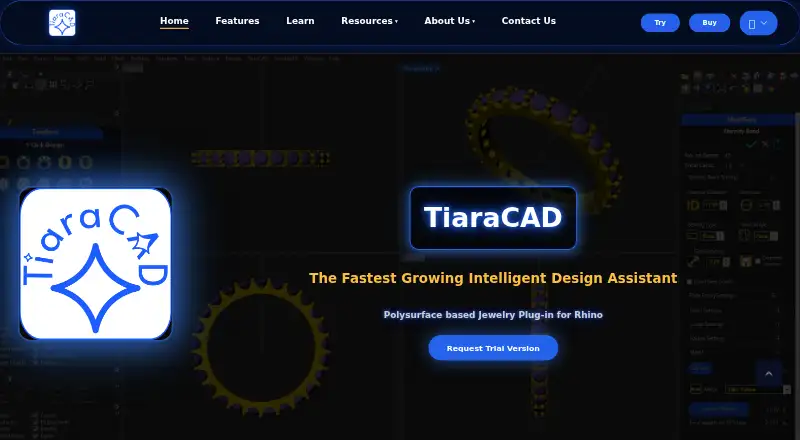
TiaraCAD is jewellery CAD software for designing rings, necklaces, bracelets, earrings and custom diamond jewellery. It works as a plugin for Rhino, and Rhino 8 is required to evaluate it. TiaraCAD describes its design approach as “Stone-First”: the design builds metal around the stone and generates only the metal needed for that design. Its tools include gem settings, modular design, detailing and support for keeping multiple files open. Users can import company gem charts, metal density charts and setting parameters for default use.
TiaraCAD can create a bill of material report for a quotation in one click. Release notes say version 2.6.5 added the ability to import JewelCAD files. It is offered for Windows and macOS, and the features page says TiaraCAD 2.0 works natively on macOS. There is no free plan, but users can download and install a 15-day evaluation. Continuous internet access is not required; license validation requires an internet connection once, or once every 14 days with Cloud Licensing. The listed one-time plans are $995, paid once for Rhino 8 users, $1,590, paid once with a Rhino 8 Commercial Upgrade, and $1,990, paid once with Rhino 8 Commercial. The first option requires a Rhino 8 license, while the commercial license option is described as perpetual.
Who it suits
TiaraCAD suits jewellery designers who work in Rhino and need tools for stone settings, modular design, detailing and material reports. The FAQ says a basic understanding of Rhino is sufficient and that Grasshopper knowledge is not required.
What it does well
- Includes tools for gem settings, modular design and detailing.
- Creates bill of material reports for quotations in one click.
- Supports importing company gem charts and setting parameters.
- Available for macOS and Windows.
- Offers a 15-day evaluation period.
What to know first
- There is no free plan.
- Evaluation requires Rhino 8.
- The lowest listed plan requires a Rhino 8 license.
Limits
There is no free plan; the evaluation period lasts 15 days. The listed Rhino 8 users plan requires a Rhino 8 license.
Plans
| Plan | Billed and limits | Price |
|---|---|---|
| TiaraCAD 2 along with Rhino 8 Commercial Upgrade | Upgrade from any previous version with Rhino 8 | $1,590, paid once |
| TiaraCAD 2 along with Rhino 8 Commercial | Perpetual License | $1,990, paid once |
| TiaraCAD 2 for Rhino 8 users | Requires Rhino 8 License | $995, paid once |
As tiaracad.com lists them, read 7 Oct 2026. The maker's own page has the final word.
Getting started
- Visit the TiaraCAD website.
- Download the Windows or Mac OS version.
- Install Rhino 8, which is required to evaluate TiaraCAD.
- Install TiaraCAD and use the 15-day evaluation.
- Choose a listed one-time plan if you want to continue using it.
Verdict
Choose TiaraCAD if you design jewellery in Rhino and want stone setting tools, configurable charts and one-click material reports. The 15-day evaluation lets you assess it before buying. Look elsewhere if you need a free plan or cannot use Rhino 8.
Questions
How much does TiaraCAD cost?
Listed one-time plans are $995, paid once for TiaraCAD 2 for Rhino 8 users, $1,590, paid once with Rhino 8 Commercial Upgrade, and $1,990, paid once with Rhino 8 Commercial.
Is there a free plan or trial?
There is no free plan. TiaraCAD offers a 15-day evaluation period.
Which platforms does TiaraCAD support?
TiaraCAD is offered for macOS and Windows. It works as a Rhino plugin, and Rhino 8 is required to evaluate it.
What can I design with TiaraCAD?
It is for jewellery designs including rings, necklaces, bracelets, earrings and custom diamond jewellery.
Does TiaraCAD require continuous internet access?
No. License validation requires an internet connection once, or once every 14 days with Cloud Licensing.
Do I need Grasshopper knowledge to use TiaraCAD?
No. The FAQ says basic understanding of Rhino is sufficient and Grasshopper knowledge is not required.
Facts from TiaraCAD's own pages
- Connectivity
- The FAQ says continuous internet access is not required and that license validation requires an internet connection once, or once every 14 days with Cloud Licensing. · tiaracad.com, 7 Oct 2026
- Customization
- Users can import company gem charts, metal density charts, and setting parameters for default use. · tiaracad.com, 7 Oct 2026
- Design approach
- TiaraCAD describes its design approach as “Stone-First,” building metal around the stone and generating only the metal required by the design. · tiaracad.com, 7 Oct 2026
- Features
- The product includes gem settings, modular design tools, detailing features, and support for working with multiple open files. · tiaracad.com, 7 Oct 2026
- File exchange
- Release notes state that TiaraCAD 2.6.5 added the ability to import JewelCAD files. · tiaracad.com, 7 Oct 2026
- Headquarters
- Mumbai, Maharashtra, India · tiaracad.com, 28 Sept 2026
- Intended users
- The FAQ says basic understanding of Rhino is sufficient to work with TiaraCAD and that Grasshopper knowledge is not required. · tiaracad.com, 7 Oct 2026
- Operating systems
- The features page says TiaraCAD 2.0 works natively on macOS; the download page also offers Windows and Mac OS download buttons. · tiaracad.com, 7 Oct 2026
- Product
- TiaraCAD is jewellery CAD software for designing rings, necklaces, bracelets, earrings, and custom diamond jewellery. · tiaracad.com, 7 Oct 2026
- Reports
- TiaraCAD can generate bill of material reports for quotations in one click. · tiaracad.com, 7 Oct 2026
- Rhino plugin
- TiaraCAD is a plugin for Rhino, and the FAQ says Rhino 8 is required to evaluate it. · tiaracad.com, 7 Oct 2026
- Support
- The contact page lists [email protected] and phone 7400484766 for support. · tiaracad.com, 7 Oct 2026
- Trial
- The FAQ says TiaraCAD can be downloaded and installed for a 15-day evaluation period. · tiaracad.com, 7 Oct 2026
Where TiaraCAD stands on Freedom251
- Jewelry Design Software#17 of 21