Freedom251 › Threat Intelligence Platforms

ThreatQ
What ThreatQ is
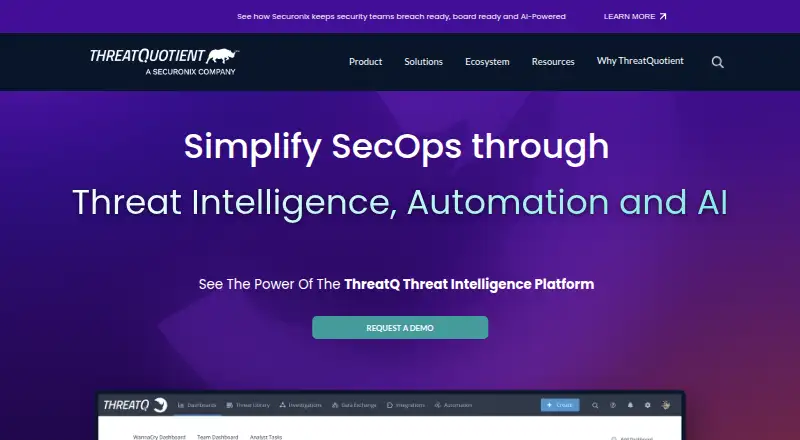
ThreatQ is a cyber threat intelligence platform for collecting, prioritizing, analyzing, and operationalizing threat information. It ingests material from commercial feeds, open sources, information sharing and analysis centers, partners, and internal tools, then normalizes, correlates, and enriches it. Its Threat Library scores and prioritizes intelligence using customer-defined parameters and organizational context. Adaptive Workbench supports configurable enrichment, workflows, prioritization logic, watchlists, and operations with existing tools. The marketplace offers over 450 integrations, with APIs and SDKs for customization. Integration listings have different support levels, and ThreatQuotient does not maintain integrations published by other parties. ThreatQ v6 has standard and air-gapped installation guides. Investigations, Data Exchange, and TDR Orchestrator are additional modules outside the default deployment. Authentication options include local accounts, LDAP, SAML, and SSL client certificates, plus account-level two-step verification. User sessions time out after sixty minutes of inactivity by default, though maintenance or administrative users can change or disable that setting for a user. Pricing is available on request.
Who it suits
ThreatQ suits security teams working on threat hunting, vulnerability management, alert triage, threat intelligence management, or spear-phishing investigations.
What it does well
- Ingests and enriches intelligence from varied sources.
- Prioritization uses customer-defined parameters and organizational context.
- Marketplace offers over 450 integrations.
- Supports standard and air-gapped installation guides.
- Provides multiple authentication options and account-level two-step verification.
What to know first
- Additional modules are outside the default deployment.
- Licenses are not perpetual.
- ThreatQuotient does not maintain third-party integrations.
Limits
ThreatQ Platform requires a license, and licenses are not perpetual. Investigations, Data Exchange, and TDR Orchestrator are additional modules that require license updates.
Plans
| Plan | Billed and limits | Price |
|---|---|---|
| ThreatQ Platform | License required; licenses are not perpetual; additional modules require license updates | On request |
As threatq.com lists them, read 7 Oct 2026. The maker's own page has the final word.
Getting started
- Visit the ThreatQ website.
- Review the ThreatQ Platform license requirements and request pricing.
- Choose a standard or air-gapped ThreatQ v6 installation approach.
- Use the product documentation and developer resources in the ThreatQ Help Center.
- Add separately licensed modules if you need Investigations, Data Exchange, or TDR Orchestrator.
Verdict
ThreatQ combines intelligence processing with configurable workflows and a broad integration marketplace. Buyers should account for its license requirements, additional modules, and varying integration support levels.
Questions
How much does ThreatQ cost?
Pricing is available on request. The ThreatQ Platform requires a license, and licenses are not perpetual.
Which platforms does ThreatQ support?
The listed platforms are API, Linux, self-hosted, and web.
Does ThreatQ support STIX/TAXII and indicator enrichment?
Yes. ThreatQ supports both STIX/TAXII and indicator enrichment.
What integrations are available?
The marketplace offers over 450 integrations, and APIs and SDKs support customization. Integrations carry different support designations, and ThreatQuotient does not maintain those published by other parties.
Are additional modules included by default?
No. ThreatQ Investigations, ThreatQ Data Exchange, and ThreatQ TDR Orchestrator are additional modules outside the default deployment.
What authentication options does ThreatQ provide?
Authentication can use local accounts, LDAP, SAML, or SSL client certificates. Account-level two-step verification is also available.
Facts from ThreatQ's own pages
- Access security
- User authentication can be local or use LDAP, SAML, or SSL client certificates, and account-level two-step verification is available. · helpcenter.threatq.com, 7 Oct 2026
- Deployment
- ThreatQ v6 provides standard and air-gapped installation guides. · helpcenter.threatq.com, 7 Oct 2026
- Headquarters
- Ashburn, Virginia, United States · threatq.com, 28 Sept 2026
- Integrations
- ThreatQ’s marketplace offers over 450 integrations, and the platform supports customization through APIs and SDKs. · threatq.com, 7 Oct 2026
- Integration support
- Marketplace integrations are designated ThreatQ Supported, Developer Supported, or Not Actively Supported; ThreatQuotient does not maintain integrations published by other parties. · helpcenter.threatq.com, 7 Oct 2026
- Intelligence processing
- The platform ingests intelligence from commercial feeds, open-source sources, ISACs, partners, and internal tools, then normalizes, correlates, and enriches it. · helpcenter.threatq.com, 7 Oct 2026
- Intended users
- ThreatQuotient describes use cases including threat hunting, vulnerability management, alert triage, threat intelligence management, and spear-phishing investigations. · threatq.com, 7 Oct 2026
- Modules
- ThreatQ Investigations, ThreatQ Data Exchange, and ThreatQ TDR Orchestrator are additional modules that are not included in the default deployment. · helpcenter.threatq.com, 7 Oct 2026
- Prioritization
- Threat Library intelligence is automatically normalized, enriched, scored, and prioritized using customer-defined parameters and organizational context. · helpcenter.threatq.com, 7 Oct 2026
- Purpose
- ThreatQ is a cyber threat intelligence platform for collecting, prioritizing, analyzing, and operationalizing threat intelligence. · helpcenter.threatq.com, 7 Oct 2026
- Security reporting
- ThreatQuotient says it aims to confirm vulnerability reports within 72 hours when researchers follow its responsible disclosure policy. · threatq.com, 7 Oct 2026
- Session timeout
- User sessions time out after sixty minutes of inactivity by default, and maintenance or administrative users can change or disable the timeout for a specific user. · helpcenter.threatq.com, 7 Oct 2026
- Support
- The ThreatQ Help Center provides product documentation, developer resources, integration information, and support contact options. · helpcenter.threatq.com, 7 Oct 2026
- Workflows
- Adaptive Workbench supports customizable enrichment, workflows, prioritization logic, watchlists, and operations using existing tools and workflows. · helpcenter.threatq.com, 7 Oct 2026
Where ThreatQ stands on Freedom251
- Threat Intelligence Platforms#26 of 32