Freedom251 › Endpoint Security Software
ThreatLocker
What ThreatLocker is
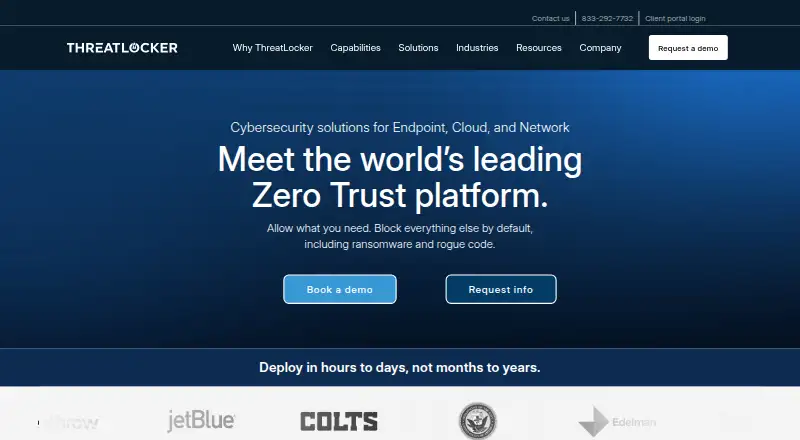
ThreatLocker is a cloud-delivered security platform built around a default-deny approach: only explicitly approved activity is allowed. It is designed to stop ransomware, rogue applications, and zero-day exploits before they run. Its capabilities include allowlisting, Zero Trust Network Access, endpoint firewall, web content control, privileged access management, patch management, external storage device control, data storage access control, real-time EDR threat detection, MDR, and controlled application testing. The platform requires an agent on each computer, with installation guidance for Windows, macOS, and Linux. Web Control policies currently support Windows and Mac agents; Linux support is coming soon. Browser extensions support Chrome, Edge, Safari, and Firefox. ThreatLocker logs executable activity, file access, and network communications in an indexed, searchable audit trail. The company says these records support frameworks including SOC 2, HIPAA, PCI-DSS, and ISO 27001. Integrations include ConnectWise, Kaseya, SolarWinds, and Datto. Pricing is available on request and depends on endpoint count, application landscape, and control needs. There is no free plan, but a 30-day trial is listed.
Who it suits
ThreatLocker suits organizations seeking default-deny controls and a searchable record of executable, file, and network activity. Its listed integrations may also be relevant to teams using ConnectWise, Kaseya, SolarWinds, or Datto.
What it does well
- Uses a default-deny security model.
- Logs executable activity, file access, and network communications.
- Supports Windows, macOS, and Linux agents.
- Lists integrations with ConnectWise, Kaseya, SolarWinds, and Datto.
- Offers a 30-day trial.
What to know first
- Requires an agent on each computer.
- Web Control policies do not yet support Linux.
- Pricing is available only on request.
- No free plan is available.
Limits
There is no free plan. Web Control agent policies currently support Windows and Mac; Linux support is coming soon.
Plans
| Plan | Billed and limits | Price |
|---|---|---|
| ThreatLocker | price based on endpoint count · application landscape · control needs | On request |
As threatlocker.com lists them, read 1 Oct 2026. The maker's own page has the final word.
Getting started
- Visit the ThreatLocker website.
- Request pricing based on endpoint count, application landscape, and control needs, or start the 30-day trial.
- Deploy an agent to each computer running Windows, macOS, or Linux.
- Use an RMM for deployment across endpoints, or consult the installation guidance for the relevant operating system.
- Add supported browser extensions if using Web Control.
Verdict
ThreatLocker combines approval-based controls with searchable activity logging and a range of security modules. Factor in the per-computer agent requirement and the current Linux limit for Web Control policies.
Questions
Is ThreatLocker free?
No. ThreatLocker has no free plan, and pricing is available on request.
Is there a free trial?
Yes. The listed trial lasts 30 days.
Which operating systems are supported?
Agent installation guidance is available for Windows, macOS, and Linux. Web Control policies currently support Windows and Mac agents.
Which browser extensions does Web Control support?
ThreatLocker Web Control supports extensions for Google Chrome, Microsoft Edge, Safari, and Firefox.
What does ThreatLocker cost?
Pricing is on request and depends on endpoint count, application landscape, and control needs.
Which integrations are listed?
ThreatLocker lists ConnectWise, Kaseya, SolarWinds, and Datto integrations.
Facts from ThreatLocker's own pages
- Browser extensions
- ThreatLocker Web Control supports Google Chrome, Microsoft Edge, Safari, and Firefox extensions. · threatlocker.kb.help, 1 Oct 2026
- Cloud delivery
- ThreatLocker is delivered from the cloud and requires an agent on each computer. · threatlocker.kb.help, 1 Oct 2026
- Company history
- Danny Jenkins, Sami Jenkins, and John Carolan incorporated ThreatLocker and launched Allowlisting in 2017. · threatlocker.com, 1 Oct 2026
- Compliance logging
- Executable activity, file access events, and network communications are logged, indexed, and searchable for audit evidence. · threatlocker.com, 1 Oct 2026
- Core approach
- ThreatLocker uses a default-deny model in which only explicitly approved activities are allowed. · threatlocker.com, 1 Oct 2026
- Datto integration
- Datto RMM integration can deploy the ThreatLocker component to selected sites daily through Auto Push, and Datto PSA supports company mapping and ticket settings. · threatlocker.kb.help, 1 Oct 2026
- Deployment
- ThreatLocker says the first agent can be deployed within 15 minutes and thousands of endpoints can be deployed within the first hour using an RMM. · threatlocker.com, 1 Oct 2026
- Founded
- 2017 · threatlocker.com, 28 Sept 2026
- Frameworks
- ThreatLocker says its audit trail supports SOC 2, HIPAA, PCI-DSS, ISO 27001, and other frameworks. · threatlocker.com, 1 Oct 2026
- Headquarters
- ThreatLocker says its Cyber Hero Team is based in Orlando, Florida. · threatlocker.com, 1 Oct 2026
- Integrations
- ThreatLocker lists integrations with ConnectWise, Kaseya, SolarWinds, and Datto. · threatlocker.com, 1 Oct 2026
- Operating systems
- The help center provides installation guidance for Windows, macOS, and Linux agents. · threatlocker.kb.help, 1 Oct 2026
- Security modules
- Capabilities include Allowlisting, Zero Trust Network Access, Zero Trust Endpoint Firewall, Web Content Control, Privileged Access Management, Patch Management, External Storage Device Control, Data Storage Access Control, EDR Real-Time Threat Detection, MDR, Controlled Application Testing, Centralized Configuration Management, DAC, and Cyber Hero Approvals. · threatlocker.com, 1 Oct 2026
- Support
- The Cyber Hero Team is available 24/7/365 with responses in around 60 seconds. · threatlocker.com, 1 Oct 2026
- Threat prevention
- The platform is designed to stop ransomware, rogue applications, and zero-day exploits before they run. · threatlocker.com, 1 Oct 2026
- Web filtering limit
- Web Control agent policies currently support Windows and Mac, while Linux support is coming soon. · threatlocker.kb.help, 1 Oct 2026
Where ThreatLocker stands on Freedom251
- Endpoint Security Software#15 of 41
- Endpoint Protection Platforms#15 of 31