TextSnatcher
What TextSnatcher is
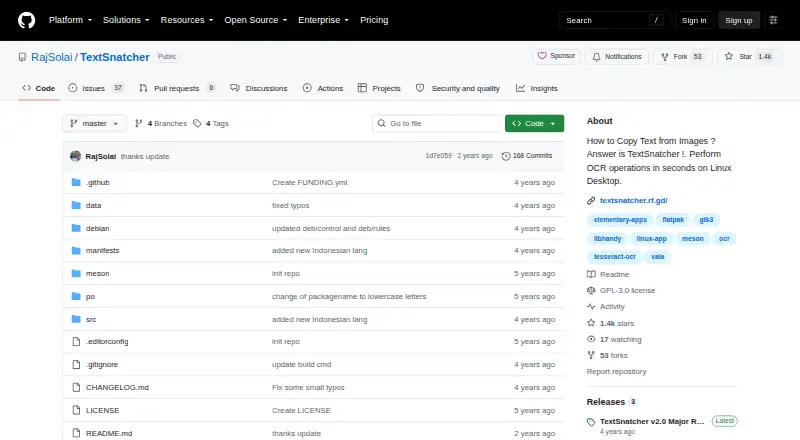
TextSnatcher is a free Linux desktop application that uses optical character recognition to copy text from images. Select an image area by dragging over it, then paste the recognized text into another application. It uses Tesseract OCR 4.x and supports multiple languages through Tesseract language data. The listed runtime dependencies are scrot, tesseract-ocr and the relevant language data. The project is identified as GPL-3.0 licensed and includes a Flatpak manifest for Linux. Its README documents cloning the repository, building with Meson and installing with Ninja; source builds require Granite, GTK 3, GObject, GdkPixbuf, libhandy 1 and libportal 0.5. TextSnatcher is focused on image-to-text copying rather than searchable PDFs or Word export. The README says the maker planned to resume updates and fixes after saving for a Linux PC. The application has a free plan and no free trial, with no stated usage limits or additional product integrations.
Who it suits
It suits Linux users who need to extract text from image regions and paste the result elsewhere. It is less suitable for workflows requiring searchable PDFs or Word-file export.
What it does well
- OCR from selected image areas
- Multiple language support
- Uses Tesseract OCR 4.x
- Flatpak manifest included
- GPL-3.0 licensed
What to know first
- Linux-only focus
- No searchable PDF support
- No Word export
- Source builds require several dependencies
Plans
| Plan | Billed and limits | Price |
|---|---|---|
| TextSnatcher | No pricing or usage limits stated | Free |
As github.com lists them, read 9 Oct 2026. The maker's own page has the final word.
Verdict
TextSnatcher is a focused Linux OCR utility for turning selected image text into pasteable text. Its open license and Flatpak manifest help distribution, while its scope excludes searchable-PDF and Word-export workflows.
Facts from TextSnatcher's own pages
- Build
- The README documents building with Meson and installing with Ninja. · github.com, 9 Oct 2026
- Build requirements
- Build dependencies include Granite, GTK 3, GObject, GdkPixbuf, libhandy 1, and libportal 0.5. · github.com, 9 Oct 2026
- Distribution
- The repository includes a Flatpak manifest and labels the project for Linux. · github.com, 9 Oct 2026
- Free plan
- Yes · github.com, 23 Sept 2026
- Supported inputs
- image · github.com, 23 Sept 2026
- Installation
- The README provides instructions to clone the repository, build with Meson and Ninja, and install the application. · github.com, 9 Oct 2026
- Integrations
- The README names Tesseract OCR and its language data as dependencies; it does not list other product integrations. · github.com, 9 Oct 2026
- Languages
- The application supports multiple languages. · github.com, 9 Oct 2026
- License
- The repository identifies its license as GPL-3.0. · github.com, 9 Oct 2026
- Linux focus
- The project describes itself as made for Linux. · github.com, 9 Oct 2026
- OCR engine
- TextSnatcher uses Tesseract OCR 4.x for character recognition. · github.com, 9 Oct 2026
- Paste workflow
- The README describes dragging over an image and pasting the recognized text. · github.com, 9 Oct 2026
- Primary platform
- desktop · github.com, 23 Sept 2026
- Project status
- The README says the maker planned to resume updates and fixes after saving for a Linux PC. · github.com, 9 Oct 2026
- Purpose
- TextSnatcher performs OCR to copy text from images on a Linux desktop. · github.com, 9 Oct 2026
- Runtime requirements
- The listed runtime dependencies are scrot, tesseract-ocr, and Tesseract language data. · github.com, 9 Oct 2026
- Searchable PDF
- No · github.com, 23 Sept 2026
- Security
- The repository page does not state security or compliance claims. · github.com, 9 Oct 2026
- Selection
- Users can drag over an image to copy its text. · github.com, 9 Oct 2026
- Support
- The repository README includes a Support Me section but gives no support terms there. · github.com, 9 Oct 2026
- Word export
- No · github.com, 23 Sept 2026
Where TextSnatcher stands on Freedom251
- OCR software#32 of 40