Temple Browser
What Temple Browser is
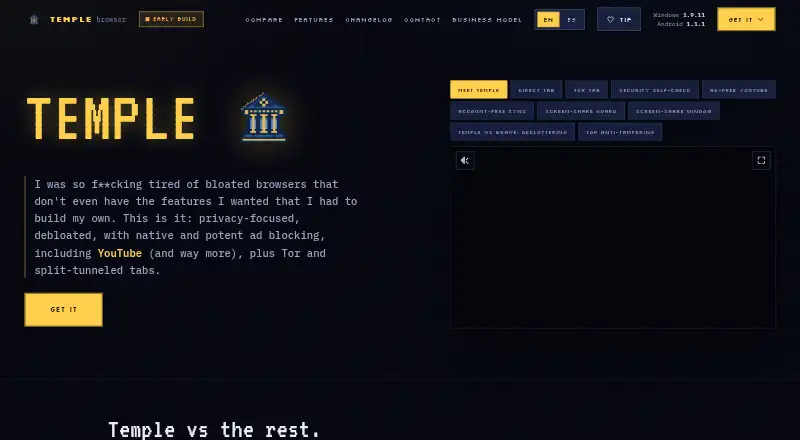
Temple Browser is a free browser for Windows and Android, with browser extensions listed as a platform. The free tier includes every browser feature and has no paid tier. It blocks ads, trackers, analytics, pop-ups, pop-unders, and YouTube ads, and provides built-in VPN and Tor routing for individual tabs. Other tabs can continue using the normal connection. Bookmarks, history, and logins sync between phone and desktop without an account, although sync could become paid if hosting costs become substantial. Temple imports bookmarks and cookies from Chrome, Edge, Brave, Opera, and other Chromium browsers. It can mirror a tab or full screen to a smart TV or Chromecast, and download cards show SHA-256 hashes for verification. Features are built in, with no extensions or add-on store. Windows uses the system’s Microsoft Edge WebView2 engine. Android is distributed as a direct APK rather than through Google Play. The Windows installer is unsigned and may trigger a SmartScreen warning. A solo developer maintains Temple and accepts support by email.
Who it suits
Temple Browser suits users wanting built-in ad and tracker blocking, per-tab VPN or Tor routing, and account-free device sync. It fits Windows and Android users comfortable installing an Android APK directly.
What it does well
- All browser features included in free tier
- Blocks ads, trackers, and YouTube ads
- Per-tab VPN and Tor routing
- Syncs bookmarks, history, and logins without account
- Imports data from Chromium browsers
What to know first
- Android version is not on Google Play
- No extensions or add-on store
- Windows installer is unsigned
- Sync could become paid later
Limits
The free tier includes the entire browser and every feature. Device sync could become paid if hosting costs become substantial.
Plans
| Plan | Billed and limits | Price |
|---|---|---|
| Free | All browser features included · No paid tier or pro upsell | Free |
As templebrowser.com lists them, read 19 Sept 2026. The maker's own page has the final word.
Getting started
- Open the Temple Browser website
- Download the Windows version or Android APK
- Install the Windows package or sideload the Android APK
- Import bookmarks and cookies from a supported Chromium browser
- Use the browser's built-in sync, blocking, VPN, Tor, and casting features
Verdict
Temple Browser bundles blocking, per-tab routing, sync, importing, and casting into a free browser. Consider the direct APK, unsigned Windows installer, and lack of extension support before choosing it.
Questions
How much does Temple Browser cost?
The Free plan costs nothing, and the paid-from price is 0 per month. There is no paid tier or pro upsell.
Which platforms does it support?
Temple Browser is listed for Android, Windows, and an extension platform.
Does it block ads and trackers?
Yes. Native blocking covers ads, trackers, analytics, pop-ups, pop-unders, and YouTube ads, with no telemetry or usage tracking.
Can tabs use VPN or Tor separately?
Yes. Individual tabs can route through the built-in VPN or Tor while other tabs use the normal connection.
Does it synchronize browser data?
Bookmarks, history, and logins sync between phone and desktop without an account.
Is Temple Browser open source?
No. Temple Browser is not open source and is maintained by a solo developer.
Facts from Temple Browser's own pages
- Ad blocking
- Yes · templebrowser.com, 19 Sept 2026
- Ad and tracker blocking
- Ads, trackers, analytics, pop-ups, pop-unders, and YouTube ads are blocked natively. · templebrowser.com, 27 Sept 2026
- Android distribution
- Android is distributed as a direct APK and is not on Google Play. · templebrowser.com, 27 Sept 2026
- Possible sync charge
- Device sync could become paid only if hosting costs become substantial. · templebrowser.com, 27 Sept 2026
- Browser engine
- Windows uses the Microsoft Edge WebView2 engine already included with the system. · templebrowser.com, 27 Sept 2026
- Built-in VPN
- Yes · templebrowser.com, 19 Sept 2026
- Company structure
- Temple is built and maintained by one person, a solo developer. · templebrowser.com, 27 Sept 2026
- Download verification
- Downloads can be checked against SHA-256 hashes shown on each download card. · templebrowser.com, 27 Sept 2026
- Extension policy
- Features are built in and the browser has no extensions or add-on store. · templebrowser.com, 27 Sept 2026
- Free plan
- Yes · templebrowser.com, 19 Sept 2026
- Free tier limits
- The free tier includes the whole browser and every feature. · templebrowser.com, 27 Sept 2026
- Browser import
- Imports bookmarks and cookies from Chrome, Edge, Brave, Opera, and other Chromium browsers. · templebrowser.com, 27 Sept 2026
- Installer certificate
- The Windows installer is unsigned and may trigger a SmartScreen warning. · templebrowser.com, 27 Sept 2026
- Open source
- No · templebrowser.com, 19 Sept 2026
- Supported platforms
- both · templebrowser.com, 19 Sept 2026
- Pricing model
- Free browser with no paid tier or pro upsell. · templebrowser.com, 27 Sept 2026
- Screen sharing
- Users can mirror a tab or the whole screen to a smart TV or Chromecast. · templebrowser.com, 27 Sept 2026
- Support contact
- Bugs, feedback, requests, and business inquiries can be sent by email. · templebrowser.com, 27 Sept 2026
- Supported platforms
- Windows 10/11 64-bit and Android 8.0 or newer. · templebrowser.com, 27 Sept 2026
- Encrypted sync
- Bookmarks, history, and logins sync between phone and desktop without an account. · templebrowser.com, 27 Sept 2026
- Tor routing
- Individual tabs can route through Tor without add-ons or a separate browser. · templebrowser.com, 27 Sept 2026
- Tracker blocking
- Yes · templebrowser.com, 19 Sept 2026
- Trial and refunds
- No trial or refund policy is stated on the page. · templebrowser.com, 27 Sept 2026
- Per-tab VPN
- Individual tabs can use VPN routing while other tabs use the normal connection. · templebrowser.com, 27 Sept 2026
Where Temple Browser stands on Freedom251
- Web browsers#93 of 154
- Privacy browsers#24 of 32